

I just bought and installed turbotax from Costco website. I have been using Turbotax website e-file before(I spent around $138 last year for Premier), which is more expensive than software. It costs less than $70 on Costco website, so I decide to use Turbotax from now on.
Question: I downloaded TurboTaxReturn.tax2021 and 2021_TaxReturn.pdf, when I start a new return, and I browse TurboTaxReturn.tax2021, and it will import personal information from previous year. Does it import carryover loss from previous year? Do I need 2021_TaxReturn.pdf? I saw from a post somewhere that I need both TurboTaxReturn.tax2021 and 2021_TaxReturn.pdf, but I don't see how to use both files. Since when it only allows me to browse one file when starting a new return.
I am still waiting for tax forms, and have not really started the return form yet, just want to figure out how turbotax software works.
Thanks.
You'll need to sign in or create an account to connect with an expert.
The file you want to transfer in is the tax file, not the pdf. The tax file is the one with all of the information from the 2021 tax return.
How to transfer last year’s return? https://ttlc.intuit.com/questions/1900883
You have to do that transfer at the very beginning, before you start to enter any new 2022 data.
If you correctly transfer (not import) the prior year .taxfile when you start the 2022 return (you should have been prompted to do so) then all the carryforward info will be in there ... always check everything before you file which is easy in the downloaded program.
This is my mini version of a tutorial that should be in the downloaded program:
Forms Mode lets you view and make changes to your tax forms "behind the scenes."
If you're adventurous, you can even prepare your return in Forms Mode, but we don't recommend it. You may miss obscure credits and deductions you qualify for, and you may forget to report things that will come back and haunt you later.
Forms Mode is exclusively available in the TurboTax CD/Download software. It is not available in TurboTax Online.
If you want to play around with different figures and tax scenarios without affecting your original return you can ….
It's always a good idea to make a backup copy of your tax data file, in case your original gets lost or corrupted. Here's how:
If you make changes to your original tax return file, repeat these steps to ensure your original and backup copies are in-synch.
AND save it as a PDF so you have access to a copy even if you don’t have the program still installed and operational :
AND protect the files :
And yes, the .tax2021 datafile will transfer your carryover loss data.
But you also want to download all prior tax years of PDF files to your computer for future reference.
Once you get out of the Online software.....you may lose track, or access to that online account to get those PDF files at some time in the future, so get those files NOW.
Might be a good idea to get the .tax2019 & .tax2020 datafiles while you are at it, just in case you have to amend those years for any reason. The IRS could still start asking some questions about those...as those years had a mess of confusing changes.
If I want to review PDF form before e-file, I should go to File > Save to PDF ?
Curious: Where is form mode to fill out data? Just getting to know more about the software. Is it View >Form ? Or Form > Open Form ?
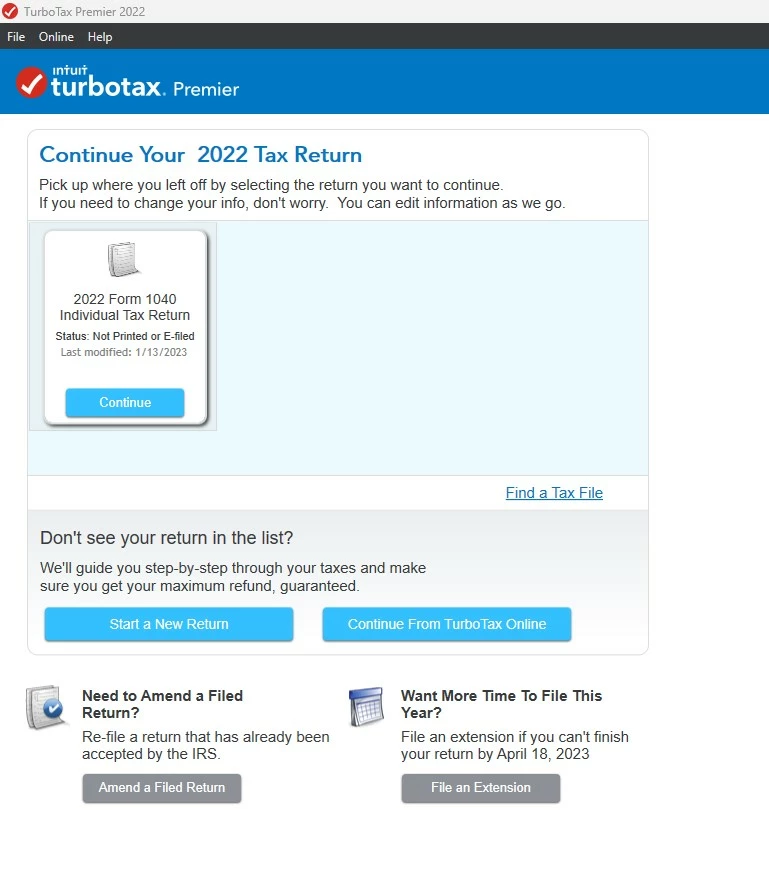
Different from full file name TurboTaxReturn.tax2021 downloaded from website, it seems the software default file name is longer --- 2022 Form 1040 Individual Tax Return.tax2022
Thanks.
First of all the pdf file is so you can view or print a copy of your return without needing to open the program like to give someone a copy. And if you haven't done it I would go to your online account and download all the pdf files for all the years . You may not be able to get a copy when you need one.
Then about the file name. The first thing I do after starting a new return is to save it with a better name that I can tell it apart from other tax returns (I do other returns for family and test returns) . Go up to FILE - SAVE AS and I name it like 2022 My Name.tax2022. Oh and save frequently! The Windows Desktop program does not automatically save but it should ask if you want to save when you exit. And save backups! To something external like a usb drive or a backup program or cloud. The only copy is on your computer and not saved or stored online.
When you have your return open you can switch to the Forms Mode by clicking FORMS in the upper right . The Desktop program is a lot better than the Online version. You can see and enter into the actual forms. You can get to where you want to go and jump around without it asking you a whole lot of questions.
The CD/Download Desktop you buy and install the program, which can do unlimited returns. The returns are only saved on your computer and can not be accessed from anywhere else. And not saved at Turbo Tax. So Be sure to save Frequently and make backups. You get 5 federal efile for free. In Deluxe and above you get 1 state PROGRAM download to prepare unlimited state returns (in that state). Each state return including the first one is $20 early or $25 to efile or you can print and mail the state for free. The Desktop programs do not have the expert help that is available to add to Online versions.
Desktop also has many other features and advantages over the Online version. You can do more than 1 return. You can see and enter into the actual forms. It has a What-If worksheet. And you can use a lower version because all the Desktop versions have ALL the same forms. You just get more help in the higher versions. In online you have to upgrade to enter certain kinds of income. Like Premier for investments.
And the Desktop program is always available even after the year ends. Which is good if you ever need to amend your return after online website is closed or get audited and need your tax records.
In the downloaded program you can switch back and forth between the FORMS mode and the STEP BY STEP mode at will ... look for those icons in the upper right. You don't need to save anything to a PDF file at all.
I have the Windows Home & Business program so it has a couple extra menu tabs than you. But basically is the same. So ask all your questions. Here is a screen shot of a 2021 test return. See the file name I gave it at the very top? I circled the Forms button to switch to Forms.
"And you can use a lower version because all the Desktop versions have ALL the same forms"
I heard it before, but I still don't understand it. For stock investment, it definitely requires Primier. If lower version works, why people buy higher version?
They use a higher version because they don't know they can use Deluxe or they want the extra help in Premier. I buy the Home & Business version (the highest). H&B lets you prepare W2 & 1099 forms to give out. The Desktop program doesn't require Premier, but it is Recommended. That is one of the big differences between the Online versions and the Desktop program.
Made you a screen shot of the CD programs. Like for Premier it says....Recommended for (not required) and says it gives you Additional help with investments.
I agree ... the marketing uses the word RECOMMENDED but at no time is it REQUIRED to upgrade to the Premier version ... again ALL the downloaded programs can handle all the same forms but the extra "help" screens are added to the basic version to make the extra price "worth it". Many folks don't realize that upgrading is just a marketing ploy to make more money.
...or referencing the requirement for Premier for Stock, Bond,& Security transactions?
In the "Online" software, Premier is required for those....in "CD/desktop/download" software, a lower version will do it.
________________
Different platforms, different somewhat subtle distinctions on their capabilities.
For the ONLINE program you can start with the FREE version but once you try to enter something the FREE version doesn't handle you would be REQUIRED to upgrade to continue preparing a true and accurate return or refuse and leave the item off the return which could be disasterous in the future when the IRS sends the CP2000 notice.
Still have questions?
Questions are answered within a few hours on average.
Post a Question*Must create login to post
Ask questions and learn more about your taxes and finances.
wannatakeanap
New Member
MTSPEC
New Member
neal-cfl9
New Member
AJd4
Returning Member
emsolari02
Returning Member




