
Level 5
March 26, 2022
Question

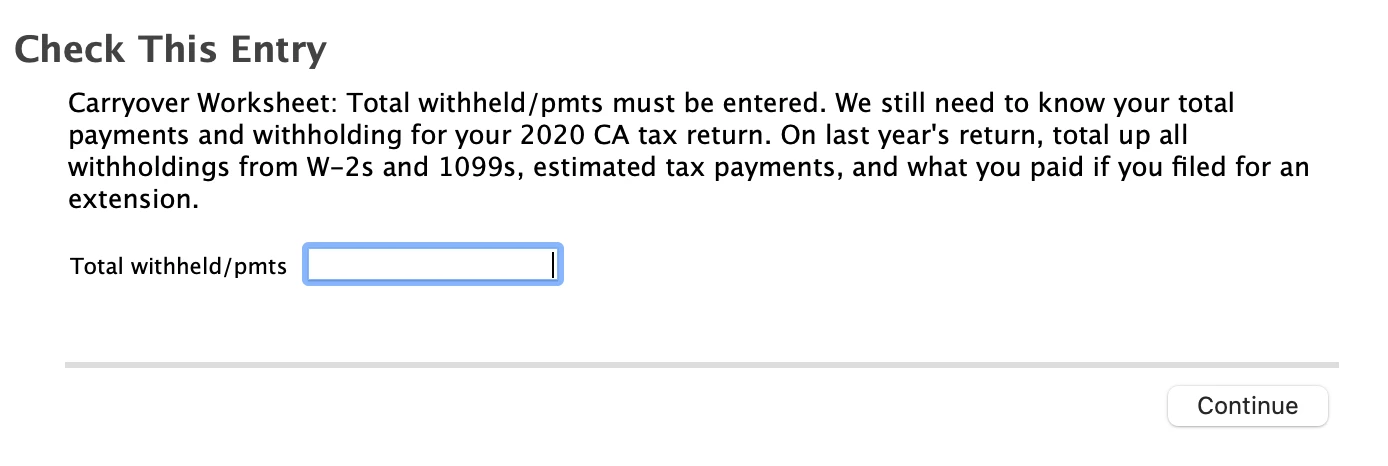
Check this entry: carry over worksheet: total withheld/pmts must be entered - CA 2020 return

  • March 26, 2022
  • 1 reply
  • 0 views

Hello,

I need help.  I am not understanding why this pops up and not sure what to do.  See screenshot.

It wants me to total payments and withholding for my 2020 CA return.  Can you help?  
    1 reply

    DMarkM1
    Level 15
    March 28, 2022

    This pop up is asking about your 2020 state tax payments.  If you completed your 2020 CA state return in TurboTax you can sign in to your account and print/download your 2020 return.  Be sure to select all forms/worksheets. 


    Look for the "Federal Carryover Worksheet."  On that worksheet you will find the CA "Total withheld/payments" amount requested. 


    If CA was the only state you paid taxes to in 2020 and you itemized, you could also find your Federal Schedule A and use the line 5a amount plus any amounts paid with a CA extension if applicable.    


    You can also total the amounts in box 17 for CA on your 2020 W2s and add in any quarterly payments to CA in 2020 (if any) and if you filed a CA extension for 2020 and made a payment with that extension you would add that as well.   

    **Say "Thanks" by clicking the thumb icon in a post. **Mark the post that answers your question by clicking on "Mark as Best Answer"
    Level 5
    April 15, 2022

    Hello DMarkM1,


    I am looking at both my 2020 Schedule A and and also my 2020 W2 line 17 and both amounts are different.

    it looks like the 2020 schedule A line 5a and the 202 W2 line17 have different amounts.  So should I just enter the amount listed in the 2020 schedule A line 5a?




