Level 2
February 21, 2022
Question

J.P. Morgan Securities - Not able to request Identification Code - TurboTax 2021 for Mac

  • February 21, 2022
  • 3 replies
  • 0 views

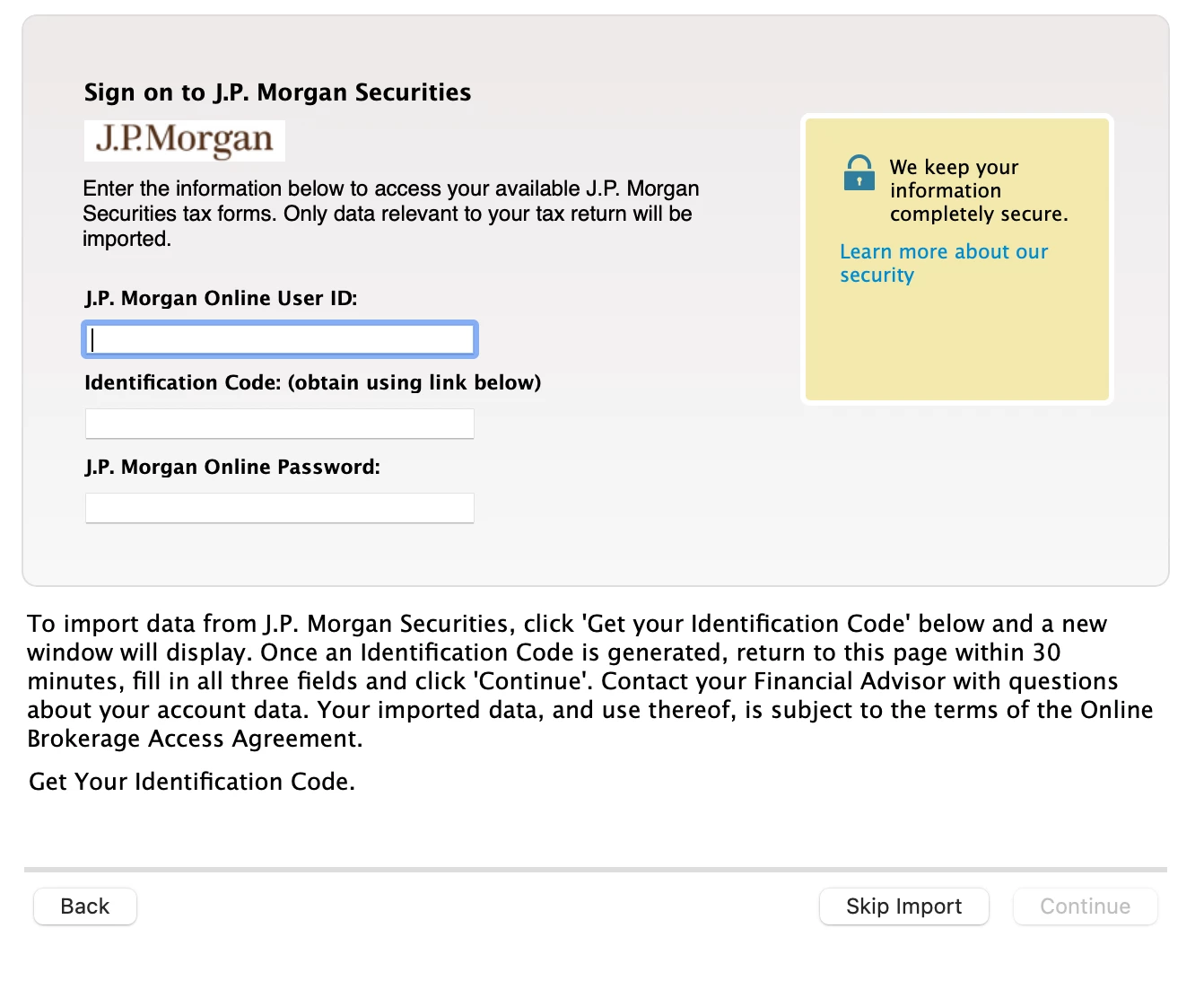
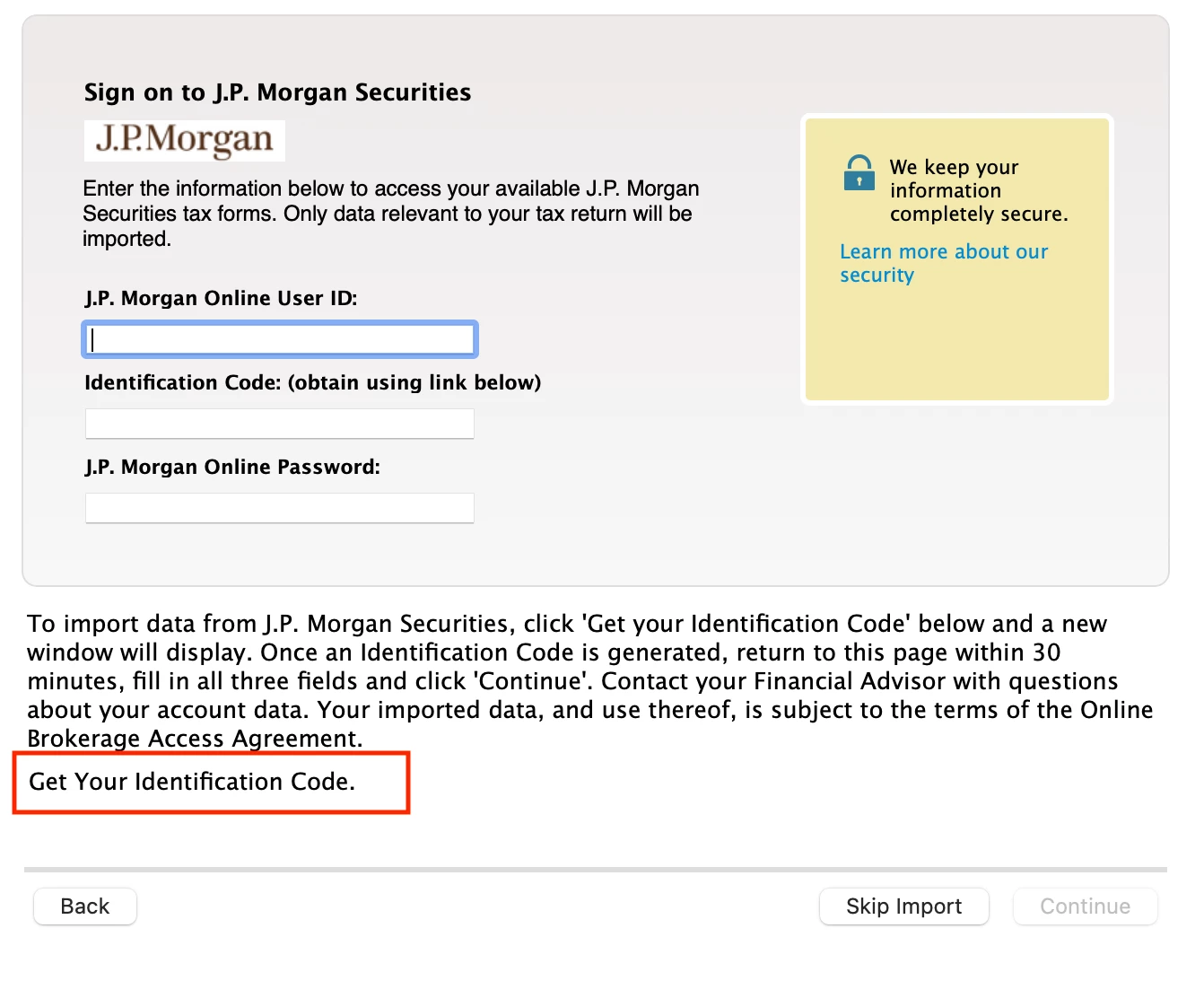
When I select J.P. Morgan Securities to download transaction I am presented with long in screen. Where it says to click "Get Your Authentication Code" . See Bottom of screenshot. But that area is not clickable. 
    3 replies

    Level 15
    February 21, 2022

    Are you using the Turbo Tax Online or Turbo Tax Desktop?

    **Say "Thanks" by clicking the thumb icon in a post. **Mark the post that answers your question by clicking on "Mark as Best Answer"
    maximus2Author
    Level 2
    February 21, 2022

    Desktop for Mac

    Katina S
    Level 8
    February 21, 2022

    Try deleting your browser's cookies. Please see this Turbo Tax FAQ regarding How to delete cookies! If that doesn't work, try using a different browser all together. 


    @maximus2

    Level 2
    March 8, 2022

    Is this problem resolved with Turbo software? I am still having the same problem after 2 weeks.

    ==========================

    I'm using Turbo Tax Deluxe for Mac 2021. For J.P. Morgan Securities the "Get your identification code" is not hyperlinked & therefore cannot download 1099s. When will this be fixed?

    Level 2
    March 8, 2022

    Just tried this, worked!

    -----------------------------------

    A workaround you can try is within the Importing section in TurboTax, is to try the other Chase Bank institutions to upload your 1099. For example, try Chase Bank versus J.P.Morgan Securities.  

    Level 2
    March 12, 2022

    When you search for chase, only two entries show up.  "Chase Bank" and "Chevy Chase Trust". If you choose Chase Bank you get a pop up window saying not available until Oct 1 2022 and to do manual entries.


    Could TurboTax help give clear instructions on how to import JP Morgan securities data.

    Level 3
    March 13, 2022

    This work around worked for me:


    Login to Turbotax online

    Click Wages and Income : as if you are completing your tax return through the online web portal

    Click on Dividend and answer yes i have dividend

    It should bring you to the screen 

    Let's import your tax info

    From here search J.P : click on J.P Morgan Securities

    Don't fill the info of your USER ID and Password here unless you plan to use the online.  Instead click on the now available Hyperlink Get Your Identification Code.

    Use this hyperlink to get the code and fill it on your Turbo Tax program.  


    Hope this works for you

    Level 2
    April 3, 2022

    You are a Genius!  Thank you for this.