
turbotax icon
cancel
Showing results for 
Search instead for 
Did you mean: 
Announcements
Our Community is moving to a new platform on June 8th! Read more here!!
Close icon
Do you have a TurboTax Online account?

We'll help you get started or pick up where you left off.

can't add additional investments

Using TurboTax Deluxe on a MAC...


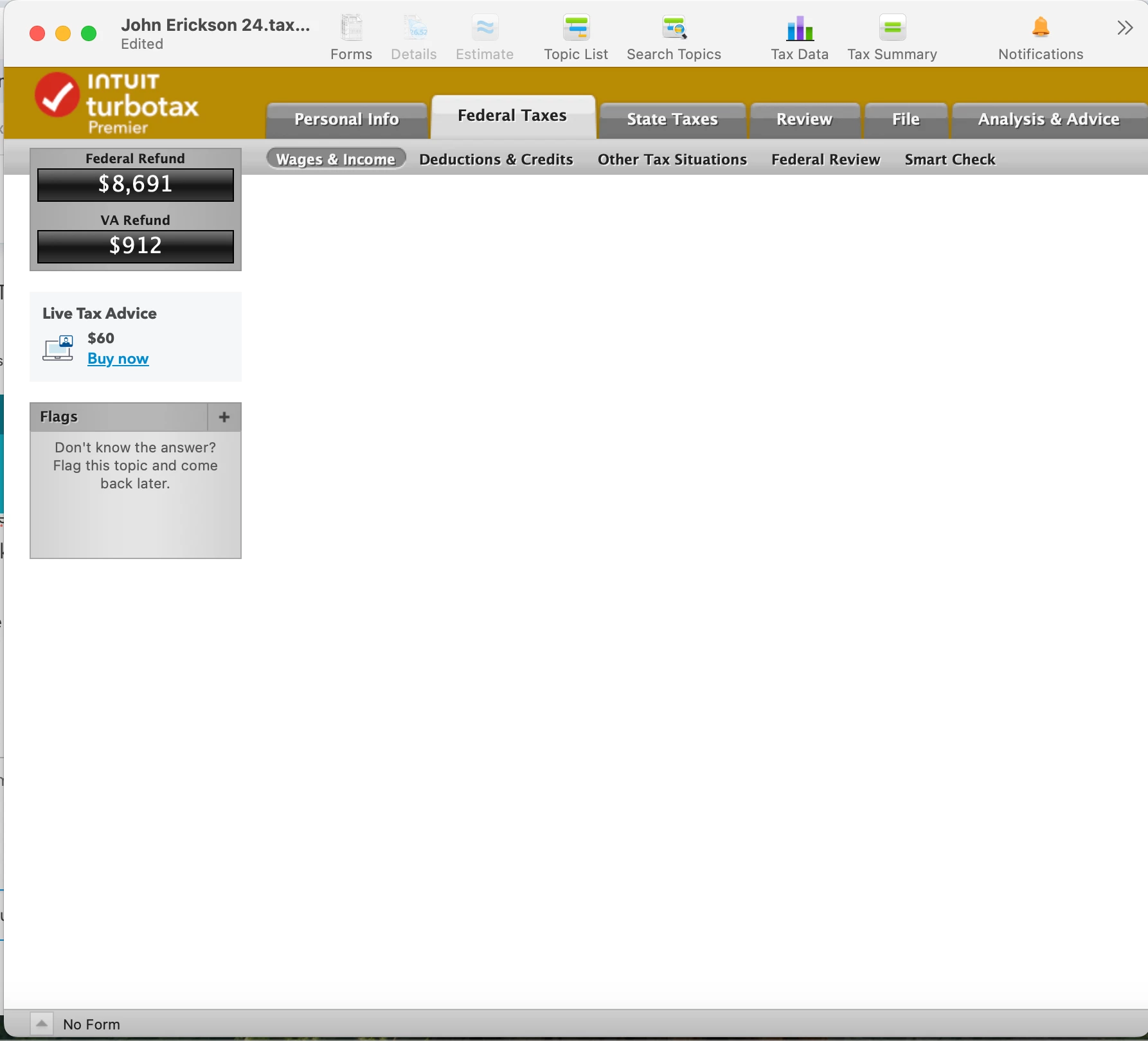
I need to ammend income and have to add a 1099-INT. When I click on "Add Investments" at the bottom, I am taken to a blank page.


All updates are already installed. See attached screenshot. bottom left of turbo tax screen says "no form" but all updates are downloaded and installedcan not add investments.png
x
Do you have an Intuit account?

Do you have an Intuit account?

You'll need to sign in or create an account to connect with an expert.

13 Replies
MonikaK1
Expert Alumni

can't add additional investments

I just tried making new income entries on a Mac return. From the Income Summary, there was a second or so delay before the next screen came up, but I was able to edit prior entries and add new ones.


Check to see if your screen resolution may be off. Experiment with using the arrows to navigate around the blank screen to see if the content comes up. Or, try connecting your Mac to another monitor to see if the content displays.


In the past, a user reported that the following steps worked to resolve a blank screen issue:


  1. Save your tax return.  Close the TurboTax program
  2. Right-click on the TurboTax icon on your display
  3. Click on Properties
  4. Click on the Compatibility tab
  5. Check the box Run the program as an administrator
  6. Click on Apply and OK
  7. Start the TurboTax program and see if the problem persists

Try logging off and logging back on; try restarting your Mac. Try clearing your cache and cookies.  


If after trying all of the options mentioned you still have the same problem:


See this help article and this one for instructions on how to contact TurboTax customer support depending on which product you are using.


**Say "Thanks" by clicking the thumb icon in a post
**Mark the post that answers your question by clicking on "Mark as Best Answer"

can't add additional investments

I appreciate the response but none of these apply to a Mac:


1. run as administrator is a Windows thing


2. clearing cache instructions in the link are for the browser. I am running the thick client desktop version for the mac


Would appreciate any other actions to take

MonikaK1
Expert Alumni

can't add additional investments

Did you try navigating in the screen to see if the content is outside the screen? Try attaching another monitor? Did you try logging off, restarting your Mac device, and logging back in?


Mac users often report issues with the screen size in certain areas of the program in that the button needed is not showing on the screen. Sometimes scrolling around to the far edges, or dragging out the edges of the file screen, reveals what is missing.


To adjust the resolution on your screen, you could try the steps on this Apple Support page:


On your Mac, choose Apple menu > System Settings, then click Displays in the sidebar. (You may need to scroll down.) Select the display you want to adjust, then select the resolution you want to use. You may be able to turn on “Show all resolutions” to see additional resolutions for the display.


@mrsjle96 


**Say "Thanks" by clicking the thumb icon in a post
**Mark the post that answers your question by clicking on "Mark as Best Answer"

can't add additional investments

it really doesn't seem to be a screen issue, looks like a TT issue.  I would try reinstalling.

can't add additional investments

one other thing to try if you hold down Option with your mouse on the main TT menu and do "Download Latest Updates" - just to make sure

can't add additional investments

it is definitely not a monitor issue. I have a single screen

can't add additional investments

I agree and I have deleted the app and reinstalled... I think it's the updates that are actually causing the issue. I was able to "fool" it and added 1 new 1099-int then downloaded updates... but now after the updates I can't add another 1099-b... so I guess I'll go through the steps to "fool" it again

can't add additional investments

It is not a screen issue also because if I start a new return, I can add new investments - and the screen is the same. I have tried to uninstall and reinstall the app... I was able to add 1 new 1099-INT... now I get the same blank screen when I try to add a 1099-B... I did another uninstall/reinstall but I am just getting the same blank screen now. I need to add one more 1099-B then I can call it done. any other ideas?

raoandy
Returning Member

can't add additional investments

I am having the exact same problem.  I am using Turbotax 2025 desktop edition on a Mac.    When I click 'Add investments' to add a new tax form, I get taken to a blank screen.  This is a serious problem that you guys need to fix.

MonikaK1
Expert Alumni

can't add additional investments

When you click Add Investments in Mac, you should next see a screen listing the different import partners and a choice either to Skip this Import or Continue.


Select Skip this import and you should see a screen with investments types from which you can select.


I just did this on my Mac with no problem.


If you are seeing a blank screen, try some troubleshooting steps:


Try running a manual update. To update the Mac version of TurboTax: 

  1. Hover your cursor over "TurboTax 2025" on the very top bar menu next to the Apple logo.
  2. Select Check for Updates from the drop-down menu.
  3. You will then see either a message "TurboTax is up to date" or instructions to run the update.

Try closing TurboTax, restarting your computer, and logging in again.


See also this help article for troubleshooting issues for TurboTax with Mac.


@raoandy 

**Say "Thanks" by clicking the thumb icon in a post
**Mark the post that answers your question by clicking on "Mark as Best Answer"
raoandy
Returning Member

can't add additional investments

Yeah none of that helps.


1) I have confirmed my Turbotax is up-to-date.

2) I have powered my iMac off, restarted it, etc.

3) I even reinstalled Turbotax as described here: https://ttlc.intuit.com/turbotax-support/en-us/help-article/product-delivery/remove-reinstall-turbot...


Vanessa A
Expert Alumni

can't add additional investments

I am not able to duplicate this issue on my MAC.  All my screens are working properly.  Since you have attempted all of the above, here are a few more things to try:


1) Check to see if it is this particular file by creating a new return.  Just enter a little bit of information and then go to Investments to see what happens.


2) Try resizing your screen and going OUT of full screen mode


3) In forms mode look for a 1099-INT with a red exclamation mark next to it.  If it is blank, delete it.  If it is not blank, click on the form and check what the errors are. 


4) Look for corrupt files (Be sure to save your tax file first)

  1. Go to find
  2. Click Go in the top menu
  3. Hold Option Key
  4. Select Library
  5. Go to Containers>>Intuit.TurboTax.2025
  6. Move that to the trash and restart the app.  DO NOT DELETE THE .TAX DATA FILE ONLY THE APPLICATION FILE 

5) Try using forms mode to enter the changes directly on the form.


**Say "Thanks" by clicking the thumb icon in a post
**Mark the post that answers your question by clicking on "Mark as Best Answer"
raoandy
Returning Member

can't add additional investments

I can promise you the issue is real.  I was not able to solve this myself.  I managed to kludge a workaround but I have serious doubts about using TurboTax next year.  This was a very basic thing that your QA team should have caught.  I'll be looking at alternatives next April 15.  I urge others to consider the same.

Unlock tailored help options in your account.

message box icon

Get more help

Ask questions and learn more about your taxes and finances.

Post your Question




