You'll need to sign in or create an account to connect with an expert.
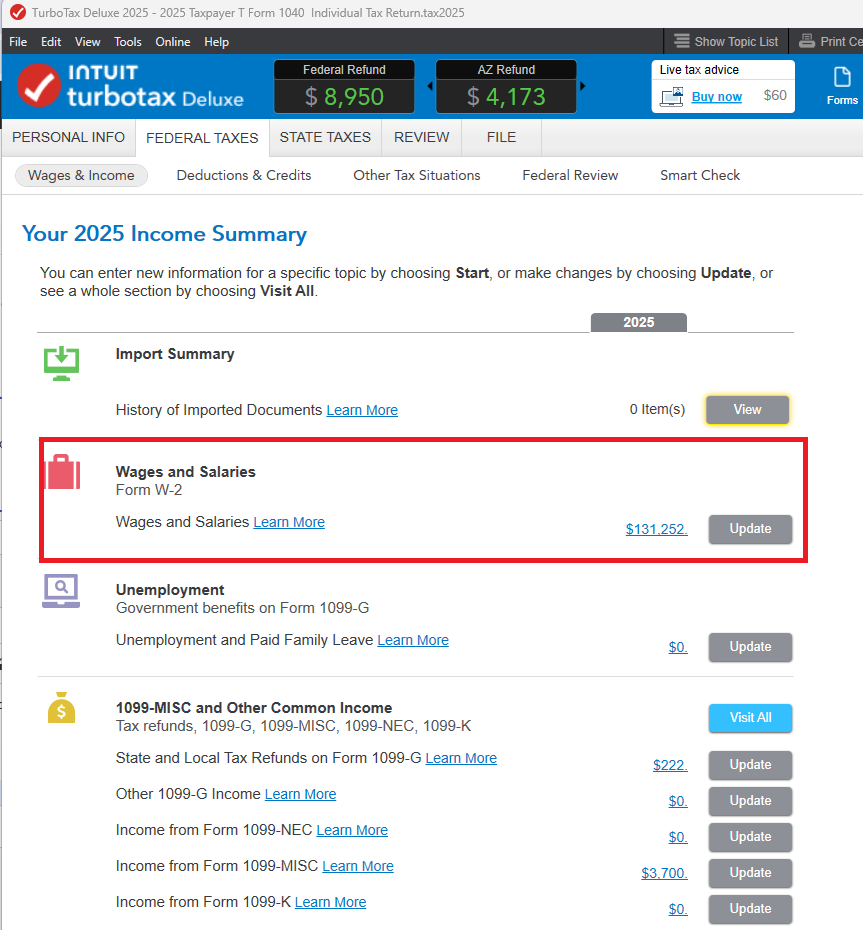
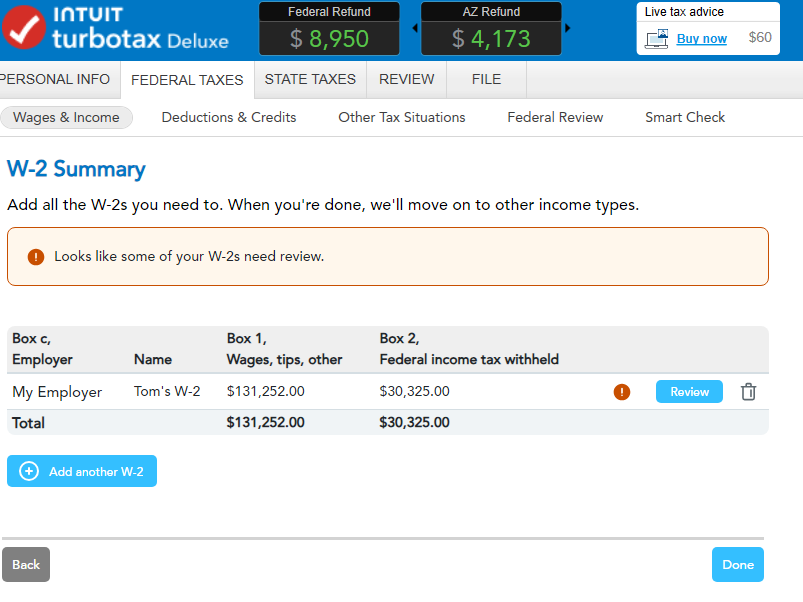
If you're using TurboTax Desktop, in the Federal Taxes tab, go to Wages & Income > I'll choose what I work on. On the 'Your 2025 Income Summary' screen, go to 'Wages & Salaries' and choose Update. If you added (or tried to add) a W-2, the next screen is 'W-2 Summary'.
Click 'Review' to open the W-2 entry boxes. Add or edit any info you need to, using your W-2 for reference.


For what it's worth, I was able to fix this by completely uninstalling TurboTax for the current and previous years, both via the TurboTax uninstaller on the Windows add/remove programs screen and via the "force uninstall" instructions at https://ttlc.intuit.com/turbotax-support/en-us/help-article/diagnostics/forcefully-uninstall-turbota... , and then reinstalling.
the system is saying it hit a snag and to revisit something prior, and won't let me enter my new w-2's. how do i proceed?
Are you using the online version?
Sounds like something got stuck. You can try these things:
Most TurboTax errors happen because the browser is trying to use an old "session" from a previous visit. By clearing the cache or using Incognito mode, you force the browser to establish a brand-new, secure connection with the Intuit servers.
I can only enter the EIN.
I cannot enter any other information on the page ( aside from the drop down state)
You can skip the import screen - hit the CANCEL button. Manually enter the w-2. Navigate to the W-2 section:
At We'll start with your W-2, select Work on my W-2 and Continue.
If you land on the Your W-2 summary screen, select Add a new W-2.
How do I manually enter my W-2?
Still have questions?
Questions are answered within a few hours on average.
Post a Question*Must create login to post
Ask questions and learn more about your taxes and finances.
willpower0503
New Member
josesher20
New Member
mrcrull
Level 2
user17798517555
New Member
mkhaderva
New Member