March 5, 2022
Question

[Potential Bug] QBI Carryover Loss Not Populating Properly

  • March 5, 2022
  • 2 replies
  • 0 views

Hi,


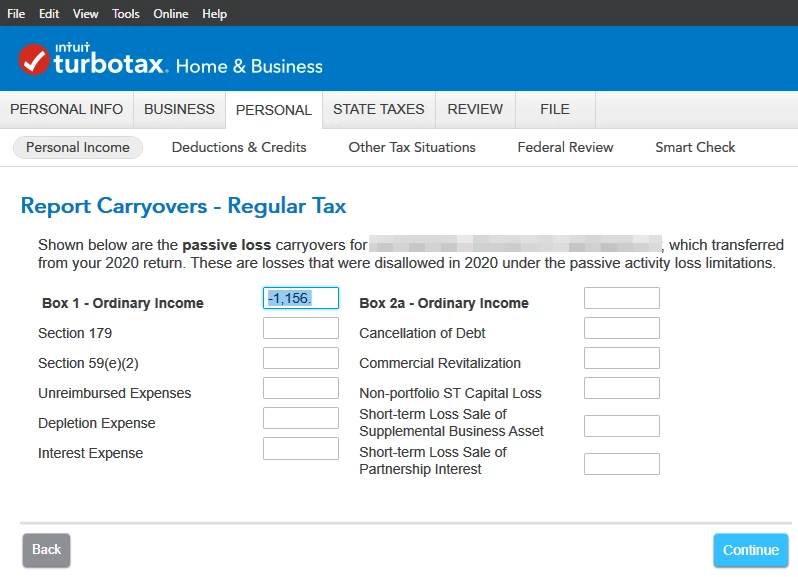
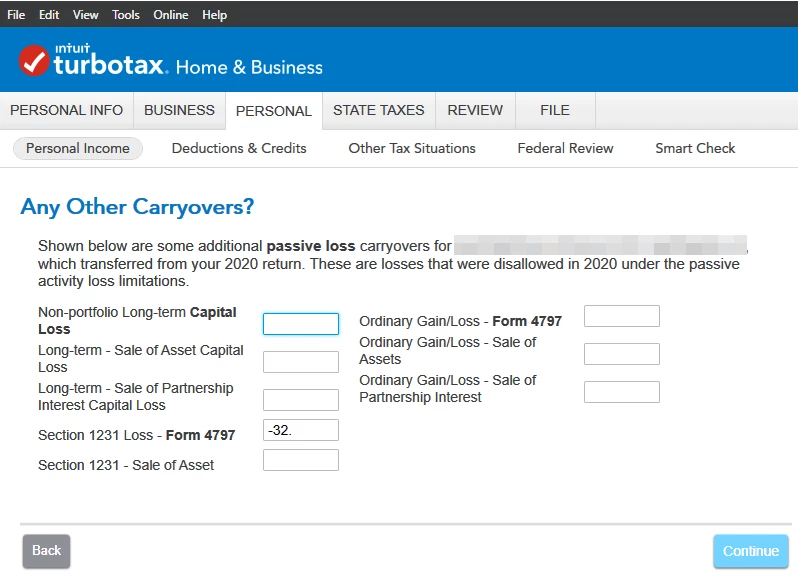
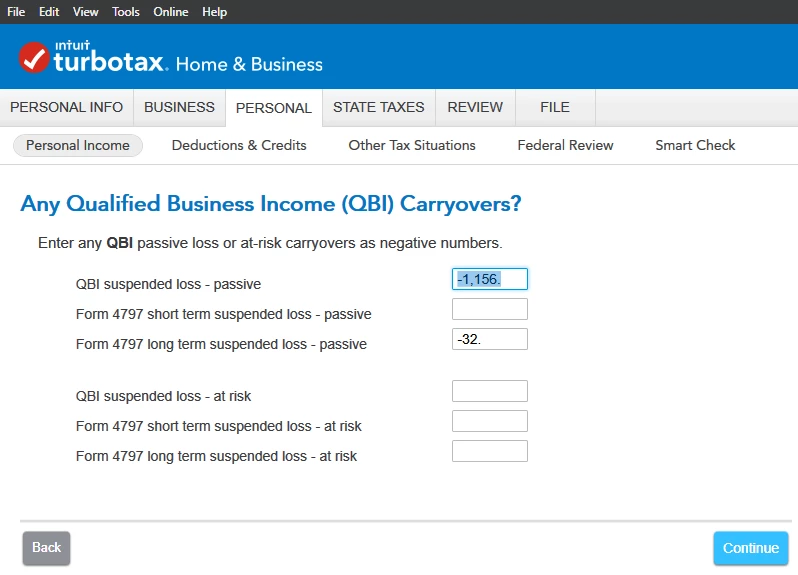
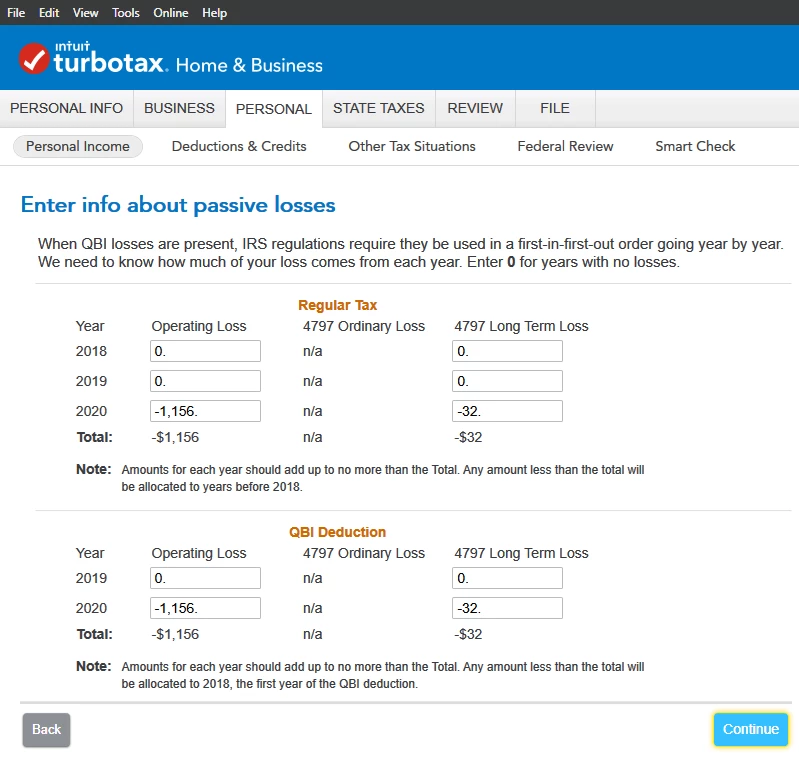
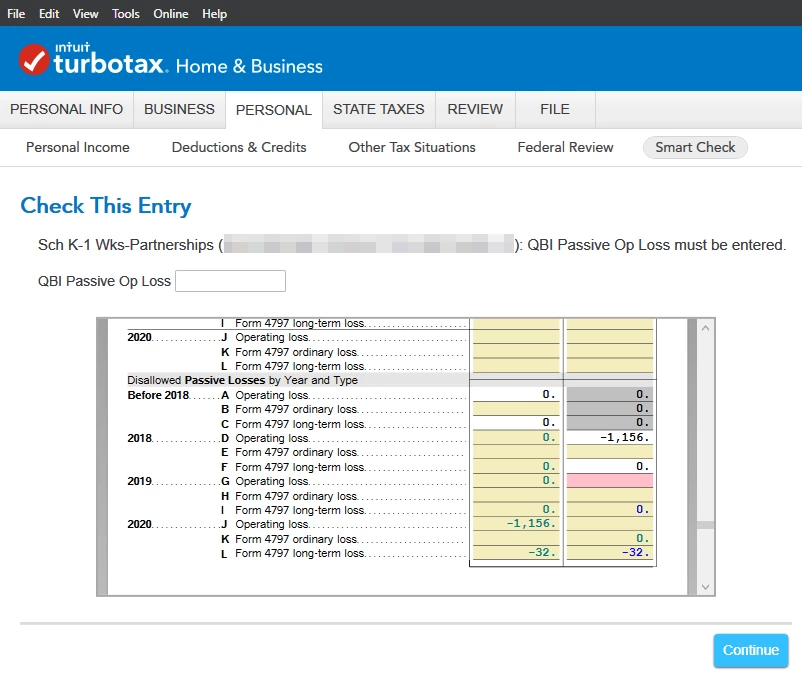
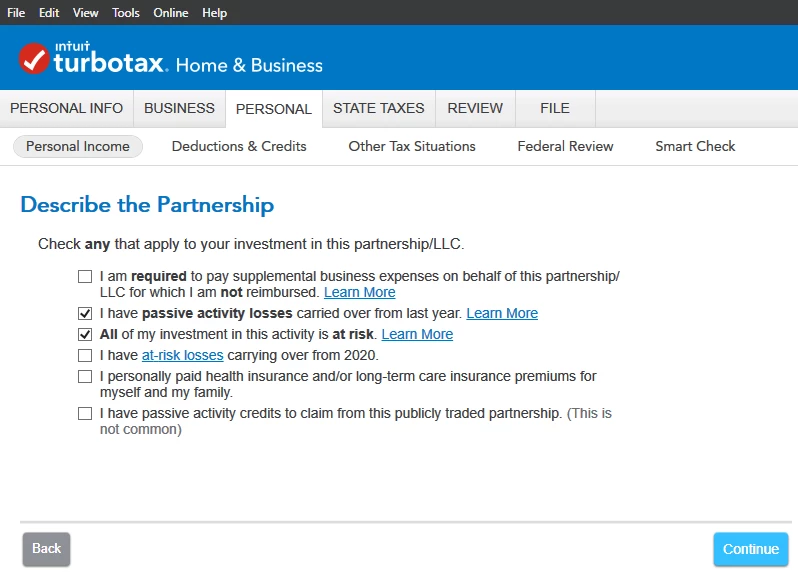
I am carrying over a 2020 passive activity loss from a partnership to 2021. Most of the guided screens automatically populated with the relevant information. The only one that didn't is the "QBI Deduction" section on the "Enter info about passive losses" screen so I filled it in manually. Nonetheless, during the Smart Check, TT complains about the information not having been filled in. Moreover, it allocates the entered 2020 loss to 2018 instead of 2020. See related screenshots below.


I assume this is a bug but was hoping someone could confirm / forward this to a moderator for review (@DoninGA?). I am using TurboTax Desktop 2021.


Thanks!
 

2 replies

Level 2
March 5, 2022

Hi.  I just had the same thing happen with my schedule E for rental properties.  Not sure if the K-1 schedule has the same section, but I pulled up my 2020 return and reviewed the carryover to 2020 section (which is the 2019 amount) on the schedule E worksheet (in forms view) and manually entered this qbi amount in the box on 2021 when it came up as an error to fix.  Ran the review again and it went through.   Hope this helps.

March 5, 2022

Yea, manually entering the numbers using the Forms view or when the error appears during the "Smart Check" worked for me too. I was just pointing out that the numbers don't seem to automatically transfer properly when using the guided wizard.

AliciaP1
Level 13
March 5, 2022

Your screenshot #4 "Any QBI Carryovers" need the entries to be listed as negative amounts per the guidance under the page header.

**Say "Thanks" by clicking the thumb icon in a post. **Mark the post that answers your question by clicking on "Mark as Best Answer"
March 5, 2022

Screenshot 4 does show negative numbers (-1156 and -32). What do you mean?