
Level 2
April 12, 2020
Question

Multiple States—partnership adjustments for state level differences

  • April 12, 2020
  • 1 reply
  • 0 views

Hello,


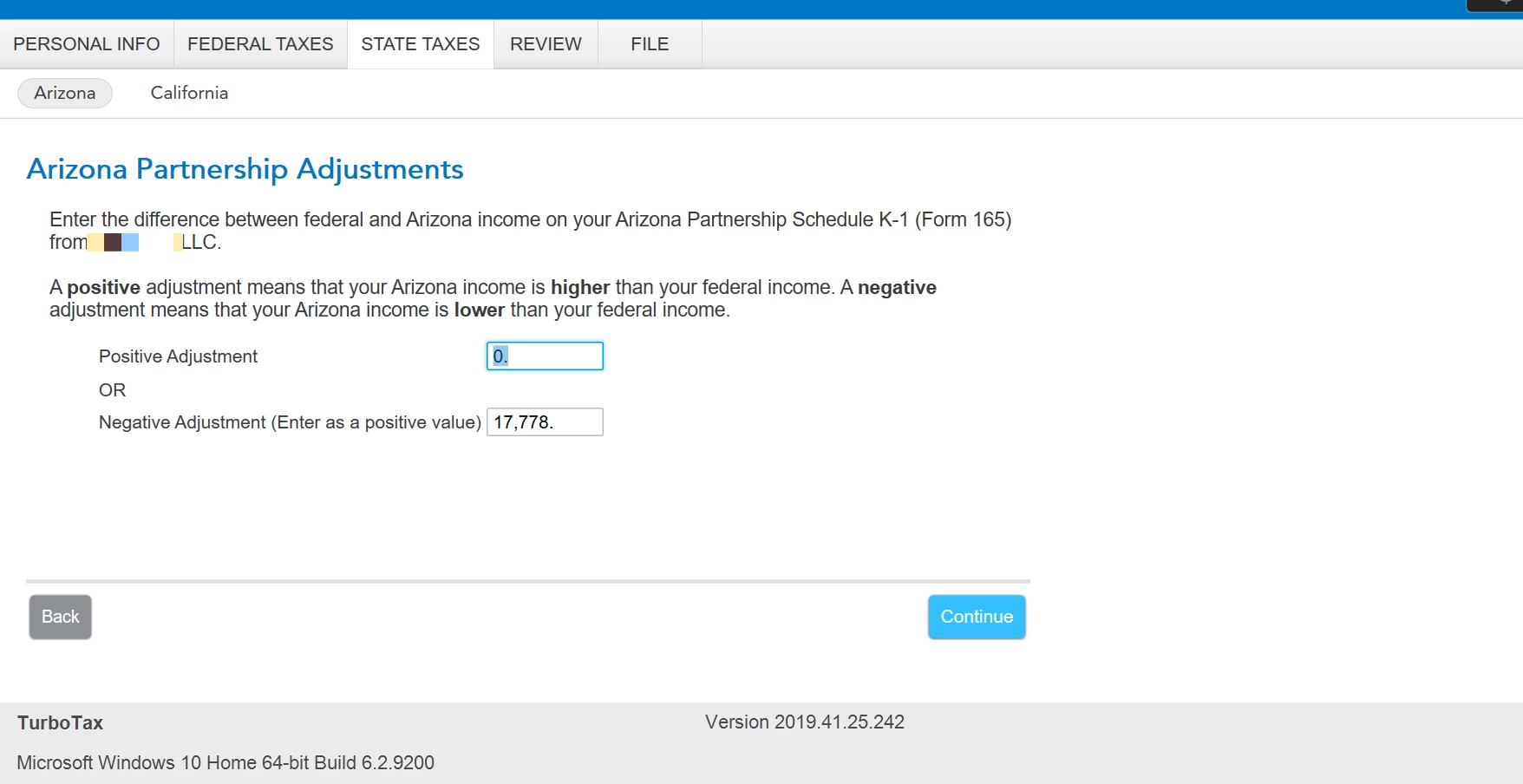
I am a resident of Arizona and I have a partnership interest in California (non-resident). When filing my tax return for Arizona I am prompted with the option to "Enter the difference between federal and Arizona income" for this partnership that is based in California. See screenshot. Should I apply a negative adjustment here for the full income amount since this is a California partnership and will be included in my California tax return? 
 

1 reply

Level 11
April 13, 2020

It depends.  If you were issued an Arizona Partnership Schedule K-1 (Form 165) and there are any differences in Income listed, you will need to list the differences on this screen. 


If you were not issued an Arizona K-1 (Form 165) or there are no differences in the income from the Federal Form K-1, you will not make indicate any differences on this screen.


**Say "Thanks" by clicking the thumb icon in a post. **Mark the post that answers your question by clicking on "Mark as Best Answer"
Level 2
April 23, 2020

Hi


Thanks for your response @KarenM90 . Just clarify... I received a California K1 from this partnership interest along with a federal K1. I did not receive an Arizona K1. In addition there are no differences from my California and federal K1.


Based on your reply please confirm that I will not indicate any differences here. 

DavidS127
Level 13
April 29, 2020

Because you did not receive an Arizona Form 165 Schedule K-1, there is no adjustment for you to enter. 


The Arizona instructions are specific to the Arizona Form 165 Schedule K-1.  Your partnership is a California partnership, and presumably did not operate in Arizona and thus was not required to file Arizona Form 165.  In other words, no Arizona Form 165 Schedule K-1, no difference to enter.

**Say "Thanks" by clicking the thumb icon in a post. **Mark the post that answers your question by clicking on "Mark as Best Answer"




