turbotax icon
cancel
Showing results for 
Search instead for 
Did you mean: 
Announcements
Attend our Ask the Experts event about Tax Law Changes - One Big Beautiful Bill (OBBBA) on Jan 14! >> RSVP NOW!
Close icon
Do you have a TurboTax Online account?

We'll help you get started or pick up where you left off.

pennie404
New Member

State of Wisconsin school code and tax district information

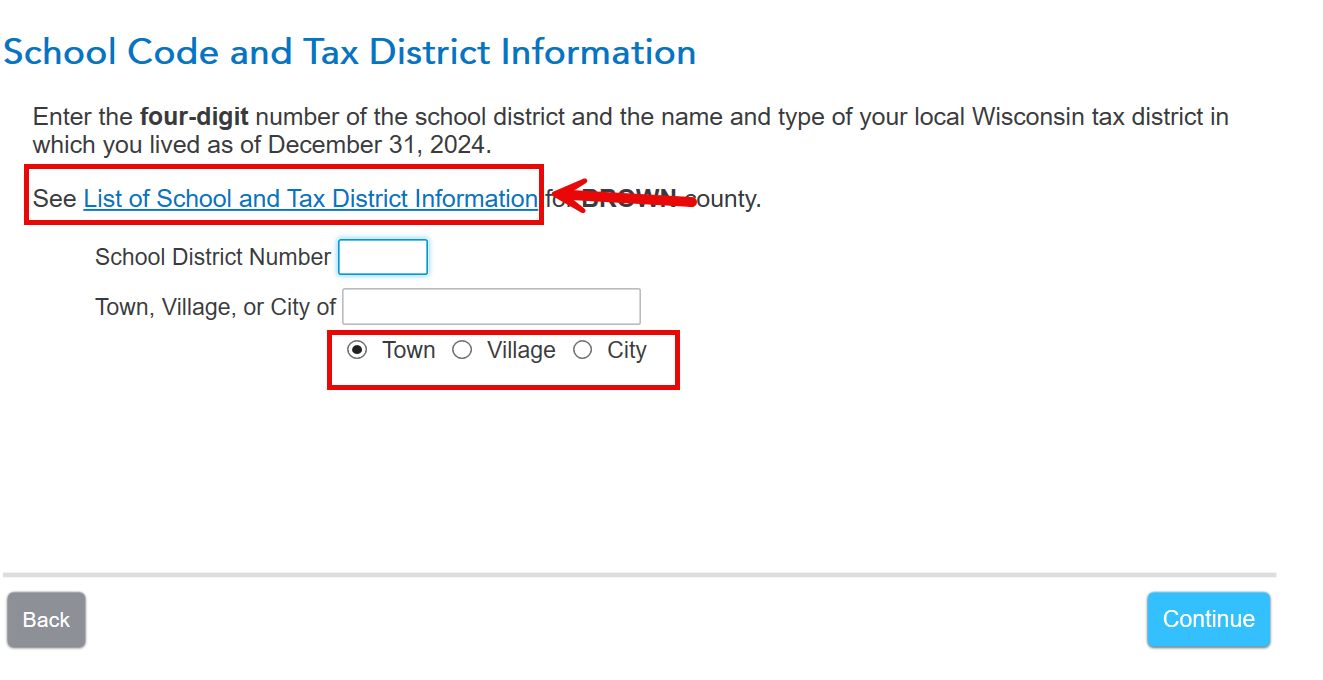
I am working on my State of Wisconsin Return.  There is a questions about what your school code and tax district information is.  I pulled the list of tax districts, instructed that it should be 2369.  I enter that into the question and I receive an error message to "enter valid school district number"

x
Do you have an Intuit account?

Do you have an Intuit account?

You'll need to sign in or create an account to connect with an expert.

5 Replies
AmyC
Employee Tax Expert

State of Wisconsin school code and tax district information

Be sure you selected from the program list and then correctly entered town, village or city.


**Say "Thanks" by clicking the thumb icon in a post
**Mark the post that answers your question by clicking on "Mark as Best Answer"

State of Wisconsin school code and tax district information

i've done that and still get the same message. Enter valid School District Number.

how do I get beyond this?

Thank you


DianeW777
Employee Tax Expert

State of Wisconsin school code and tax district information

It depends. It may be helpful to review the school district codes to be sure you enter the correct code.  It's definitely 4 digits and must match the county selected.

Possibly if you are using TurboTax Online/Mobile you can clear cache using the information below.

In this situation, first please try clearing the cookies and cache.   It handles many issues that seem nonsensical on a regular basis with online activity. 

  • Close your TurboTax return first.

Watch to be sure you are selecting 'all time' as example.  Do not use selections like 'last hour' for those browsers that give  you options.

Once this is complete open your return and try again.


@7111501967

**Say "Thanks" by clicking the thumb icon in a post
**Mark the post that answers your question by clicking on "Mark as Best Answer"
pennie404
New Member

State of Wisconsin school code and tax district information

I have the correct school district number.  I have tried to enter our town name as town, village and city.  I still get the same error message. 

MarilynG1
Employee Tax Expert

State of Wisconsin school code and tax district information

If you're using TurboTax Online, be sure to clear your  Cache and Cookies and then return to that section.


In TurboTax Desktop, you can enter the correct school district number directly in FORMS mode. Be sure TurboTax is up to date in the ONLINE link at the top. 


You could also Delete Wisconsin, and step through the interview again to let it repopulate.  Here's How to Delete a State in TurboTax Online and How to Delete a State in TurboTax Desktop.


You can Contact TurboTax Support for more help. 


@pennie404 

**Say "Thanks" by clicking the thumb icon in a post
**Mark the post that answers your question by clicking on "Mark as Best Answer"

Unlock tailored help options in your account.

message box icon

Get more help

Ask questions and learn more about your taxes and finances.

Post your Question