turbotax icon
cancel
Showing results for 
Search instead for 
Did you mean: 
Close icon
Do you have a TurboTax Online account?

We'll help you get started or pick up where you left off.

Line 15-17 help

My W-2 this year had three pages. Lines 1-14 all have the same info. When it gets to lines 15-20 is when I don’t know what to do. For context, I moved from AR to NC in 2024, I work for the same company. Page 1 on my W-2 has line 15 as TOTAL STATE, line 16 is blank and line 17 has my state income tax. Page 3 has line 15 as AR, line 16 has my state wages, and line 17 also has a different amount for state income tax. How would I file this when page 1 has box 16 blank and box 17 has my income tax. Would I put NC in place where it says TOTAL STATE? Please help! 

x
Do you have an Intuit account?

Do you have an Intuit account?

You'll need to sign in or create an account to connect with an expert.

2 Replies

Line 15-17 help

Disregard, figured it out 

NicolleR1
Expert Alumni

Line 15-17 help

When you have multiple states listed on your W-2, if properly reported by your employer, you will have different versions of the W-2, see the guidance below to understand how it is reported. 


- First, the W-2 showing TOTAL STATE, should have all state wages combined (The total amount between both states).

- If Page 3 has an amount showing for AR, the difference between TOTAL STATE WAGES and the AR should be the amount for NC. (the information for NC should also be listed and specified)

- If you don't see what amount corresponds to NC, you will need to contact your employer for a full breakdown. 


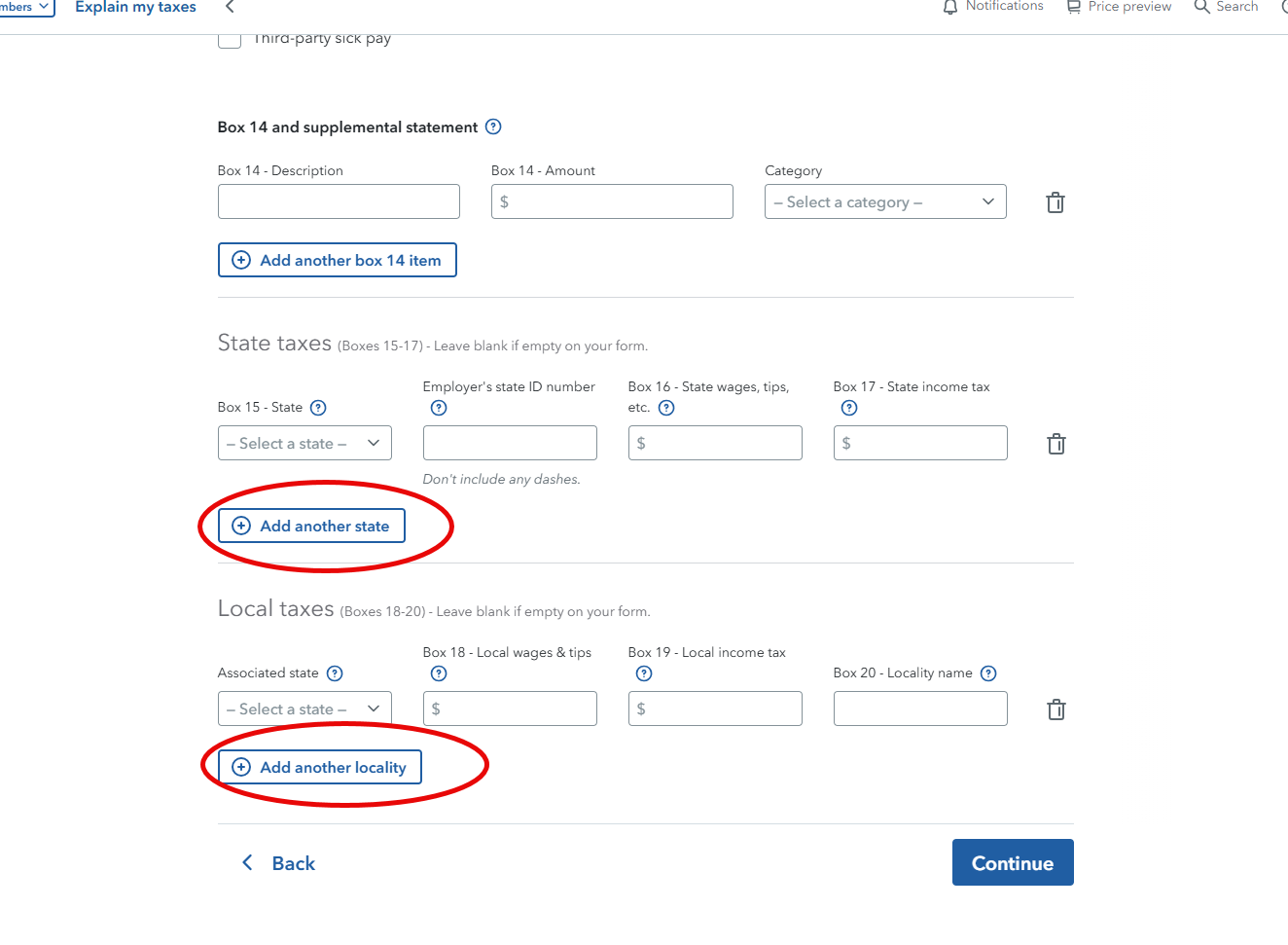
Once you have figured out the amount for NC and AR, the way that you will report it to TurboTax is as follows:


- On your TurboTax account enter just one W-2. Enter all information from boxes 1-14. 

- For Boxes 15-17 and 18-20, you will information for NC and then add another line for AR. (do not enter the amount for TOTAL STATE)

see Image below for reference 
 

Unlock tailored help options in your account.

message box icon

Get more help

Ask questions and learn more about your taxes and finances.

Post your Question

