- Mark as New
- Bookmark
- Subscribe
- Subscribe to RSS Feed
- Permalink
- Report Inappropriate Content
Get your taxes done using TurboTax
When you have multiple states listed on your W-2, if properly reported by your employer, you will have different versions of the W-2, see the guidance below to understand how it is reported.
- First, the W-2 showing TOTAL STATE, should have all state wages combined (The total amount between both states).
- If Page 3 has an amount showing for AR, the difference between TOTAL STATE WAGES and the AR should be the amount for NC. (the information for NC should also be listed and specified)
- If you don't see what amount corresponds to NC, you will need to contact your employer for a full breakdown.
Once you have figured out the amount for NC and AR, the way that you will report it to TurboTax is as follows:
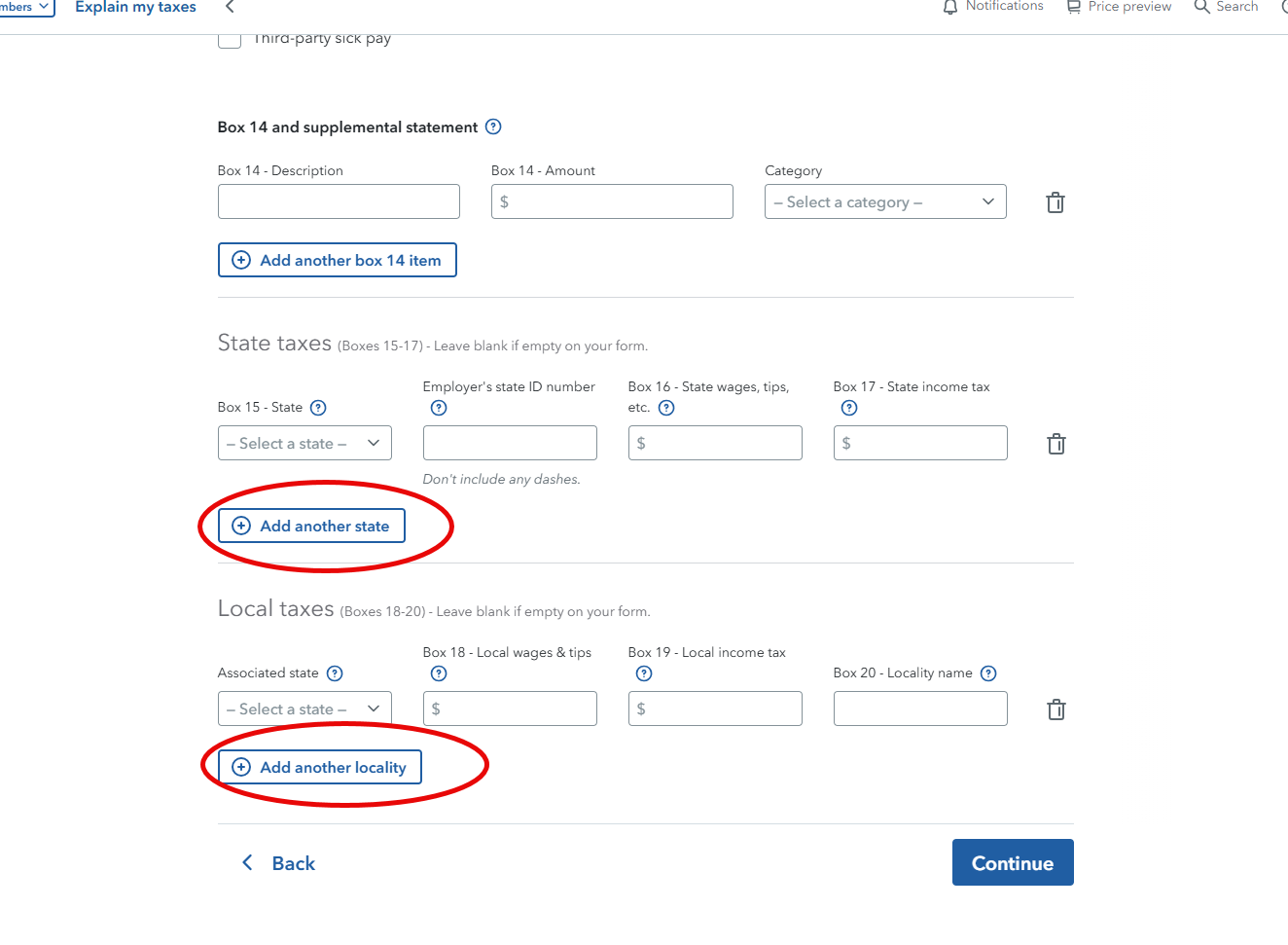
- On your TurboTax account enter just one W-2. Enter all information from boxes 1-14.
- For Boxes 15-17 and 18-20, you will information for NC and then add another line for AR. (do not enter the amount for TOTAL STATE)
see Image below for reference