


- Community
- Topics
Turn on suggestions
Auto-suggest helps you quickly narrow down your search results by suggesting possible matches as you type.
Showing results for
- Community
- :
- Discussions
- :
- Taxes
- :
- Get your taxes done
- :
- Re: How do I unlink a financial account?
Announcements
Attend our Ask the Experts event about Tax Law Changes - One Big Beautiful Bill (OBBBA) on Jan 14! >> RSVP NOW!


- Mark as New
- Bookmark
- Subscribe
- Subscribe to RSS Feed
- Permalink
- Report Inappropriate Content
How do I unlink a financial account?
I am not seeing the account settings option.
Topics:
posted
February 11, 2024
5:05 PM
last updated
February 11, 2024
5:05 PM
Connect with an expert

Do you have an Intuit account?
You'll need to sign in or create an account to connect with an expert.
6 Replies


- Mark as New
- Bookmark
- Subscribe
- Subscribe to RSS Feed
- Permalink
- Report Inappropriate Content
How do I unlink a financial account?
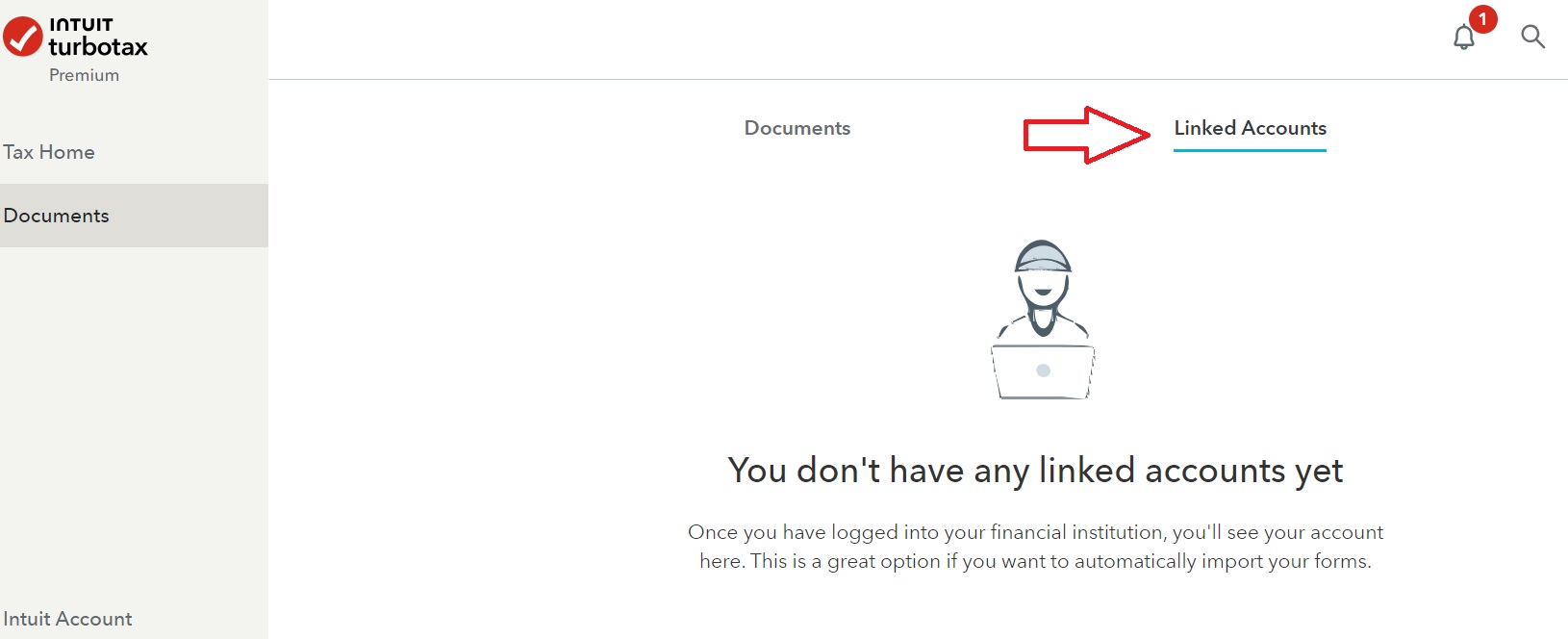
You can unlink a financial account in TurboTax. Here's how:
- Open your return.
- Select Documents on the left, then Linked accounts toward the upper right.
- You should see a list of accounts and the option to unlink them.
**Say "Thanks" by clicking the thumb icon in a post
**Mark the post that answers your question by clicking on "Mark as Best Answer"
**Mark the post that answers your question by clicking on "Mark as Best Answer"
February 11, 2024
5:11 PM
- Mark as New
- Bookmark
- Subscribe
- Subscribe to RSS Feed
- Permalink
- Report Inappropriate Content
How do I unlink a financial account?
The information provided is false: At the Linked Accounts page (reachable from Documents), there is a list of linked accounts but no way to delete them. This has been noticed by many users and is a security problem with Turbotax Online. Intuit-Turbotax really needs to fix this bug.
February 23, 2024
2:24 PM
- Mark as New
- Bookmark
- Subscribe
- Subscribe to RSS Feed
- Permalink
- Report Inappropriate Content
How do I unlink a financial account?
@JulieS can you please forward this thread to your security team: The inability to unlink financial accounts (despite what the steps you quoted say -- step 3 does not work for users) is obviously a major security flaw. Thanks!
February 23, 2024
2:54 PM

- Mark as New
- Bookmark
- Subscribe
- Subscribe to RSS Feed
- Permalink
- Report Inappropriate Content
How do I unlink a financial account?
I have found the linked account section under documents but there is no option to unlink the accounts. Seems like an unlink option is just missing! I need to switch to a different account in same financial institution but it keeps auto logging in to my first account. Help!!
March 7, 2024
8:56 PM

- Mark as New
- Bookmark
- Subscribe
- Subscribe to RSS Feed
- Permalink
- Report Inappropriate Content
How do I unlink a financial account?
Please call TurboTax Customer service. Here is a link: Turbo Tax Customer Service
**Say "Thanks" by clicking the thumb icon in a post
**Mark the post that answers your question by clicking on "Mark as Best Answer"
**Mark the post that answers your question by clicking on "Mark as Best Answer"
March 8, 2024
8:30 AM
- Mark as New
- Bookmark
- Subscribe
- Subscribe to RSS Feed
- Permalink
- Report Inappropriate Content
How do I unlink a financial account?
Hi @CatinaT1 Customer support is not able to fix this issue: It is a software bug that need to be fixed by Intuit-Turbotax software engineers. So I need a way to get to those software engineers (I'm one myself), reaching customer support will not help. Any idea how to reach software engineering to report a bug? (This bug was not present in 2022 but appeared sometime before the 2023 tax season...)
Thanks!
March 9, 2024
3:07 PM
697
Still have questions?
Questions are answered within a few hours on average.
Post a Question*Must create login to post


Unlock tailored help options in your account.


Get more help
Ask questions and learn more about your taxes and finances.
Related Content

hawke
Level 4

evhern07
New Member

irunalot
Level 2
Click
Level 5

Raph
Community Manager
in Events