Level 1
July 1, 2019
Question

2018 TT Premier for Mac, file won't open

  • July 1, 2019
  • 3 replies
  • 0 views

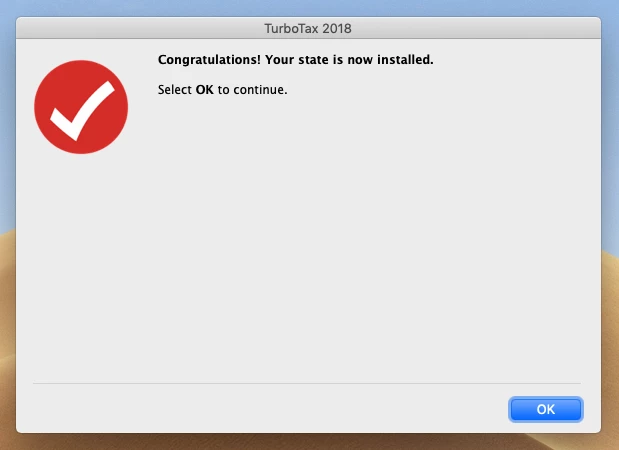
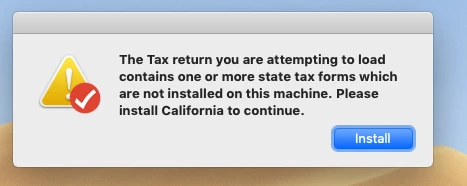
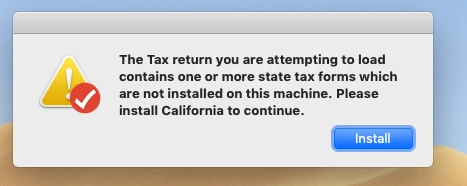
I am now getting a circular reference when trying to open my 2018 file.  It is asking for the State, I download it (but it had already been downloaded back in April), then I get the same error message that it needs to download the State.  Anyone else have this problem and get it corrected?  I sure don't want to have to redo my whole tax forms again!
BTW, this is from a CD, not online
 

3 replies

Critter
Level 15
July 1, 2019

Seems like there was a discussion about this  ... something about a MAC update that was messing things up... I think the fix was to uninstall the TT program completely and reinstall it again ... make sure to reboot the computer a couple of times to clear out everything.


If that doesn't work then contact support tomorrow.

macuser_22
Alumni - Champ
Alumni - Champ
July 1, 2019

1)  Use "File -> New Tax Return"  to start a new tax return.   Then add a state and install the state.   The open your .tax file.


2) If #1 does not work then:


Corruption could have occurred in the Application or in an associated preference or support file.

The best remedy is to totally uninstall TurboTax and all associate files and then re-install. That will not delete or change any .tax2018 data file that had already been created with the tax data.

To uninstall the application and all associated files need to be deleted and then the application reinstalled. If there was a state then the state must also be reinstalled.

Here is a FAQ for how to uninstall Mac
https://ttlc.intuit.com/questions/1901210-remove-uninstall-turbotax-for-mac

https://ttlc.intuit.com/questions/1901209-reinstall-turbotax-mac


After reinstalling, do step 1 and install the state.

**Disclaimer: This post is for discussion purposes only and is NOT tax advice. The author takes no responsibility for the accuracy of any information in this post.**
Critter
Level 15
July 1, 2019

@macuser_22  glad to see you made the switch to this sad new set up ... I would have put on the bat signal to alert you but I had not seen your name lately.  😉

Level 2
July 8, 2019

I had the same issue. But I found the downloaded State in a unzipped format. One needs manually open it. Mine was at ~/Library/Application Support/TurboTax Premier 2018/Forms/california....tar.gz. Good luck!