turbotax icon
cancel
Showing results for 
Search instead for 
Did you mean: 
Announcements
Close icon
Do you have a TurboTax Online account?

We'll help you get started or pick up where you left off.

Non qualified annuity taxes

I have non qualified annuity 2 yrs old put in 100,000 cash do to reason had to take early withdrawal 50,000 I'm 55 so they took 10% early withdrawal plus surrender charge received 42,000 

Received 1099

Box 1 42,000 

Box2 taxable is blank

Box 2b taxable not determined is checked

Box 7 codes 2 of them D and 1

If I plug numbers in turbo they saying I still owe 10% when it was already with held plus tax on 42,000 

I was told by the community to enter 0 in taxable amount just want to see if it is correct

x
Do you have an Intuit account?

Do you have an Intuit account?

You'll need to sign in or create an account to connect with an expert.

1 Reply
DaveF1006
Employee Tax Expert

Non qualified annuity taxes

No, this is not correct. Your taxable amount of your annuity will be determined by your age, plan cost etc. As you proceed during the interview, you will be asked a series of questions that will determine your taxable amount.


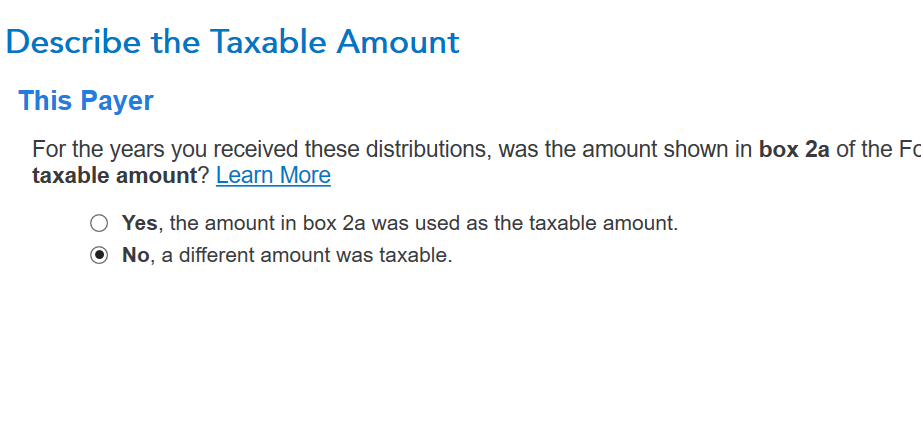
  1. There will be a question that will ask your taxable amount.  Here you will say, "no"  a different taxable amount was taxable.  See Screenshot 1.
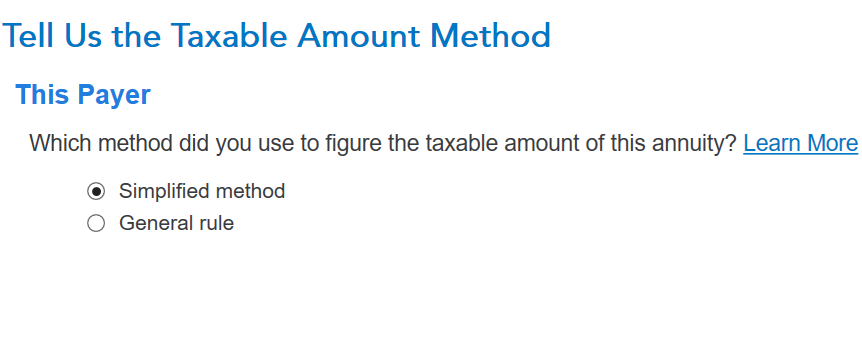
  2. Tell us the Taxable Amount.  Choose simplified method. Screenshot two.
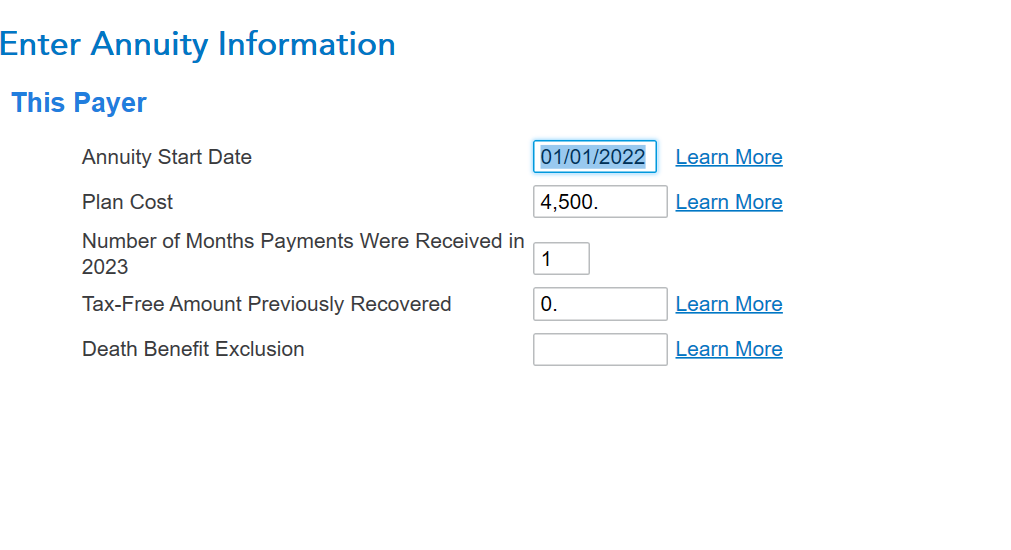
  3. Enter annuity information.  This will determine what part of the distribution is taxable.  See Screenshot 3. Don't use the number I placed here as this are for illustrative purposes only. Use your own information from your annuity.
  4. There will be follow-up questions you will need to answer.
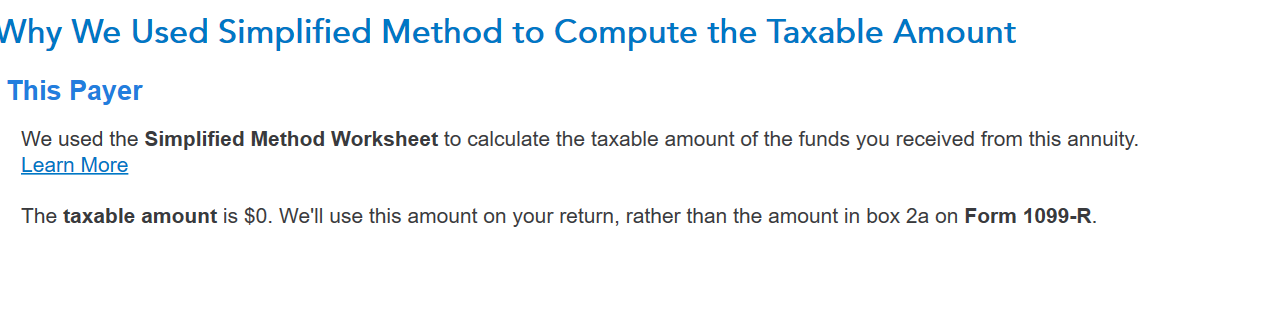
  5. if you get a message stating how much is taxable, you may need to go back to the 1099R to record this taxable amount. If it is a 0, record it as zero. 
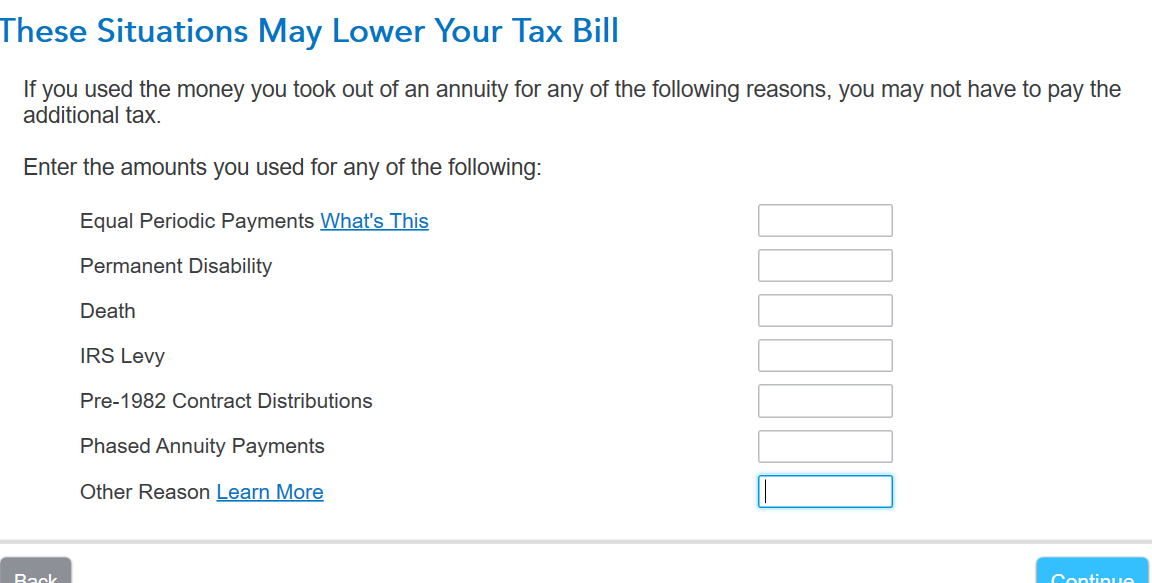
  6. For the early withdrawal penalty, you may be able to waive it also. See the 4th screenshot on the screen where you would list the exception to be waived. 


**Say "Thanks" by clicking the thumb icon in a post
**Mark the post that answers your question by clicking on "Mark as Best Answer"

Unlock tailored help options in your account.

message box icon

Get more help

Ask questions and learn more about your taxes and finances.

Post your Question