
Level 2
March 8, 2024
Question

AMT Special Depr Allow
  • March 8, 2024
  • 4 replies
  • 34 views

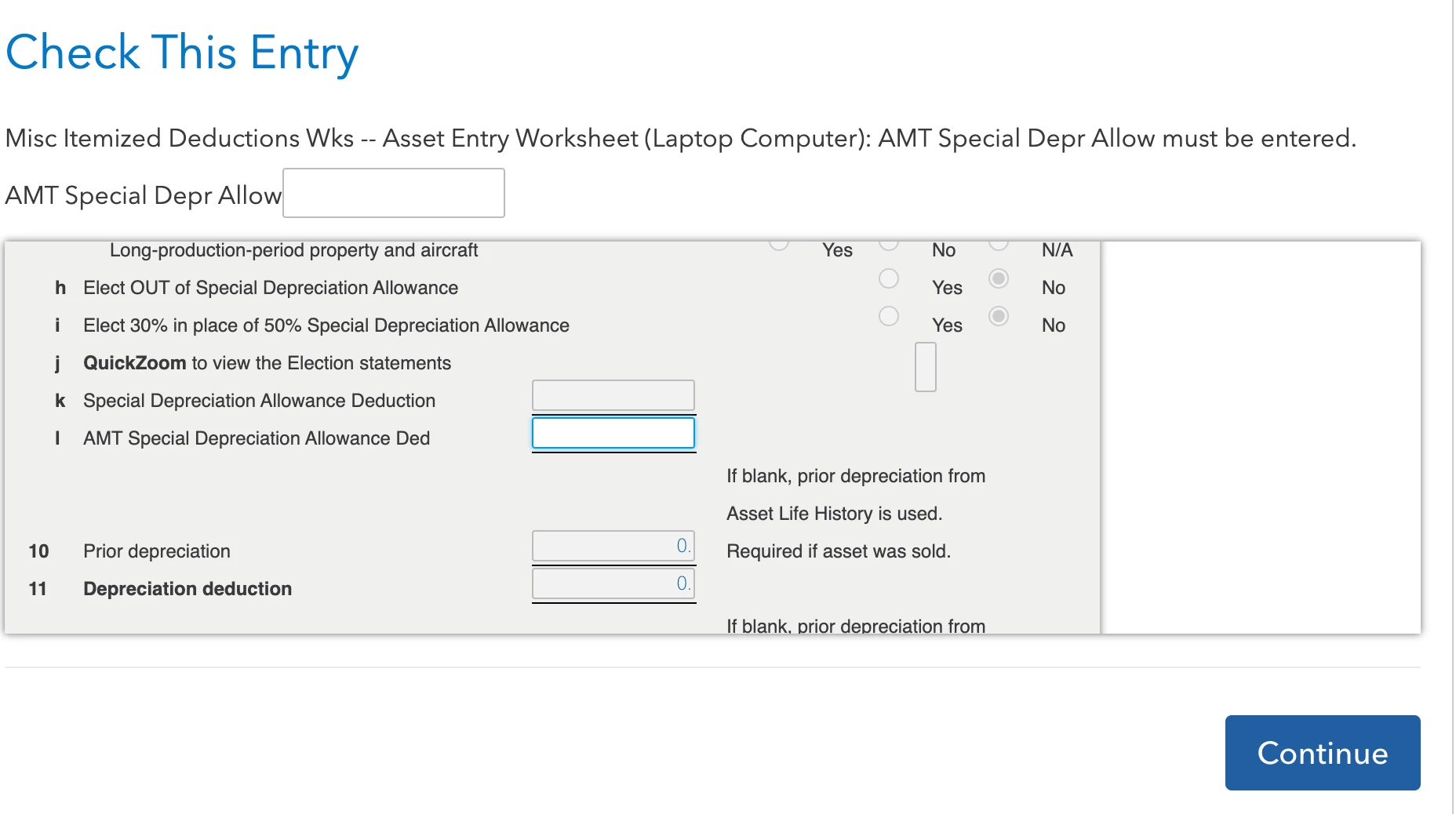
As I was finishing up my taxes I got hit with this banger.  My best guess is that the value should be 80:

https://www.irs.gov/faqs/sale-or-trade-of-business-depreciation-rentals/depreciation-recapture/depreciation-recapture

I bought a laptop in 2022.  I remember adding it to my taxes last year.  And I believe depreciation was setup over several years.  This just popped up at the end of my tax submission in the review.  It didn't ask me anything about the laptop this year.  And I don't know where to find that info in TurboTax.

4 replies

KrisD15
Level 15
March 9, 2024

If you are using TurboTax Desktop, you can look at 

AMT Report

in Forms

The last column has the AMT adjustments (if applicable) listed. 


This form is not filed with your return, so if using TurboTax Online, you may need to pay in order to print the worksheets.


**Say "Thanks" by clicking the thumb icon in a post. **Mark the post that answers your question by clicking on "Mark as Best Answer"
Level 2
March 9, 2024

I printed out the tax forms.  It includes worksheets for Federal Information, Personal, Spouse, Dependents.  I don't see anything that references the laptop.  I don't see anything that has "AMT" related to the laptop either. "AMT Report" has no results. "Special Depreciation" has no results. It is possible that is because this value is still showing as not valid in the review step.  So maybe I need to put some made up value?  

Level 2
March 11, 2024

Is anyone able to assist?  I would rather not pay $100 for expert assistance on top of the other fees just so someone can tell me why the software is not generating the specific worksheet in question as it should.




