If you entered a Form 1099-MISC that could be considered "business income"' than your 1099-MISC entry can likely be seen on your "Income Summary" under "Business Income".
If you answered "yes" to the questions of whether your income involved work like your main job or was your main job, or was for the intent to make money, it will be entered into your income as business income.
You can check your Schedule 1 "Additional Income and Adjustments to Income" to make sure the income is reported. If it is shown on your Schedule 1, than you can be assured that it has been properly included as income.
It may also not be showing due to a display error.
You can get to Schedule 1 in TurboTax desktop as follows:
- Switch to Forms Mode, and then
- Scroll through your forms in the left panel and
- Click on Schedule 1.
You can get to Schedule 1 in TurboTax Online as follows:
- Go to "Tax Tools" in your left panel,
- Select "Tools" and then
- Select "View Tax Summary" and
- Select "Preview Form 1040".
In TurboTax Desktop, it will look like this:
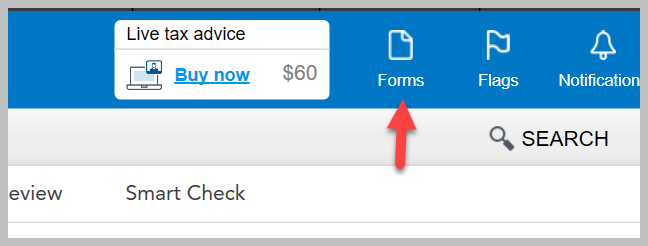
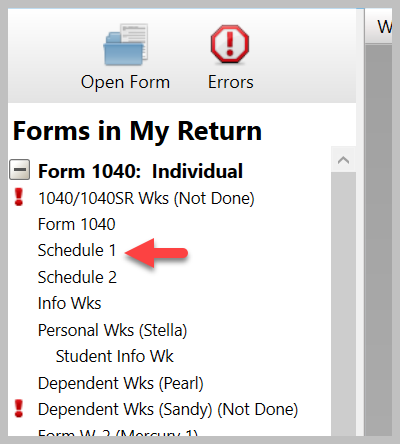
In TurboTax Online, it will look like this:
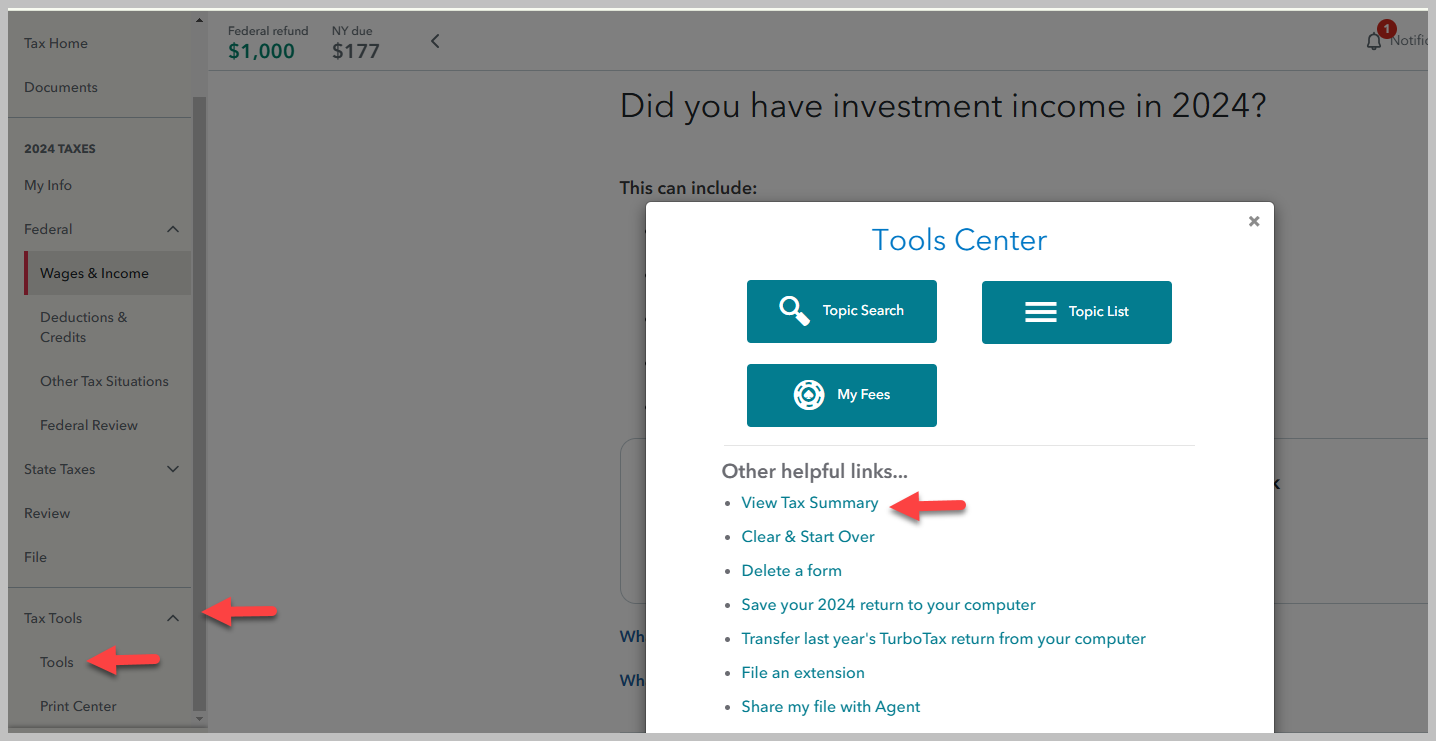
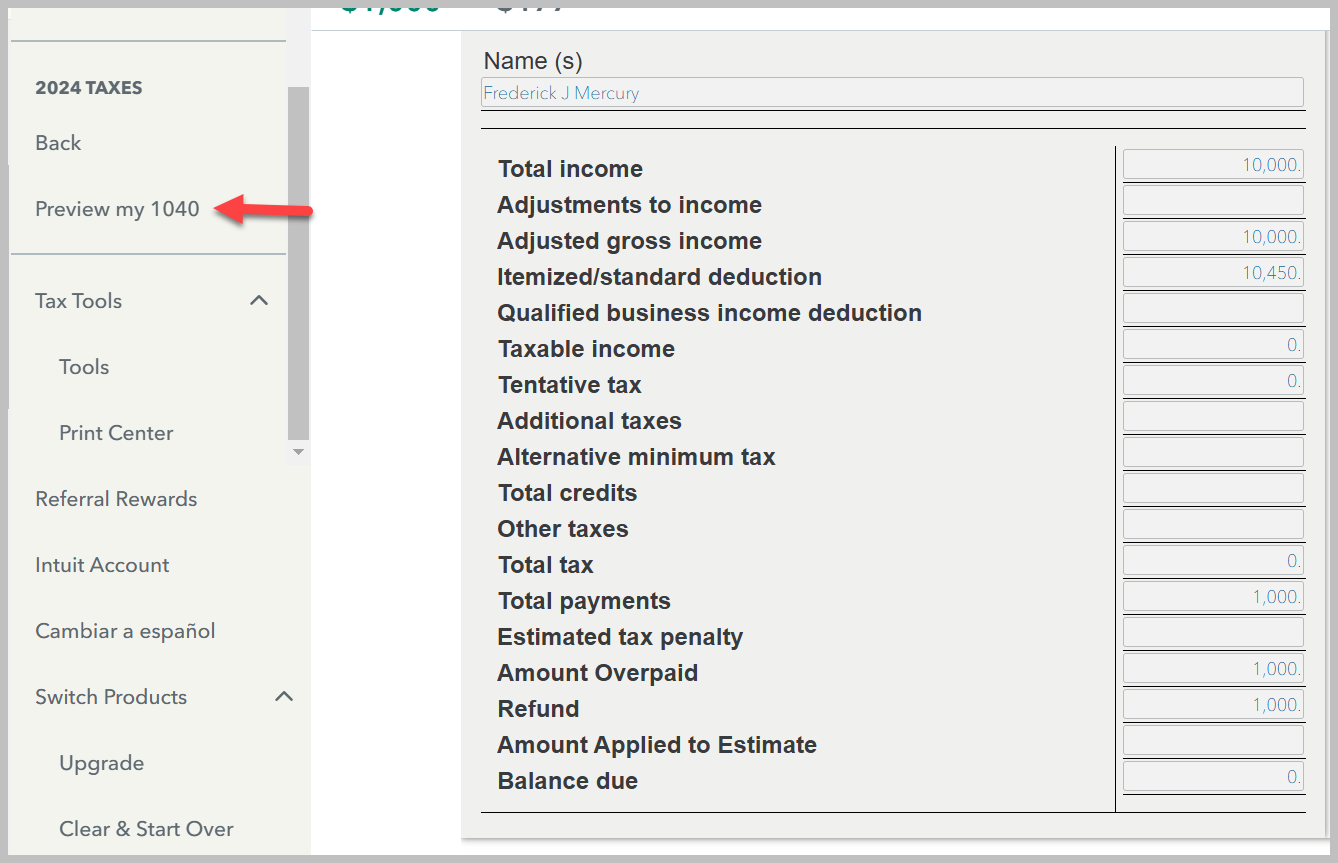
Click here for additional information on entering your Form 1099-MISC.
Click here for additional information on Form 1099-MISC.
Click here for additional information on Schedule 1.
**Say "Thanks" by clicking the thumb icon in a post
**Mark the post that answers your question by clicking on "Mark as Best Answer"






