
Level 2
February 26, 2024
Question

Cannot import anything (likely due to network issue)

  • February 26, 2024
  • 3 replies
  • 24 views

This is the first year I use Mac software instead of online, and seem like a big mistake.


Upon download finish and open, I was greet by this promt:
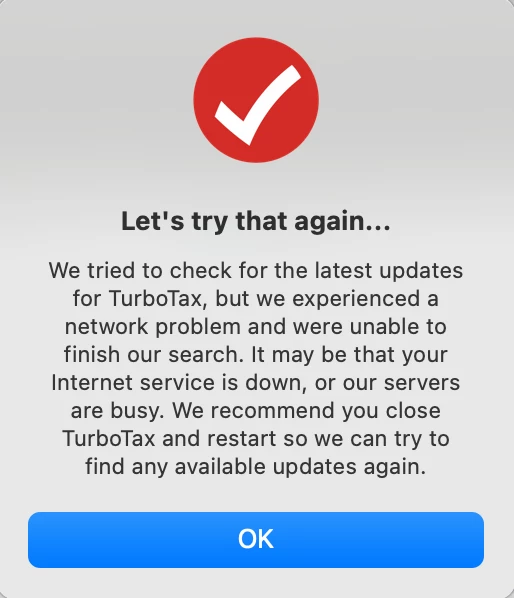


After click "OK", I am still about to access the software however whenever I try to use "Import from TurboTax Online" or "Import W2" it asks me user password, after login success (at least I assume so as no error message prompt), it basically stay exactly the same place. 


I am certain my network is fine, and I tried to uninstall and reinstall the software but no luck

    3 replies

    CatinaT1
    Level 15
    February 26, 2024

    If you are using TurboTax Online, try importing using a different browser.


    See the following TurboTax Help articles for potential fixes:

    **Say "Thanks" by clicking the thumb icon in a post. **Mark the post that answers your question by clicking on "Mark as Best Answer"
    rexylAuthor
    Level 2
    February 29, 2024

    Hi, like I mentioned, this is the TurboTax for Mac

    Level 2
    March 2, 2024

    Have you tried to open TurboTax again since your last post three days ago? If you are still having trouble with opening the program or importing:


    To transfer info from your 2022 TurboTax for Mac return:

    1. Open TurboTax for Mac 2023 and choose File New Tax Return.
    2. Select Begin and choose Use a tax return that's on my computer.
    3. Select your 2022 return from the list and select Continue.
    4. Select Continue to review the transferred information. We'll also give you opportunities to review, edit, or delete transferred information later on.

    Be aware that once you've gone past the Transfer screens, you can't go back to revisit them. If you need to re-do your transfer, go back to step 1 to start over with a new return.


    See this TurboTax help article and this one for more information.


    See also this discussion thread on the Apple Community website for other users' suggestions.




