
Level 2
April 18, 2022
Question

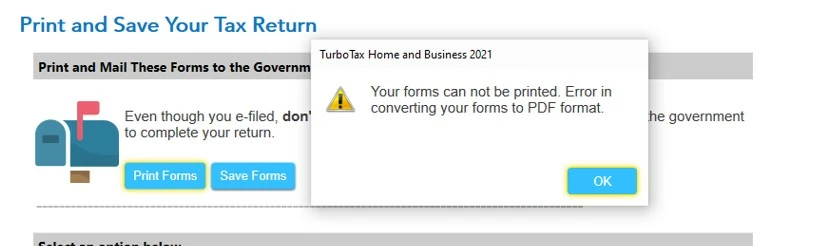
Error in converting your forms to PDF format

  • April 18, 2022
  • 2 replies
  • 8 views

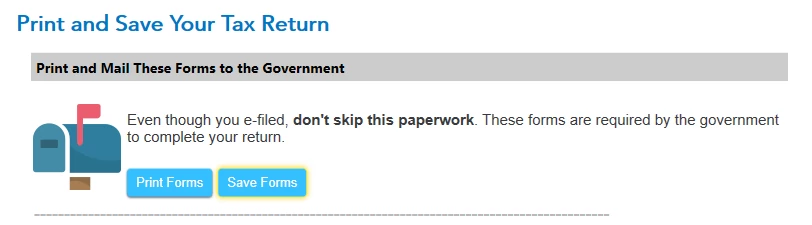
I am getting the above error when I try to print or save the forms turbotax home & business says I need to mail after I e-filed my taxes.  I have no idea what forms it is referring to, as it doesn't tell me, so I cannot go into forms, find the form and print it manually. Posts from prior years mentioned a workaround of some type, but the links are all dead. This is an issue that goes back many years. Amazing it hasn't been solved. 


So, anyone have any idea how I can print or save these files, of even just find out what they are?


Just to add, all my programs are updated and current. I WAS able to save a copy of my tax forms as a PDF and also print the tax forms from a PDF as well after completing, so my system can generate and print PDF's, just not the ones in the example below.
2 replies

Level 15
April 18, 2022

Please see the below TurboTax help article for assistance with troubleshooting your printing error.

Troubleshoot printing issues in TurboTax CD/Download


If you are still having trouble with the form's generating, please reach out to TurboTax Customer Support for assistance. 

What is the TurboTax phone number?

**Say "Thanks" by clicking the thumb icon in a post. **Mark the post that answers your question by clicking on "Mark as Best Answer"
antnipAuthor
Level 2
April 18, 2022

Thanks, but the problem isn't with my printers or set up. I was able to print many other forms, including my return and also save these as a PDF. It is just this one area that hangs up. I can find instances of this being reported as far back as 2017...all with this exact same set of documents.

Sadly, I tried TurboTax Customer Support  and they were unable to assist.


As I noted, discussions from prior years referred to a work around of some sorts, but all the links to that workaround are expired and just lead to a general support page. Hoping someone might actually have info on those workarounds.

antnipAuthor
Level 2
April 20, 2022

Just to follow up for anyone reading this in future. I took the time to reinstall turbotax 2021 on another computer. After all was done, including updating, I got exact same problem...unable to print or save the "required documents" I supposedly NEED to mail to IRS as PDF.


This is a pretty big hole in this software, and as I wrote above, has been a known issue for at least 5 years.


A shame this can't be fixed or worked around.

Level 2
April 14, 2024

I am having the exact same issue today. 4/14/2024

I received the same error message and can not locate the necessary forms to print and mail. 

I had no issues saving and printing all the other documents to pdf

WHY IS THIS STILL AN ISSUE??

Help please

Level 2
April 15, 2024

Same issue here. I've never encountered this before. This year I used the Desktop version and am wondering if that's the issue. I wasn't able to import some files, either. In any case the issue should still be addressed by Turbotax...

Level 2
April 15, 2024

A workaround I found is to go to "print center", select "form and supporting statements", save to PDF, and then search the PDF for "mail in a statement with more details". 


There were 4 instances of "mail in a statement with more details" in my PDF, and 2 of those had the Yes checkbox checked.




