
Level 2
March 5, 2025
Question

Walkthrough does not work, presents a blank screen

  • March 5, 2025
  • 1 reply
  • 5 views

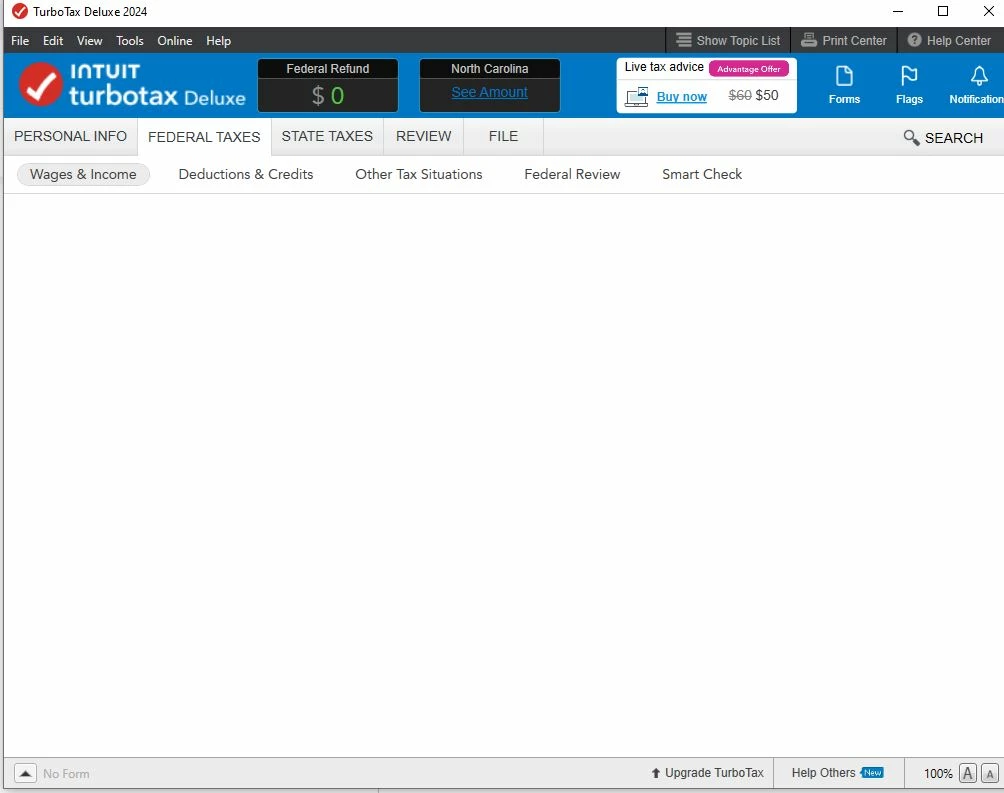
TurboTax just does not work. I got halfway through my return and then it stopped walking me through. I cleared cache, cookies, history in browser and did a cold reboot of my PC -- and still nothing. I started a new return, and as soon as I click "Walk me through everything" I get this blank screen and in the lower-left corner it says "no form." On the old return, I can get to a form by clicking the Forms button but it is never the right form.  Here is what I get:
    1 reply

    MarilynG
    Level 15
    March 5, 2025

    When you say 'walk me through everything', there's a lot to load and things may get hung up.   Try going to specific topics, like 'Income' or 'Deductions'.


    When you select 'I'll choose what I work on', you'll get a list of all the topics so you can pick what to work on.


    Try turning off all anti-virus software, make sure no other programs are running, and do all TurboTax stuff on your C drive.


    You may want to uninstall/re-install.  You won't lose your tax file you've created so far.


    Here's more info on Troubleshooting TurboTax Desktop Issues and How to Turn Off Anti-Virus Programs.


    @brilliantatbreakfast 


    **Say "Thanks" by clicking the thumb icon in a post. **Mark the post that answers your question by clicking on "Mark as Best Answer"
    Level 2
    March 5, 2025

    I did all of this including re-downloading, uninstalling, and reinstalling TurboTax. I asked to enter items on my own for deductions, clicked on the part for entering property tax on cars, and I still just get the blank screen. If I click on "Deductions and Credits" again to get the choice of walking through everything or choosing, and I opt to choose, and start at the top for Visit All, it asks me about my home loan and when I didn't have one, I get the blank screen. Any other suggestions? This is maddening and I'm not able to finish my taxes! By the way, the same thing happens if I create a new file.

    MarilynG
    Level 15
    March 5, 2025

    Since we can't see your tax return, nor have knowledge of your computer/system configuration, I suggest you let the techs that can get into your computer help.


    Here's how to Contact TurboTax Support/


    @brilliantatbreakfast 

    **Say "Thanks" by clicking the thumb icon in a post. **Mark the post that answers your question by clicking on "Mark as Best Answer"




