turbotax icon
cancel
Showing results for 
Search instead for 
Did you mean: 
Close icon
Do you have a TurboTax Online account?

We'll help you get started or pick up where you left off.

antgud
Returning Member

Override 8949 Part 2 Date Acquired

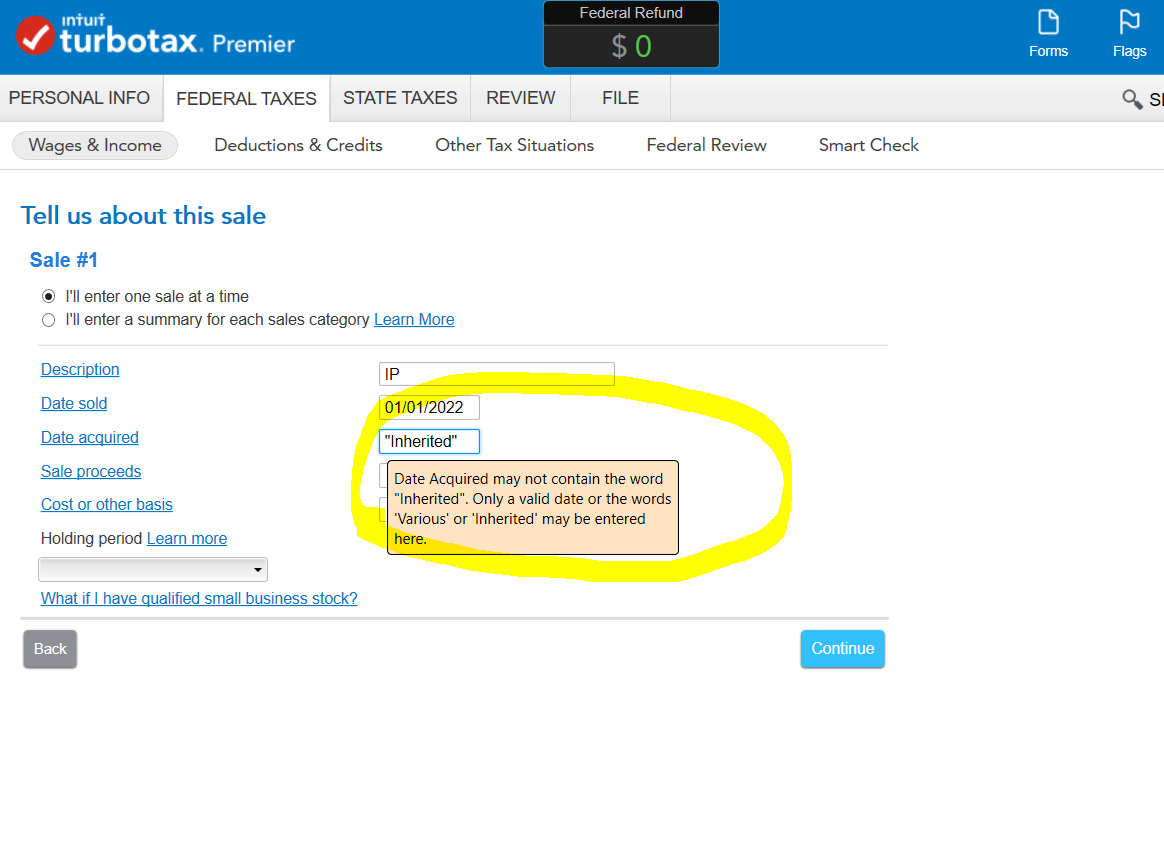
IRS form instructions specify to put "Inherited" in Date Acquired field when selling property inherited from a decedent.  TT Business leaves field blank; there does not appear to be a way to add through worksheet.  Overriding field to specify "Inherited" causes form formatting to go awry and generates form error. Presumably you can't then e-file.  Is there a solution?

x
Do you have an Intuit account?

Do you have an Intuit account?

You'll need to sign in or create an account to connect with an expert.

3 Replies
KrisD15
Expert Alumni

Override 8949 Part 2 Date Acquired

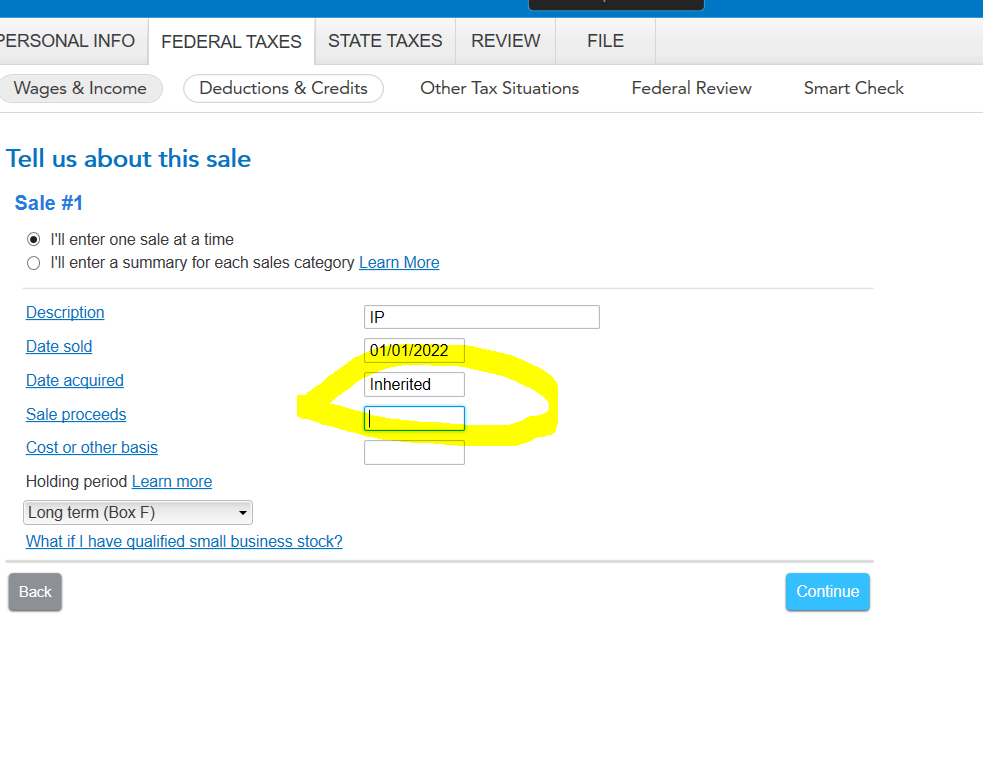
The program will accept 


Inherited


No Hyphens


This should not bring up an error unless your state return is having an issue with it. 


MORE


**Say "Thanks" by clicking the thumb icon in a post
**Mark the post that answers your question by clicking on "Mark as Best Answer"
antgud
Returning Member

Override 8949 Part 2 Date Acquired

Thanks for the reply.  Unfortunately the interview screens for my turbotax business do not mirror your screenshots.  There are 3 screens: sales information, inheritance home, date of death.  On the inheritance home page Y is selected and DOD is entered on the next screen.  Despite those entries, the purchase date in the form is shown as blank.  There is no opportunity to enter Inherited as you suggest other than to open the form.

Override 8949 Part 2 Date Acquired

enter the date you inherited the home.

then check Box F on your 1099-B entry.

The holding period is determined by the Box you check not the acquired date.


@antgud 

Unlock tailored help options in your account.

message box icon

Get more help

Ask questions and learn more about your taxes and finances.

Post your Question