Since we can't see your return in this forum, can you Delete Form 1099-SA?
In TurboTax Online:
- Open or continue your return in TurboTax.
- In the left menu, select Tax Tools and then Tools.
- In the pop-up window Tool Center, choose Delete a form.
- Select Delete next to the form/schedule/worksheet in the list and follow the instructions.
In TurboTax Desktop, click on FORMS in the upper right. Click on 'Open Form' and type in 1099-SA. When the form opens, click on 'Delete Form' at the bottom of the form.
Or, type '1099-SA' in the Search area, then click on 'Jump to 1099-sa'.
On the 'Your HSA Summary' page, do you see an amount listed for 'Distributions?'
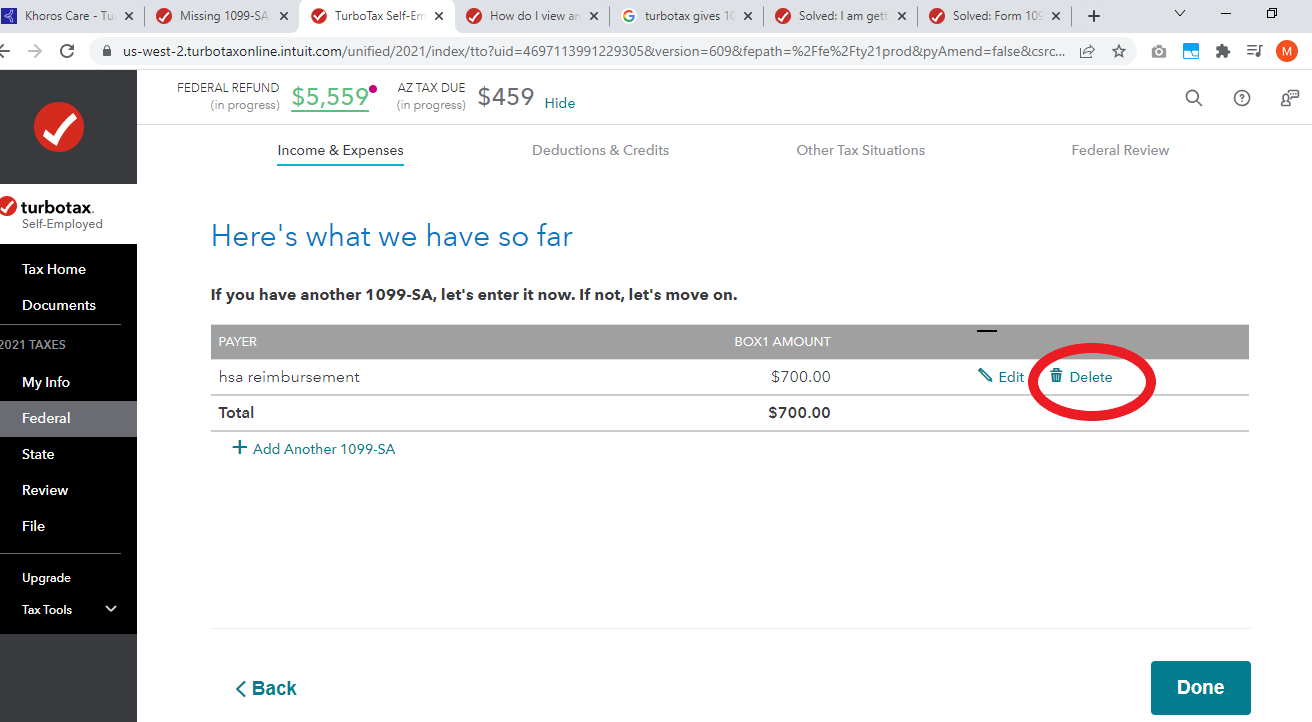
If so, click EDIT at the bottom of the page, and continue until you see 'Here's what we have so far'. Delete the entry (screenshot).
Click this link for more info on HSA and 1099-SA.
**Say "Thanks" by clicking the thumb icon in a post
**Mark the post that answers your question by clicking on "Mark as Best Answer"






