
Level 2
March 24, 2020
Question

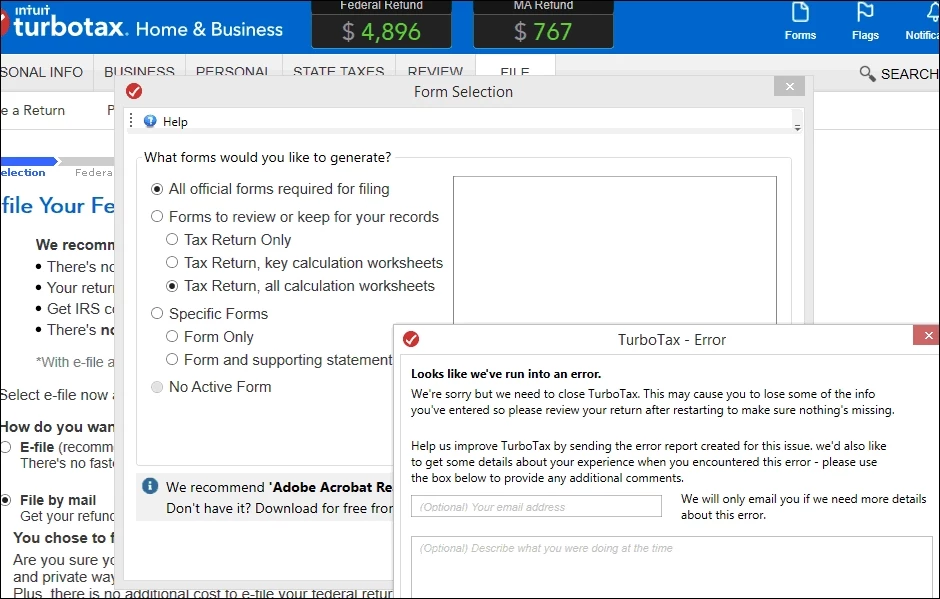
Form Selection for printing error

  • March 24, 2020
  • 3 replies
  • 2 views

Taxes all filled in, and went to print a preview copy, and I get an error, TT can't select any forms to print.
Taxes are complicated enough, I have to print, cannot efile. Been using TTax for 20 years, first serious error.
  Sadly, I can repeat it as often as I want, over and over.
3 replies

Level 15
March 24, 2020

First, you need to make sure your printer is working, by printing something else.


Next, I suggest you clear the cache on your computer as follows:


https://ttlc.intuit.com/community/troubleshooting/help/how-to-clear-your-cache/00/26135


Next, reboot your computer and load up your TurboTax and try again.


**Say "Thanks" by clicking the thumb icon in a post. **Mark the post that answers your question by clicking on "Mark as Best Answer"
Level 2
March 24, 2020

Turned out to be a missing .NET update

.NET 4 was installed, but 3 was not.  Other years TT worked fine, but not this year.  Go figure.


Level 2
March 16, 2022

Everytime I try to print I get a Error Screen   "Looks like we've run into an Error"


I have cleared all cookies etc.   That did not help  


other ideas???


thanks

Level 12
March 16, 2022

@Dean223 Here are some steps to troubleshoot printing issues:  Troubleshoot printing issues in TurboTax Online.  If the issue persists, please contact us via phone for further assistance.

**Say "Thanks" by clicking the thumb icon in a post. **Mark the post that answers your question by clicking on "Mark as Best Answer"




