
turbotax icon
cancel
Showing results for 
Search instead for 
Did you mean: 
Announcements
Close icon
Do you have a TurboTax Online account?

We'll help you get started or pick up where you left off.

Form 2210, Part IV, Line 19

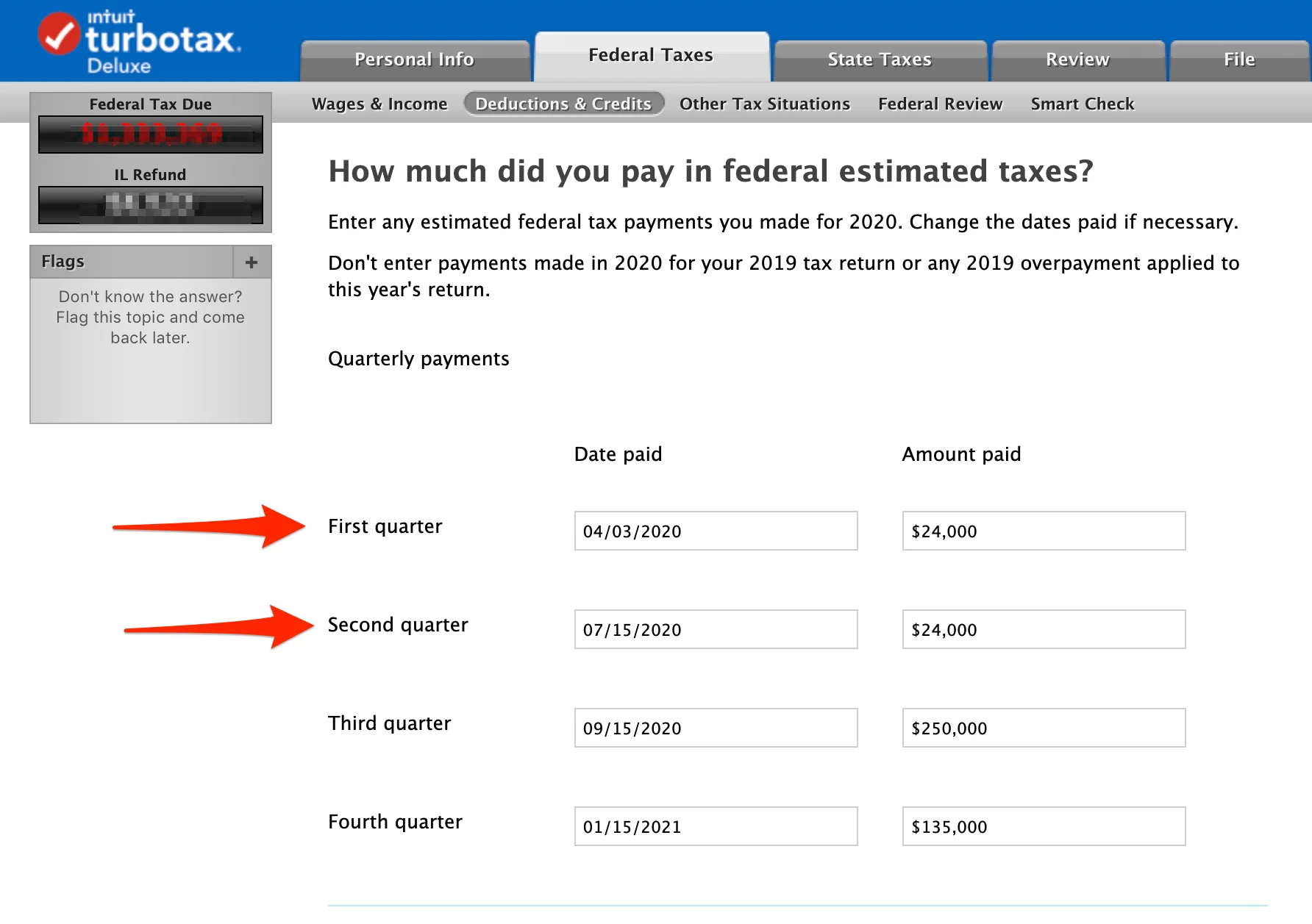
On the Federal Taxes tab -> Deductions & Credit -> Estimates and Other Income Taxes Paid -> Federal estimated taxes of 2020


I entered $24,000 for both the first and second quarter.
 

Nello_Lucchesi_20_tax2020.png


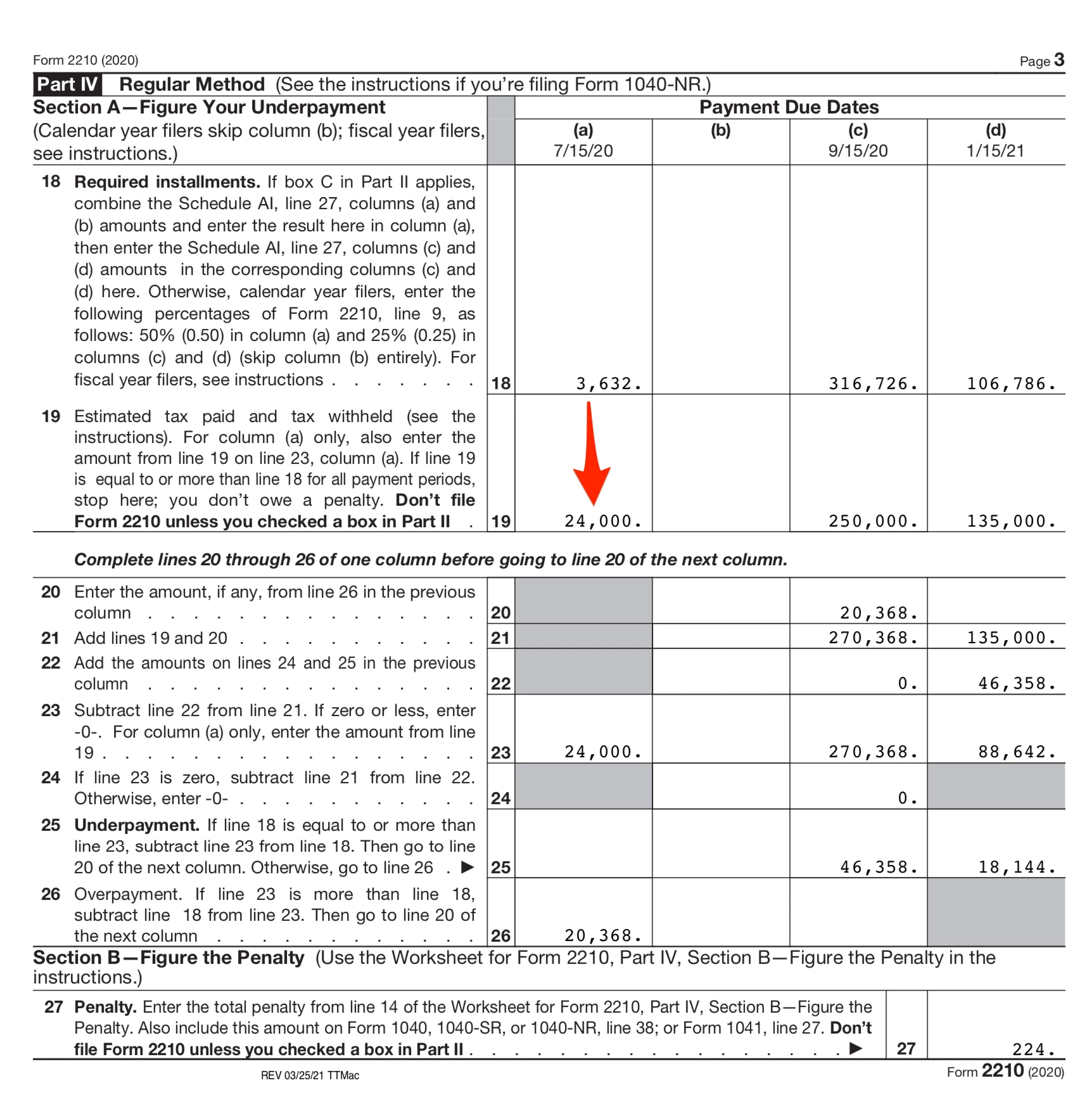
Unfortunately, Form 2210, Part IV, Line 19, column (a) shows only $24,000, not $48,000
Untitled_pdf.png


Seems like a bug in 2210.


How can I get the full $48,000 to show up on line 19?

x
Do you have an Intuit account?

Do you have an Intuit account?

You'll need to sign in or create an account to connect with an expert.

2 Replies
JohnB5677
Employee Tax Expert

Form 2210, Part IV, Line 19

There is a known problem with form 2210.  


As  a work around you can post the full $48,000 to the first quarter of the input section.  The second quarter seem not to post.  Post the date as 05/15/2020.  This is the average of the two actual payment dates.


**Say "Thanks" by clicking the thumb icon in a post
**Mark the post that answers your question by clicking on "Mark as Best Answer"

Form 2210, Part IV, Line 19

I tried your work around:

Nello_Lucchesi_20_tax2020_png.png

But I still get the same penalty, $224.

Untitled_pdf.png


How do I get form 2210 to calculate the penalty correctly?

Thank you for your help.

Unlock tailored help options in your account.

message box icon

Get more help

Ask questions and learn more about your taxes and finances.

Post your Question




