If you are trying to designate your retirement distribution as non-taxable you would enter your Form 1099-R into TurboTax in the Federal section under "Wages & Income".
You will designate it as tax exempt on the follow-up screens after you have entered your Form 1099-R.
You can do the following:
- Open you tax return
- Click on the Search icon at the upper right of your TurboTax screen
- Type "1099-R" in the search bar and hit enter
- Click on the link "Jump to 1099-R"
- This will take you to the 1099-R section of your TurboTax program.
- if you need to add a new Form 1099-R, select "Add another 1099-R"
On your follow-up screens after you have entered Form 1099-R, you will be asked questions about your retirement income.
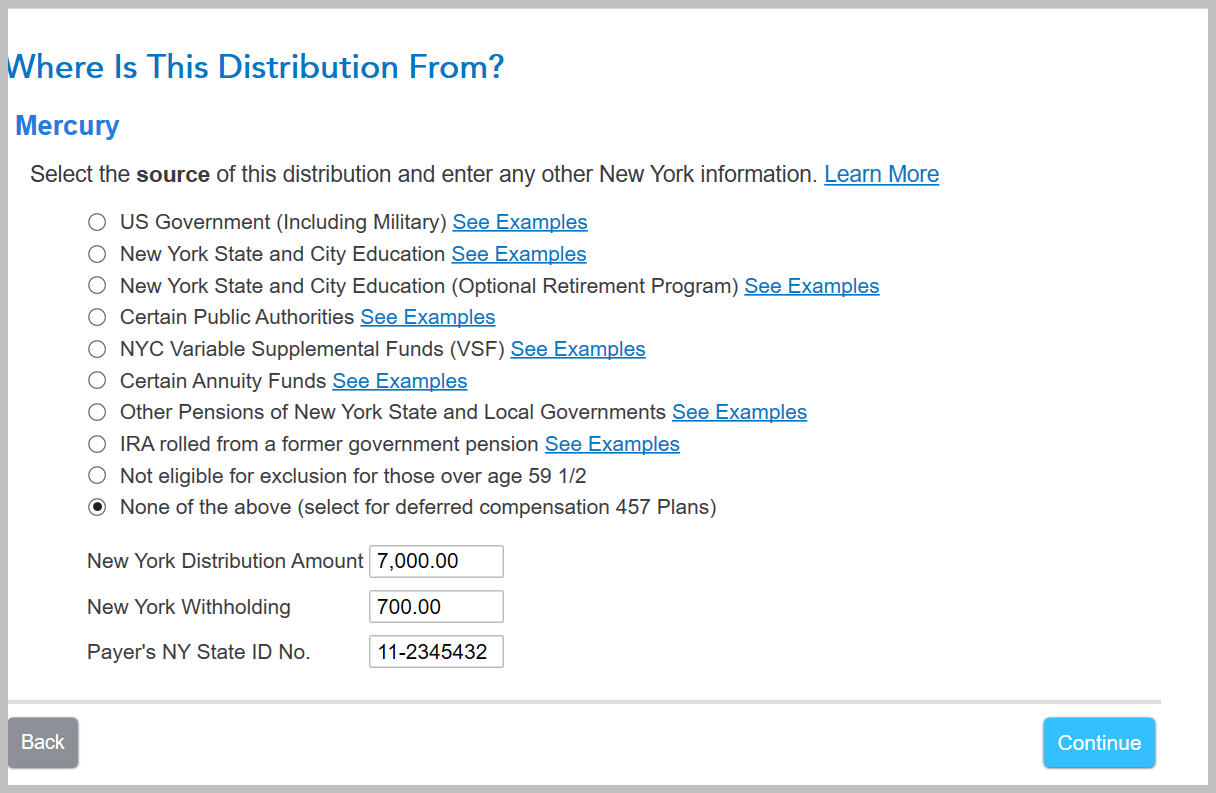
You will see a screen that says, "Where Is This Distribution From?"
This selection will help determine if your retirement distribution is taxable or not. For example if your state excludes state or government pensions, this is where you would designate that here.
Click here for the IRS instructions for Form 1099-R.
Click here for instructions on where to enter your Form 1099-R
If you have additional information or questions regarding this, please return to Community and we would be glad to help.
**Say "Thanks" by clicking the thumb icon in a post
**Mark the post that answers your question by clicking on "Mark as Best Answer"






