turbotax icon
cancel
Showing results for 
Search instead for 
Did you mean: 
Close icon
Do you have a TurboTax Online account?

We'll help you get started or pick up where you left off.

shaney299
Returning Member

Spouses working in different state

My spouse works in NY and I work in CT. We both live in CT. It seems like we keep getting taxed in NY on all our household income as NY even though I complete the allocation with 100% Spouse in NY and 100% my income in CT. I completed the allocation section. IM not sure why its taxing on the total income as if it's in NY. 

x
Do you have an Intuit account?

Do you have an Intuit account?

You'll need to sign in or create an account to connect with an expert.

1 Best answer

Accepted Solutions
MarilynG1
Expert Alumni

Spouses working in different state

Yes, it can look like New York is taxing all your income, but that is not the case.


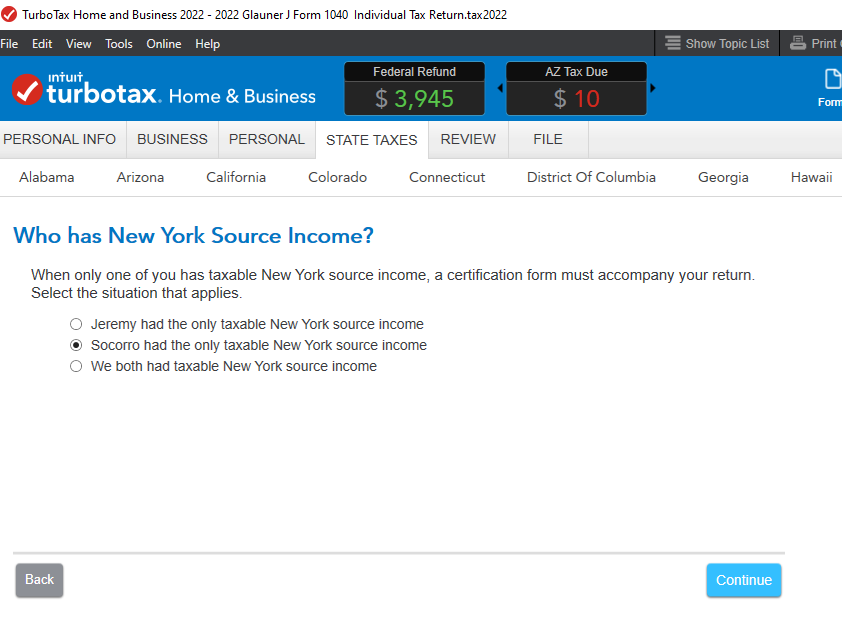
There is a screen in the New York Non-Resident Interview where you can indicate that the NY income belongs to your Spouse.


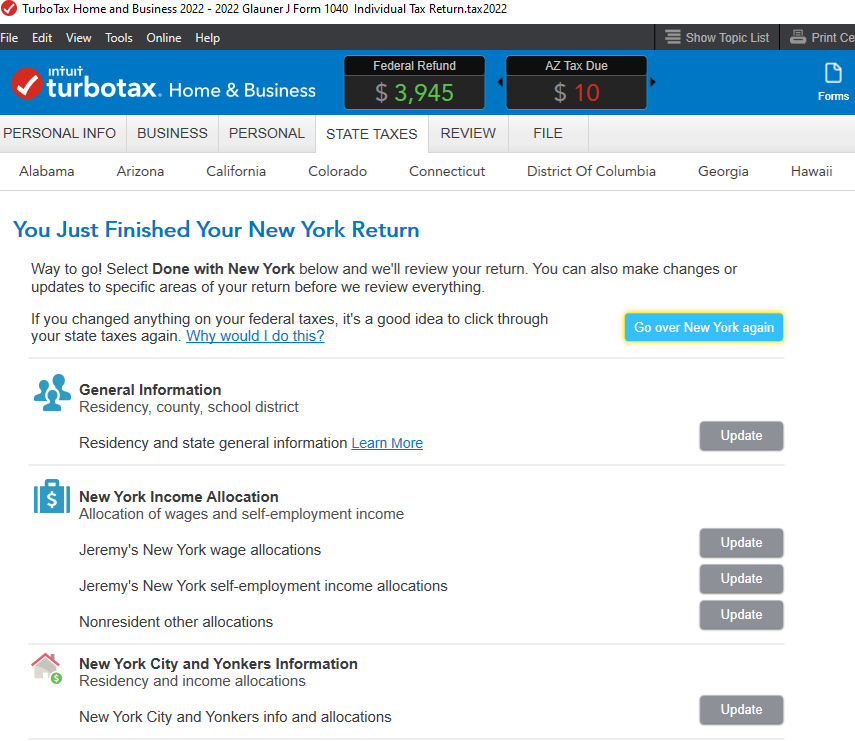
On the Review Topics screen, select your non-NY Wages, then Edit your W-2, and indicate 'do not allocate'.  Repeat for any other income not allocated to NY.


If you're using TurboTax Desktop, you can also enter 0's manually on the Allocation Worksheet. 


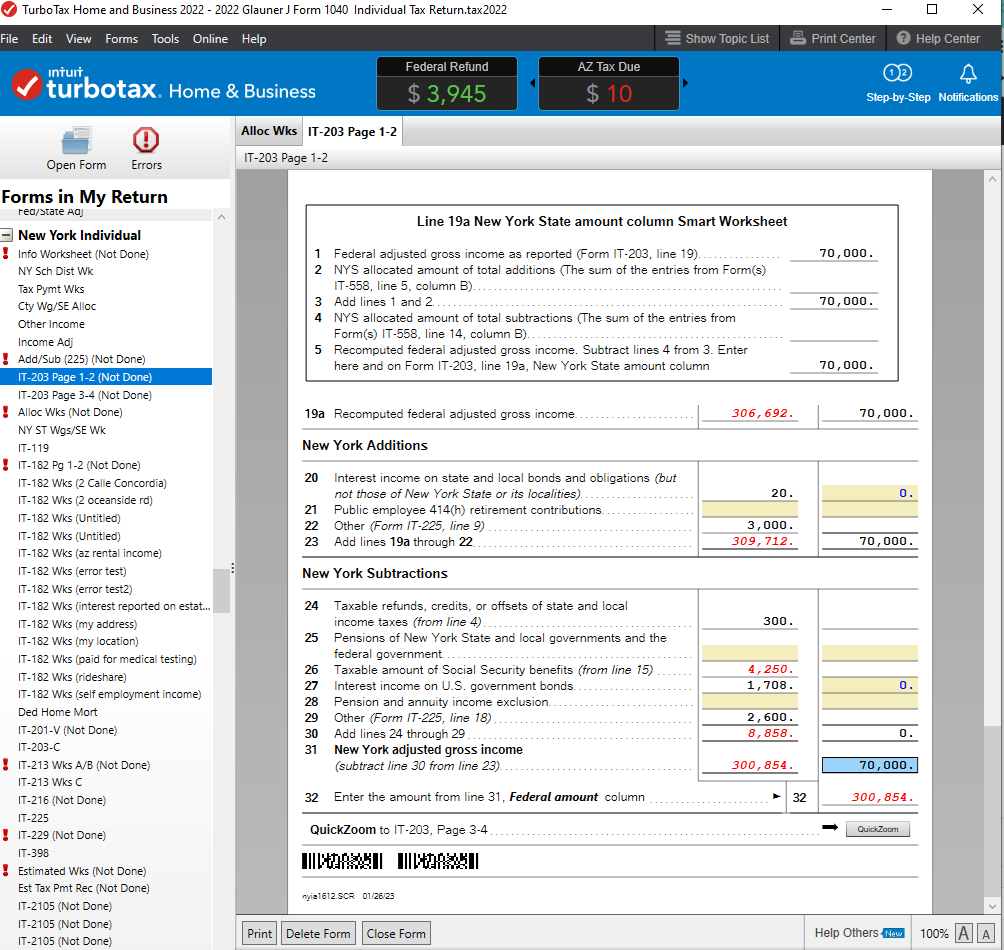
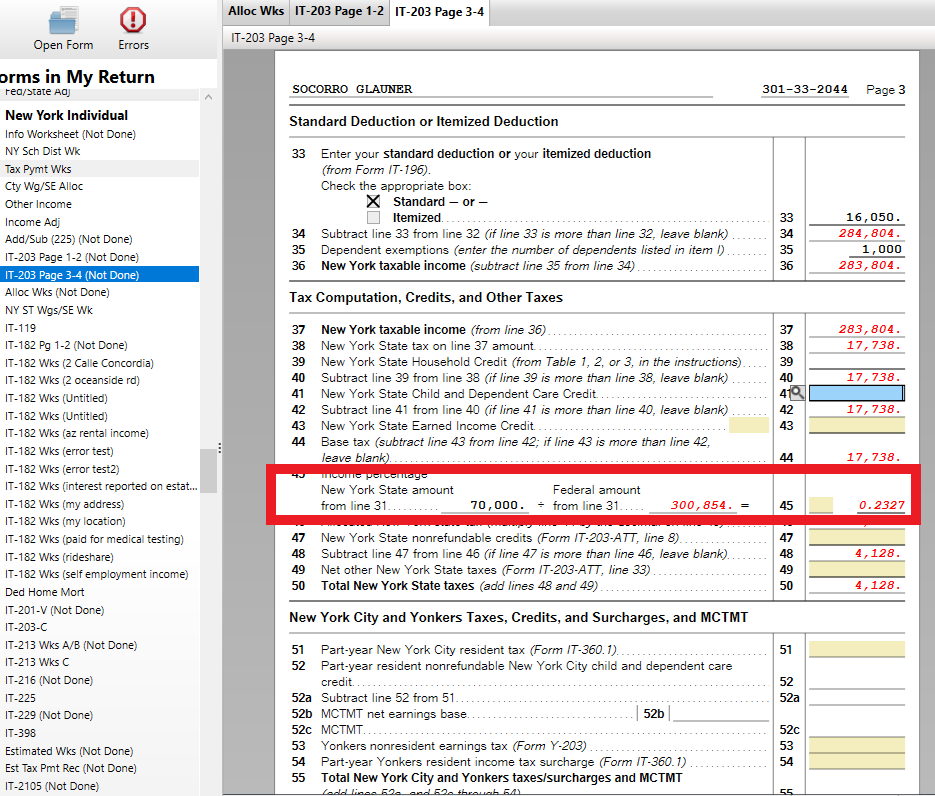
Your Form IT-203 should end up with only your spouse's income showing as NY AGI on Line 31.  Then on Line 45, a factor is applied to NY AGI/Total AGI to calculate the NY tax.


@shaney299 


**Say "Thanks" by clicking the thumb icon in a post
**Mark the post that answers your question by clicking on "Mark as Best Answer"

View solution in original post

1 Reply
MarilynG1
Expert Alumni

Spouses working in different state

Yes, it can look like New York is taxing all your income, but that is not the case.


There is a screen in the New York Non-Resident Interview where you can indicate that the NY income belongs to your Spouse.


On the Review Topics screen, select your non-NY Wages, then Edit your W-2, and indicate 'do not allocate'.  Repeat for any other income not allocated to NY.


If you're using TurboTax Desktop, you can also enter 0's manually on the Allocation Worksheet. 


Your Form IT-203 should end up with only your spouse's income showing as NY AGI on Line 31.  Then on Line 45, a factor is applied to NY AGI/Total AGI to calculate the NY tax.


@shaney299 


**Say "Thanks" by clicking the thumb icon in a post
**Mark the post that answers your question by clicking on "Mark as Best Answer"

Unlock tailored help options in your account.

message box icon

Get more help

Ask questions and learn more about your taxes and finances.

Post your Question