

Issue Activating TurboTax 2025 After Installation on Windows 11 Pro
I purchased TurboTax 2025 Home & Business from Costco. I downloaded the installation file from InstallTurboTax.com without issues. Installation succeeds regardless of running installation either in admin mode or not.
However, after installation, when I start TurboTax 2025, I get an error message saying "We've hit a snag activating your product...". This error message shows up BEFORE the screen asking for the activation key comes up. So the issue could not be with a bad activation key. See the below picture.
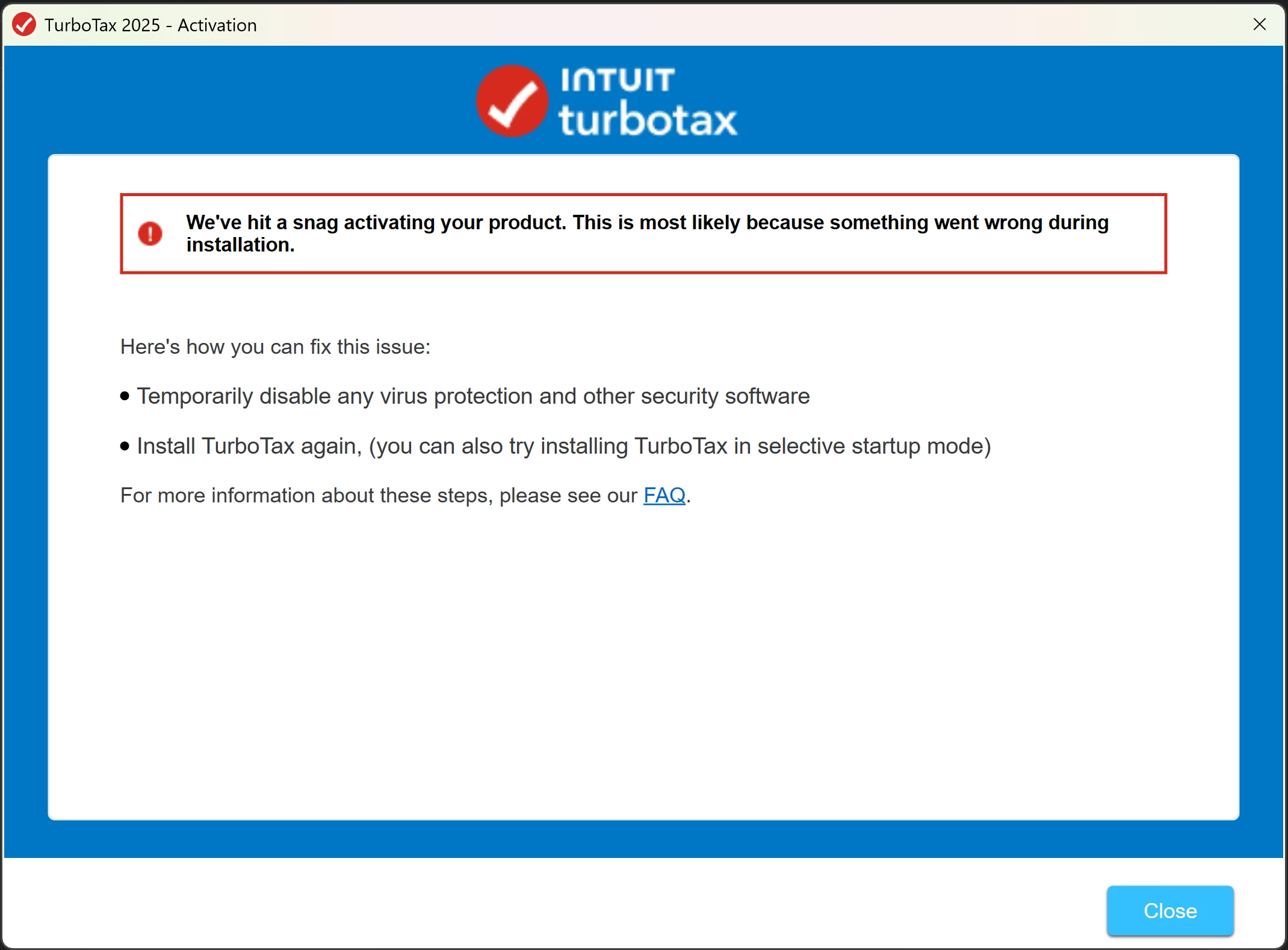
I tried troubleshooting this myself following the directions at Troubleshoot TurboTax Desktop for Windows issues but to no avail.
I called the TurboTax support line, and spent 6hrs with an agent and a supervisor trying to fix the issue. I shared my screen with them so that they could see exactly what I was doing. They tried many different things, but nothing worked. They even asked me to take my screen resolution down to 1280x1024 but that failed as well.
They told me that the TurboTax I got from Costco was a problem and that I need to buy a new one directly from them at a much higher price. They sent me a new copy of TurboTax 2025 Home and Business which I downloaded from Intuit's internal site. When we tried to install that one while the agents were monitoring, I still got the exact same error.
We tried:
- running turbotax program in admin mode
- running installation in admin mode
- downloading installation multiple times from the 2 different sites (InstallTurboTax.com and internal intuit site)
- running turbotax in selective startup mode
- installing turbotax in selective startup mode
- running turbotax with BitDefender and Windows Defender antivirus disabled
- installing turbotax with BitDefender and Windows Defender antivirus disabled
- windows was already up to date
- drivers were already up to date
- we ran dism utility and sfc utility. After that we again tried:
- running turbotax program in admin mode
- running installation in admin mode
- downloading installation multiple times from the 2 different sites (InstallTurboTax.com and internal intuit site)
- running turbotax in selective startup mode
- installing turbotax in selective startup mode
- running turbotax with BitDefender and Windows Defender antivirus disabled
- installing turbotax with BitDefender and Windows Defender antivirus disabled
- we created a new temporary admin user and tried the following under that:
- running turbotax program in admin mode
- running installation in admin mode
- downloading installation multiple times from the 2 different sites (InstallTurboTax.com and internal intuit site)
- running turbotax in selective startup mode
- installing turbotax in selective startup mode
- running turbotax with BitDefender and Windows Defender antivirus disabled
- installing turbotax with BitDefender and Windows Defender antivirus disabled
- I tried installing on another laptop from a different manufacturer but with similar Windows version, antivirus software and windows security settings. I tried the following on the 2nd laptop:
- running turbotax program in admin mode
- running installation in admin mode
- downloading installation multiple times from the 2 different sites (InstallTurboTax.com and internal intuit site)
- running turbotax in selective startup mode
- installing turbotax in selective startup mode
- running turbotax with BitDefender and Windows Defender antivirus disabled
- installing turbotax with BitDefender and Windows Defender antivirus disabled
- windows was already up to date
- drivers were already up to date
- I ran dism utility and sfc utility. After that I again tried:
- running turbotax program in admin mode
- running installation in admin mode
- downloading installation multiple times from the 2 different sites (InstallTurboTax.com and internal intuit site)
- running turbotax in selective startup mode
- installing turbotax in selective startup mode
- running turbotax with BitDefender and Windows Defender antivirus disabled
- installing turbotax with BitDefender and Windows Defender antivirus disabled
- I created a new temporary admin user and tried the following under that:
- running turbotax program in admin mode
- running installation in admin mode
- downloading installation multiple times from the 2 different sites (InstallTurboTax.com and internal intuit site)
- running turbotax in selective startup mode
- installing turbotax in selective startup mode
- running turbotax with BitDefender and Windows Defender antivirus disabled
- installing turbotax with BitDefender and Windows Defender antivirus disabled
Everything failed. This also meant that the issue was not with the software downloaded from InstallTurboTax.com, but rather with TurboTax's software. However, the TurboTax agent did not see it this way.
After 6hrs the TurboTax agent and the supervisor gave up and said the issue was due to my BitDefender Antivirus, even though the antivirus was actually disabled during most of the tries mentioned above.
Taking their advice, after hanging up with them, I completely uninstalled BitDefender from my main laptop. The only antivirus software that was now running but was disabled was Widows Defender. I again tried installing TurboTax 2025 Home & Business, but still got the same error after installation every time. I even tried installing other versions of TurboTax 2025, like Business, Deluxe, Premier, etc. and got the same exact error with every single one of them. I again followed all the steps above and the directions at Troubleshoot TurboTax Desktop for Windows issues and got the same failing results every single time.
By now I had spent over 15hrs on this.
I re-installed windows. This process deletes all 3rd party apps (including 3rd party AntiVirus solutions) but leaves my data on the HDD intact. Before installing anything else, even my BitDefender Antivirus, I again tried to install TurboTax 2025 and again got the failure. I again followed all the steps above and the directions at Troubleshoot TurboTax Desktop for Windows issues but still no luck. A point to note here: I did see that re-installing windows did not reset my windows security settings.
Finally, I backed up my laptop and reformatted it by resetting to factory default settings. This erased all my applications and data. I reinstalled everything, recopied all my data back to my notebook and got all my programs setup and customized as I like them. Only after I had everything else working as I wanted it to, I finally went and installed TurboTax 2025 Home & Business again. During this installation try, I did NOT disable Windows Defender or my other antivirus, BitDefender. This time I was successful in installing and activating TurboTax 2025 Home & Business without issues.
However, there were 2 things that I did differently:
- I set my display resolution down from 2880x1800 to 1024x786 before starting the installation of TurboTax 2025.
- I left Windows Security settings at default. For example,
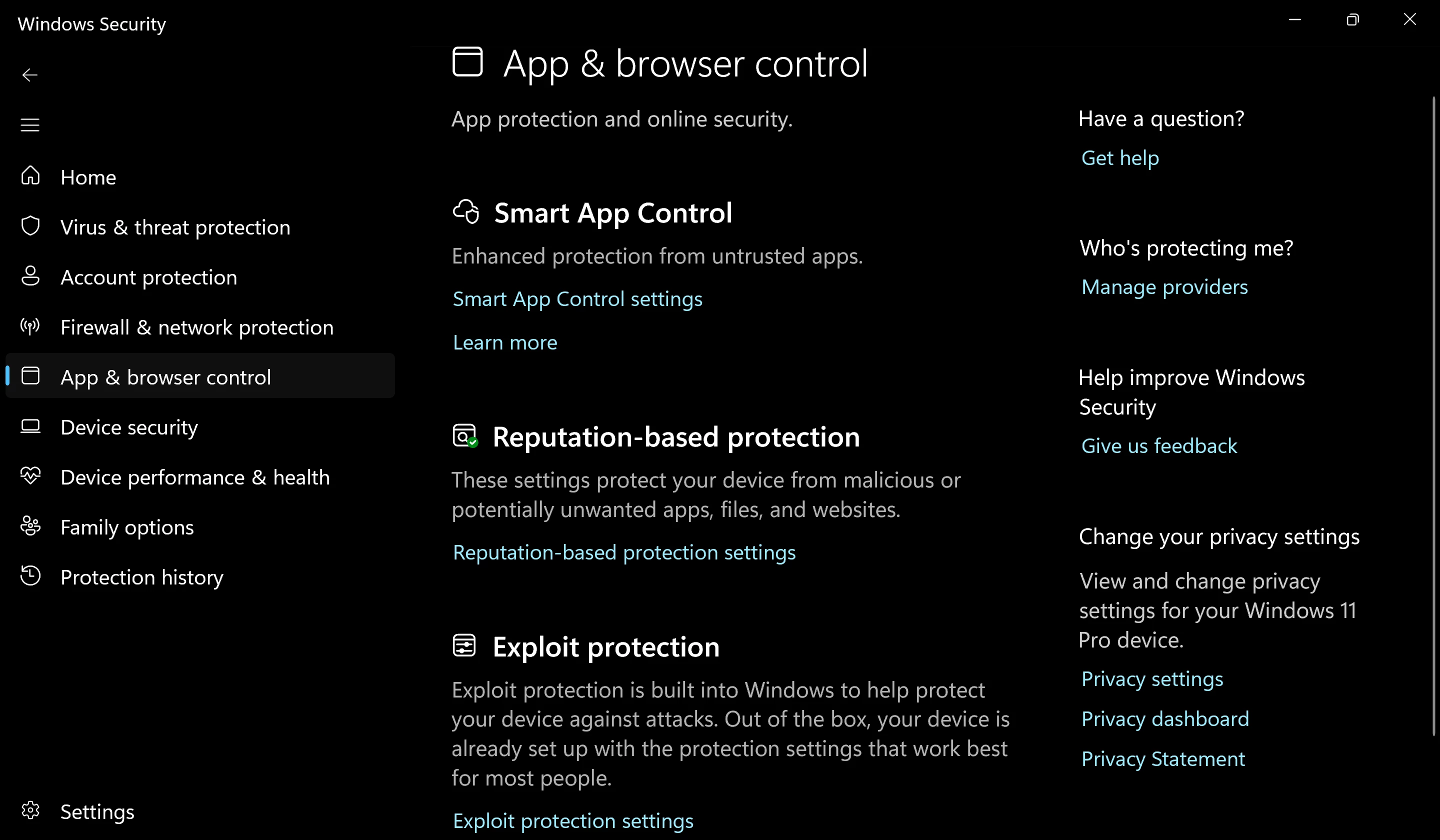
- By default Smart App Control is switched Off. Before reformatting my PC, I had this turned On.
- Similarly, by default some of the Exploit Protection features are turned Off by default. I had all of them turned On earlier.
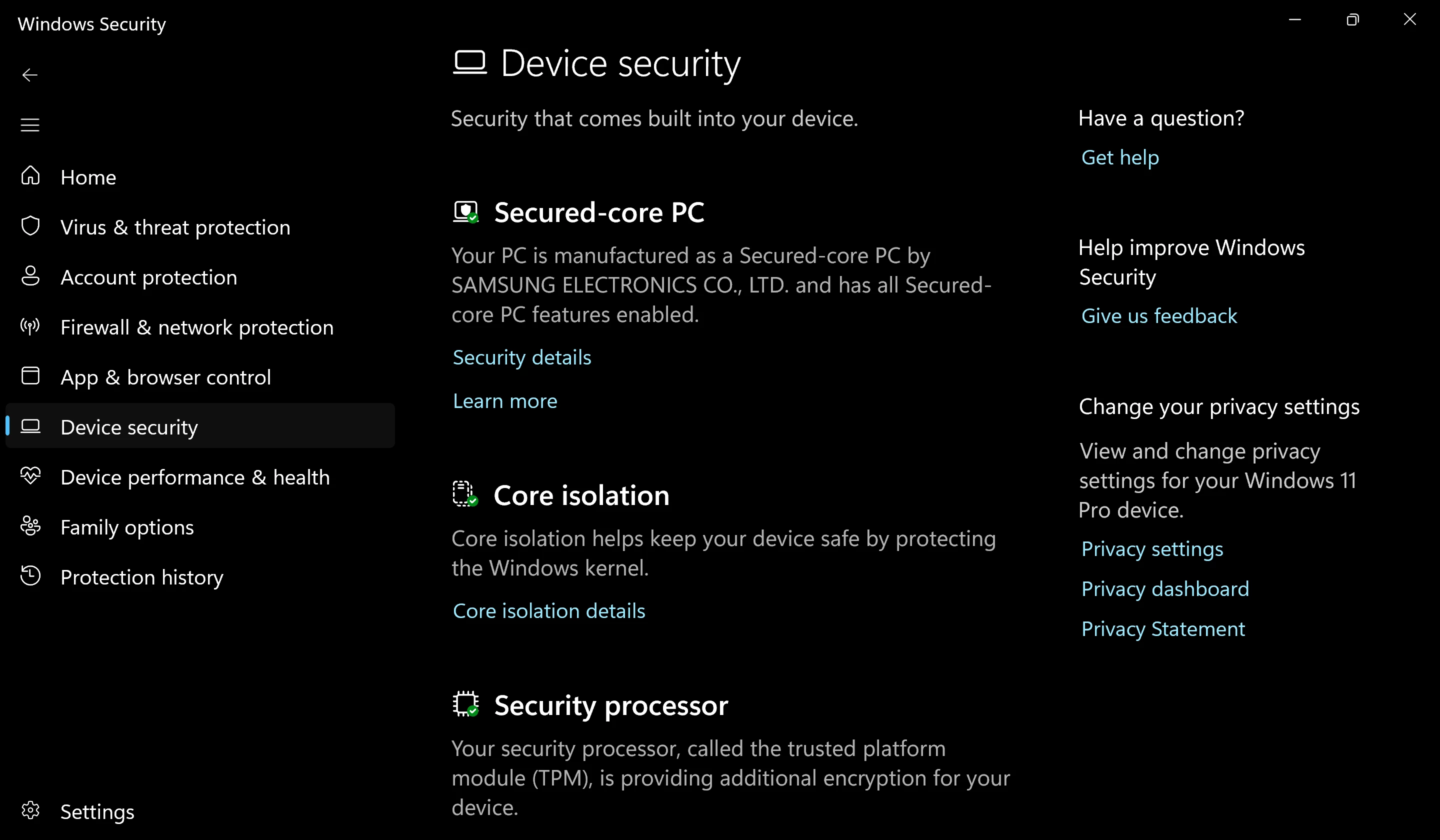
- Many Core Isolation settings also turned Off by default in Windows 11 Pro. I had every one of these turned On before reformatting my PC.
- Device/Data Encryption is turned Off by default. I had that turned On earlier.
I do not know which of these 2 changes helped, but I suspect that the 2nd point above (i.e. leaving Windows Security settings at default) made the biggest difference. Windows Security allows users to improve security of their system.
- App and Browser Control settings help ensure that apps cannot make unexpected changes to kernel or do not have unhindered access.
- Device Security settings help isolate the core, and enable low level protections.
Maybe TurboTax 2025 cannot work with improved security settings in Windows Security (many of these settings, once set, cannot be removed or turned Off without a complete reformatting). Or maybe TurboTax 2025 needs very low resolution to install successfully. Only Intuit knows which one it it.
This is something that Intuit needs to investigate and fix. I spent days through this process. This is completely unacceptable.
Following are the system configurations of my main laptop where installation initially failed before I successfully installed it after a factory data reset:
- Samsung Galaxy Book 5 Pro 360
- Intel Core Ultra 7 256V @ 2.2Ghz
- 16GB RAM @ 8533 MT/s
- Samsung 990 Pro 2TB NVME with 1TB of space
- 64 bit Windows 11 Pro 25H2 OS Build [removed]
- Display Resolution: 2880x1800
- Scaling: 250%
- Additional Apps Installed: (list can be provided upon request)
Please let me know if you need any other information to help root-cause and fix the issue.









