Level 1
March 16, 2020
Solved

HELP!!!

  • March 16, 2020
  • 3 replies
  • 9 views
 

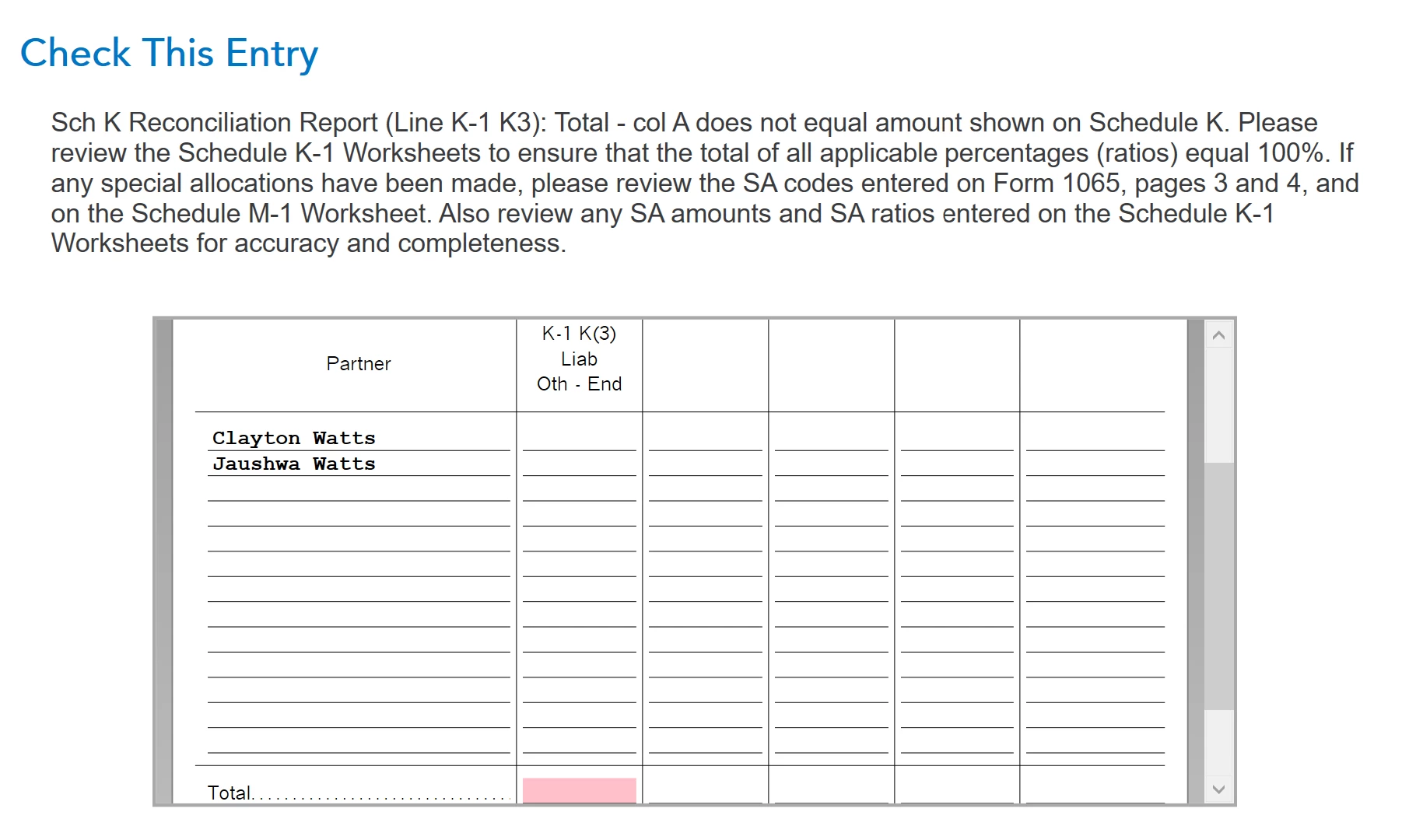
How do i resolve this issue?


    Best answer by KathrynG3

    Yes, you can resolve this issue by returning to the K-1 original point of entry. Using the details from the left column of your Schedule K-1's, enter the percentage of ownership for liabilities. This will be according to the partnership agreement. Commonly, the liability percentages are the same as the asset percentages, but not always.

    3 replies

    KathrynG3
    KathrynG3Answer
    Level 14
    March 16, 2020

    Yes, you can resolve this issue by returning to the K-1 original point of entry. Using the details from the left column of your Schedule K-1's, enter the percentage of ownership for liabilities. This will be according to the partnership agreement. Commonly, the liability percentages are the same as the asset percentages, but not always.

    Level 2
    August 8, 2020

    What date did I fill out my papers on the website I can't see the date on my papers. Barbara [removed]

    Level 2
    August 8, 2020

    My email [email address removed]

    Level 15
    August 8, 2020

    @bpollard51 We cannot see your account or your tax return.  We do not know what date you prepared your tax return.  If you e-filed it you would have received an email telling you that the return was submitted, and then you would have gotten a second email telling you if the return was accepted or rejected.  Do you still have your emails?  Or look at the pdf of your tax return and look at the page that says electronic filing instructions.  Or look in your account to see if it shows that the return was accepted/


    or.....check your e-file status:

    https://turbotax.intuit.com/tax-tools/efile-status-lookup/


    What are you trying to do?  Why are you looking for the date that you filed?    You don't need that date to track your refund.  

    You need your filing status, your Social Security number and the exact amount  (line 20 of your Form 1040) of your federal refund to track your Federal refund:   

    https://www.irs.gov/refunds


    To track your state refund:    

    https://ttlc.intuit.com/questions/1899433-how-do-i-track-my-state-refund

    **Disclaimer: Every effort has been made to offer the most correct information possible. The poster disclaims any legal responsibility for the accuracy of the information that is contained in this post.**
    VolvoGirl
    Level 15
    August 8, 2020

    In the PDF of your TurboTax return, the last page of the federal return should be an "electronic postmark" that shows your name, Social Security number, the date and time that you e-filed the return, and the date that the IRS accepted it.


    You can check the status of an efiled Online return here

    https://shop.turbotax.intuit.com/efile/efile_status_lookup.jsp


    There will be a date and time stamp for when it was received and accepted.  I think there is also a Show Efile History in the bottom left corner.


    You can also order a Transcript from the IRS

    https://www.irs.gov/Individuals/Get-Transcript