
Level 5
March 15, 2022
Solved

Why do keep getting this erroneous message?

  • March 15, 2022
  • 1 reply
  • 5 views

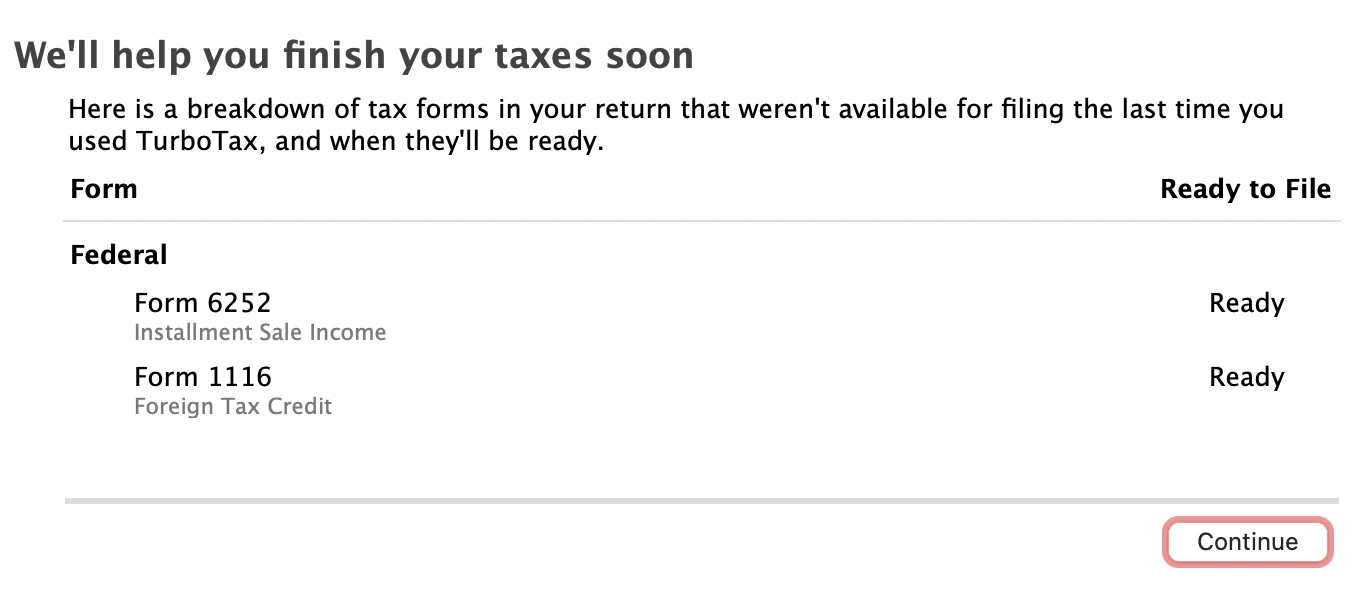
When I bring up TT to continue work on my return, (and I saved the return every time before I exit), it keeps starting at the picture you see below - saying that both "tax forms 6252 and 1116 are not yet available the last time you used Turbo Tax", and Ready to File status as "Ready" -- which are inconsistent messages, right? I have been opening TT about 3-4 times a week to work on the return... there was a time these forms were not ready and it would not let me complete that part of the return. But now, I can get all the way to "Let's file" (I am not ready yet), with no errors on Fed or State. I save from that screen and I come to this notice again the next time I open TT. I am aware of all the issues with the eFiling of 1116, I am current and formerly had the Foreign Tax Credit issue, now I don't. No errors show up in the Forms view. So --


How can I turn this off? Thanks!
    Best answer by MichelleLO

    There may not be a way to turn off this notification. It is just letting you know that the forms that were previously not available when you began preparing your return are now ready. You can try to update your software to see if that will remove the message. The below help article contains instructions.

    How do I update my TurboTax CD/Download software program?

    1 reply

    Level 15
    March 15, 2022

    There may not be a way to turn off this notification. It is just letting you know that the forms that were previously not available when you began preparing your return are now ready. You can try to update your software to see if that will remove the message. The below help article contains instructions.

    How do I update my TurboTax CD/Download software program?

    **Say "Thanks" by clicking the thumb icon in a post. **Mark the post that answers your question by clicking on "Mark as Best Answer"
    Don-TTAuthor
    Level 5
    March 15, 2022

    Thanks, it checks for updates every time I start the program (Mac), I just verified it is on the latest version. That's a true nag message...




