TurboTax Software: Where to upload documents?
For form 1099B trade transactions, I chose entering summary numbers, there were too many errors for importing documents, which requires a lot of time to manually fix. But I follow the software step by step, and did not see a question for uploading documents.
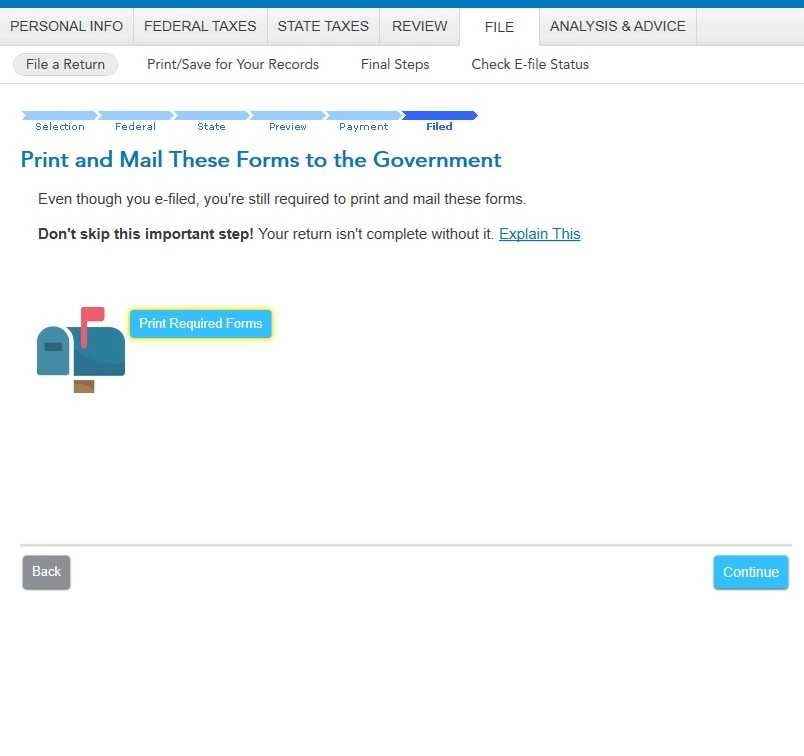
I totally forgot to ask this question before e-filing, now I have e-filed. It is waste of my time and money to mail documents to IRS, I hate it, I should ask how to upload documents before e-filling.
Is it really required to mail form 1099B? Brokers should send a copy to IRS. (Status: Your federal tax return was accepted by the IRS, a few minutes after e-filing)
I used TurboTax website for previous years, and I did enter summary numbers and upload documents. This is the first year using TurboTax software, and I did not see a question about uploading form 1099B.
How to upload form 1099B along with tax return? I would like to know it for future years. Or can I still upload the documents and ask TurboTax to electronically send the documents? Or can I electronically send/upload documents to IRS (via IRS website somewhere)? Or fax number?
If mail to IRS, what is mailing address?
Can someone confirm if TurboTax software (not TurboTax website) allows you to upload form 1099B for e-filing if you choose to enter summary numbers? Or it has to end up forcing you to physically mail supporting 1099B to IRS?
Thanks.
Edit: I checked the software, it seems that TurboTax will force me to physically mail supporting documents with form 8453, if I choose entering summary number of form 1099B, while TurboTax website allowed me to upload supporting documents. Is it correct? If that is the case, I will not use TurboTax software next year.