VAer
Level 6
February 20, 2023
Question

TurboTax: Errors after importing 1099

  • February 20, 2023
  • 1 reply
  • 24 views

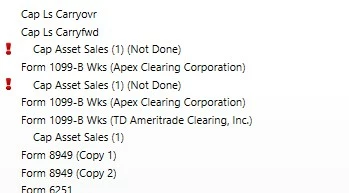
I don't mean errors, they just require manual edit. Almost all are SPX option related, and it is painful to find/fix them one by one. It seems that TurboTax does not import well with Apex Clearing option trading transaction, no error with TD Ameritrade.


Can I delete imported 1099 forms then manually enter summary number? Then uploading 1099 forms?


I don't want to deal with each trade transaction. I am relatively active trader (SPX option).


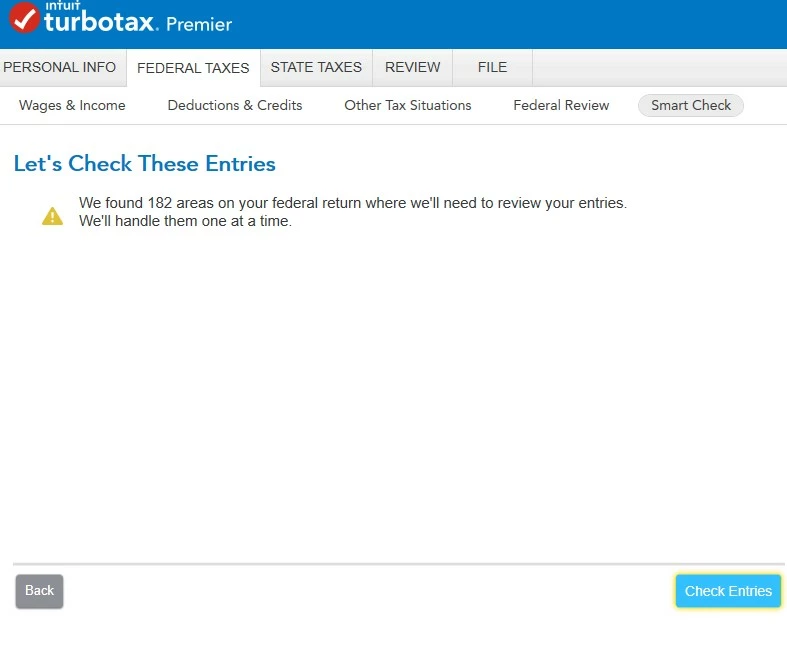
  1. If importing form 1099, there are still 182 areas requiring manual fix. TurboTax does not get all the information.

  2. If manually entering, I can only manually enter summary numbers (SUMMARY OF PROCEEDS, GAINS & LOSSES, ADJUSTMENTS AND WITHHOLDING). Does TurboTax software allow uploading 1099 forms?


Thanks.
 

1 reply

Level 15
February 20, 2023

Yes, you can delete the imported 1099 forms and then manually enter summary totals for each sales category.    It will require you to either upload to TurboTax a copy of your Form 1099-B, or mail it, with Form 8453, (which TurboTax will generate).  To do this in TurboTax Online:


  • Click on Search and type in "Form 1099-B"
  • Click on "Jump to 1099b"
  • Answer Yes to "Did or will you receive a 1099-B form or brokerage statement for these sales? 
  • Click on "I'll type it in myself"
  • Answer the questions about employee stock, etc.
  • Click on "Let's enter a summary" button and click Continue
  • Enter your Investment Sale information and repeat until you have entered for each category.


After entering all your category summaries, Look for "To finish reporting these sales, follow the mailing instructions" and click on the link for these instructions:


Mailing Instructions


Take a moment to double-check that your statements are complete. For each sale listed, there should be:


 - A Description

 - Date Acquired

 - Date Sold

 - Sales Price

 - Cost Basis

 - Gain or loss for each sale

 - A sale category based on how the sale was reported to you and the IRS


In some uncommon cases, there will be an adjustment code and adjustment amount.


NOTE: Any sales summaries that include only Box A or Box D sales, and which have no adjustments to gain/loss, do not need to be included on a statement mailed to the IRS.


Here's how to mail your statements:


If you are e-filing your tax return, then mail your statements along with Form 8453 to:


 Internal Revenue Service

 Attn: Shipping and Receiving, 0254

 Receipt and Control Branch

 Austin, TX 73344-0254


If you are not e-filing, then mail your statements with your entire tax return to your local IRS office.


* The questions you are asked by the program may vary depending upon what, if anything, you may have already entered related to investment sales.

**Say "Thanks" by clicking the thumb icon in a post. **Mark the post that answers your question by clicking on "Mark as Best Answer"
VAer
VAerAuthor
Level 6
February 20, 2023

@DavidD66 


The question is: Does TurboTax ask me to upload 1099B? Or how can I upload 1099B? Since it is short term covered (already reported to IRS), why it needs to mail to IRS (if not uploading)? IRS should already has a copy from broker.


Thanks.

Level 15
February 21, 2023

The IRS does already have a copy from your broker.  And yet the requirement is that if you enter summary transactions the 1099-B has to be attached.


@VAer 

**Say "Thanks" by clicking the thumb icon in a post. **Mark the post that answers your question by clicking on "Mark as Best Answer"