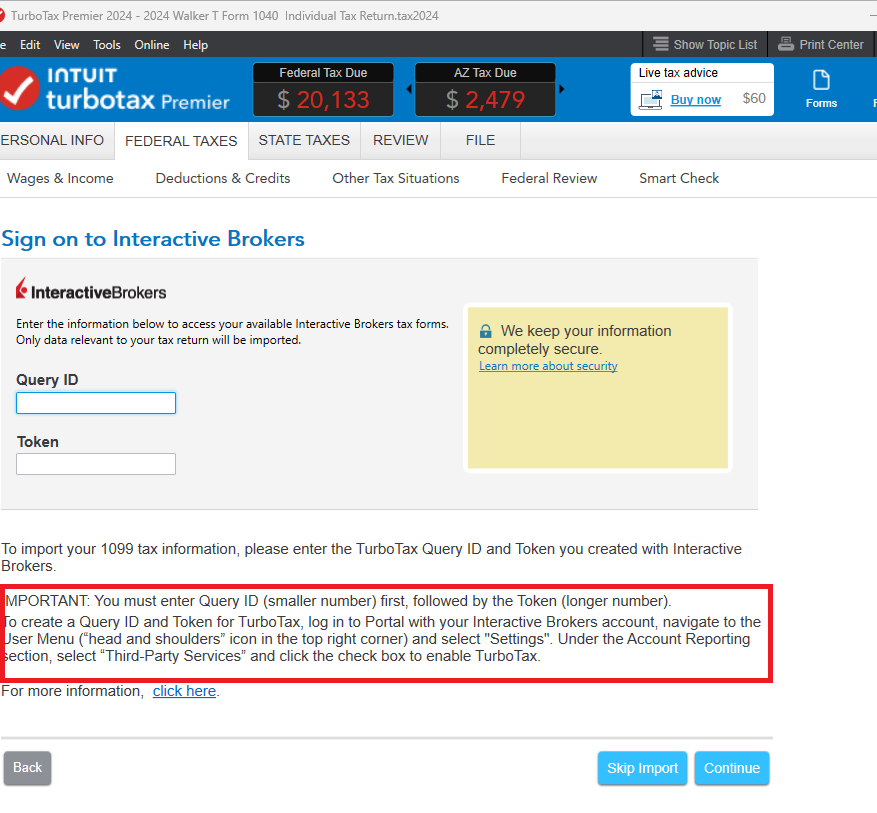
Similar to a recent post about Schwab, using TurboTax Desktop when typing in correct Query ID and Tokens for Interactive Brokers the app loads a "Establishing secure connection...." screen for about 2-3 seconds and then nothing happens, the window goes away, nothing gets downloaded, and no errors or "missing files" occurs. I'm not going to waste my time with customer support as there's obviously a bug that needs to be resolved as the only acceptable outcomes are "It worked" or "Here's why this failed". Please just let the community know which update fixes this connection as finishing taxes by 2/18 is impossible when some things don't work.
You'll need to sign in or create an account to connect with an expert.
Have you tried disabling anti-virus programs? This has resolved the issue for many users, although most users are able to import successfully.
Some brokers require that you enable 'third party access' in your account.
Here's how to do a Manual Update.

Still have questions?
Questions are answered within a few hours on average.
Post a Question*Must create login to post
Ask questions and learn more about your taxes and finances.
richarmf
New Member
LarryFahnoe
Level 2
user17754957582
New Member
user17746307197
New Member
koifigf150
New Member