
turbotax icon
cancel
Showing results for 
Search instead for 
Did you mean: 
Announcements
Close icon
Do you have a TurboTax Online account?

We'll help you get started or pick up where you left off.

Section 179 Carryover...confusion!

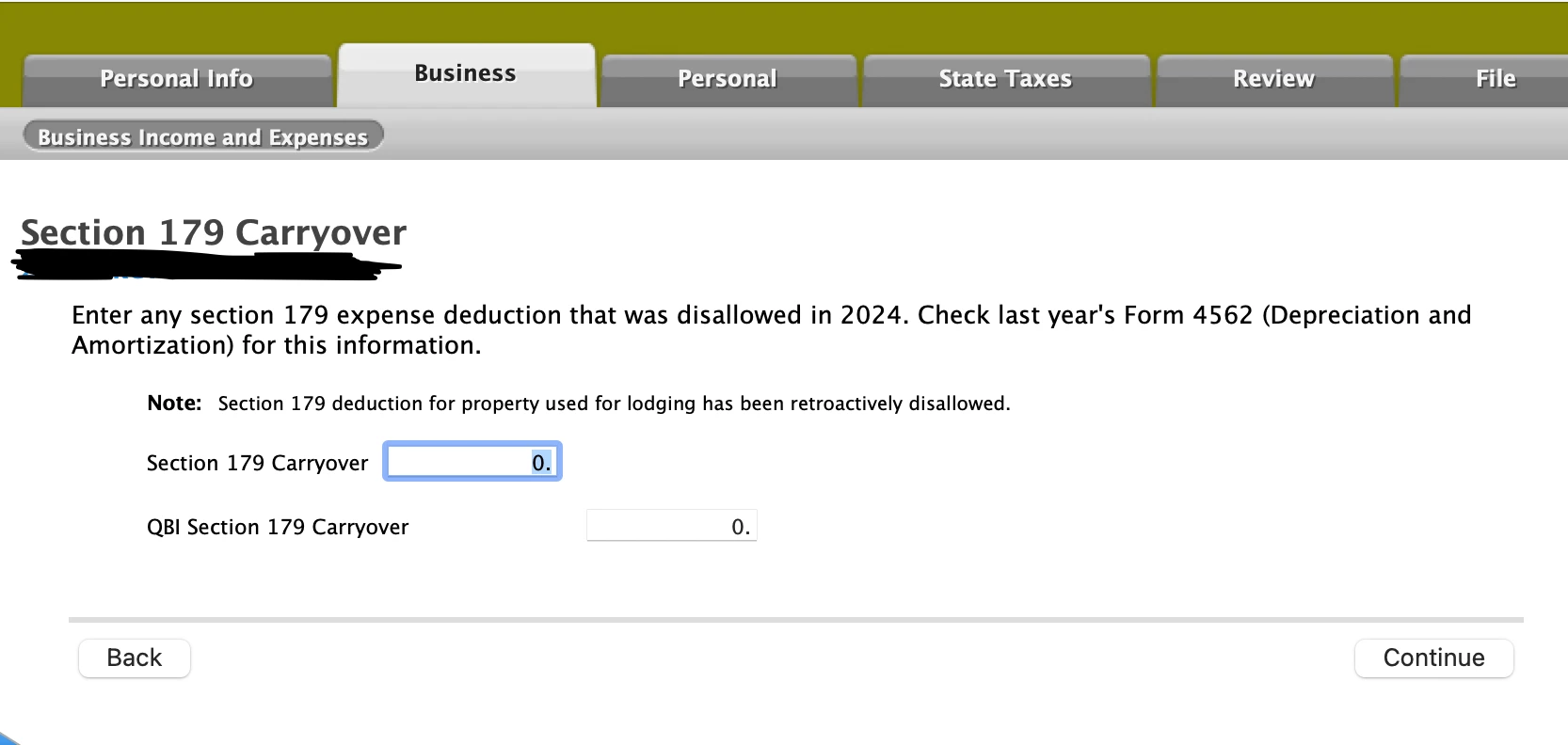
This section always stumps me. I have a vacation condo that I rent out sometimes. I don't understand why TurboTax doesn't transfer last year's Section 179 Carryover (see attached screen). I get so confused trying to find the correct numbers on last year's tax forms. (Do I find the numbers on Form 4562 or the worksheet, for instance?) Can sometime explain to me exactly where I can find the answers to these two questions: 
--Section 179 Carryover

--QBI Section 179 Carryover


Thank you!!section 179.png
x
Do you have an Intuit account?

Do you have an Intuit account?

You'll need to sign in or create an account to connect with an expert.

3 Replies
PatriciaV
Employee Tax Expert

Section 179 Carryover...confusion!

If you used TurboTax last year, find the Schedule E Worksheet for this property. Under the section "Carryovers to 2025 Smart Worksheet," Section 179 carryovers for both regular tax and AMT appear on Line A.

**Say "Thanks" by clicking the thumb icon in a post
**Mark the post that answers your question by clicking on "Mark as Best Answer"

Section 179 Carryover...confusion!

Hi Patricia:

Thanks for taking the time to answer my question. Unfortunately, when I pull up 2024 Schedule E worksheet, Line A is a box that says, "owned by spouse." Is there another form that can give me the answers I need?

Thank you.

Section 179 Carryover...confusion!

I found my answer:

Look at Line 13 on Form 4562: This is the "carryover of disallowed deduction to 2025." This represents the amount of Section 179 you elected to take in 2024 but couldn't because your business didn't have enough taxable income to cover it.


I also learned that my rental doesn't qualify for Section 179 b/c it's a "passive investment." So when I look at Line 13, nothing is there.


I understand this now! Yay!

Unlock tailored help options in your account.

message box icon

Get more help

Ask questions and learn more about your taxes and finances.

Post your Question




