turbotax icon
cancel
Showing results for 
Search instead for 
Did you mean: 
Announcements
Close icon
Do you have a TurboTax Online account?

We'll help you get started or pick up where you left off.

Turbotax data not importing from Schwab

I've searched the forum and found several threads discussing issues with Turbotax not importing data from Schwab.   Some responses indicated the users were trying to import before the data was there.  I didn't see any responses that indicated whether the problem was resolved by waiting.


I have four 1099-Composites from Schwab.   The 1099s were posted to my account in pdf format earlier this week.  When I go to import through Turbotax, everything seems to work as it should.  I get a window that has me log into my account and grant permission for the download.  It looks like the download occurs, but it only takes 1 - 2 seconds.  Usually downloads take longer.  The window says data was imported successfully.  But when I go back to Turbotax, I see no evidence of an import.  If I look at the Imported Items section, it doesn't show anything from Schwab.


Others have reported this, but I don't know what the outcome was.  I called Schwab, and they said that they showed I was able to connect to TurboTax.


If you have received a similar error, did it resolve by waiting, or did you have to input the data yourself?


Thanks

x
Do you have an Intuit account?

Do you have an Intuit account?

You'll need to sign in or create an account to connect with an expert.

1 Best answer

Accepted Solutions
5 Replies

Turbotax data not importing from Schwab

Turbotax data not importing from Schwab

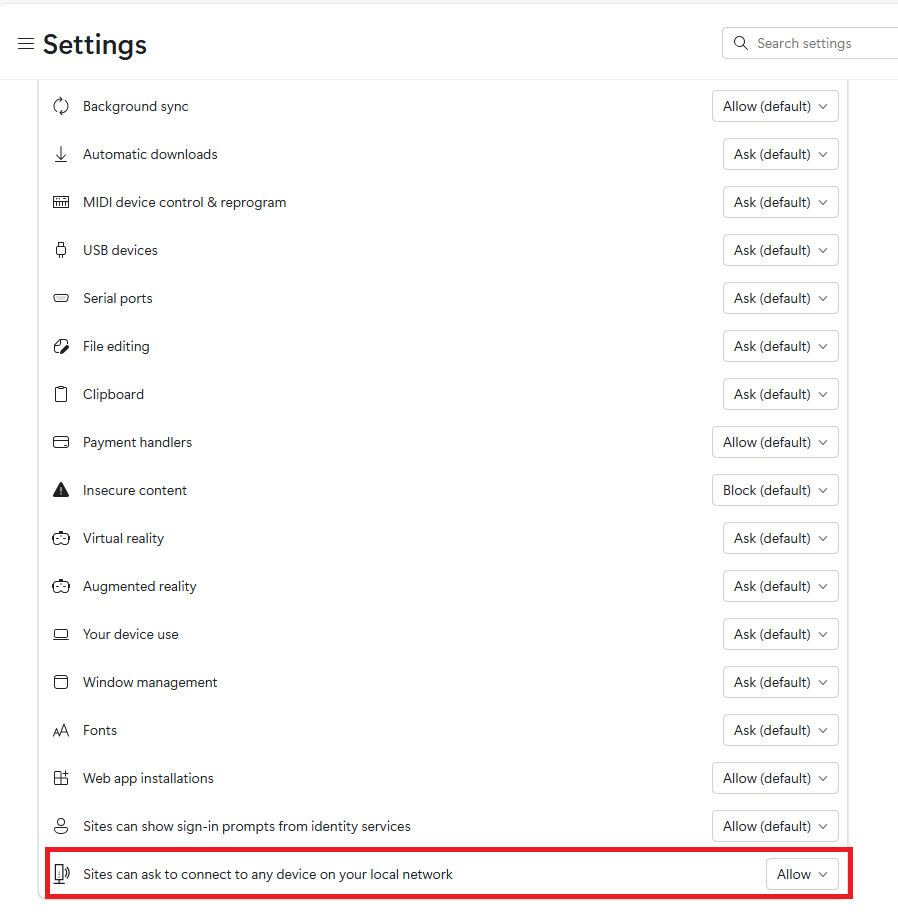
I use Edge.  Once I found how to allow permission, I was able to download the data.


Thanks.

gdesai
Returning Member

Turbotax data not importing from Schwab

where do you see the settings to fix in Edge browser ?

Turbotax data not importing from Schwab

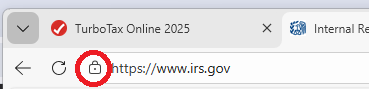
@gdesai If you look through this thread, find the post by  @baldietax .  His response will take you to another turbotax thread, where you can get the instructions.  Basically there is a small lock icon beside of the https:// URL.  If you click that, there are options that will allow Fidelity to accept the download.  Your computer permissions are blocking the download.

MarilynG1
Employee Tax Expert

Turbotax data not importing from Schwab

There's an icon to the left of the URL on the page that opens to Sign In to your broker account.


@gdesai 


**Say "Thanks" by clicking the thumb icon in a post
**Mark the post that answers your question by clicking on "Mark as Best Answer"

Unlock tailored help options in your account.

message box icon

Get more help

Ask questions and learn more about your taxes and finances.

Post your Question