Level 2
January 31, 2023
Solved

Fidelity forms download GUI problem

  • January 31, 2023
  • 3 replies
  • 6 views

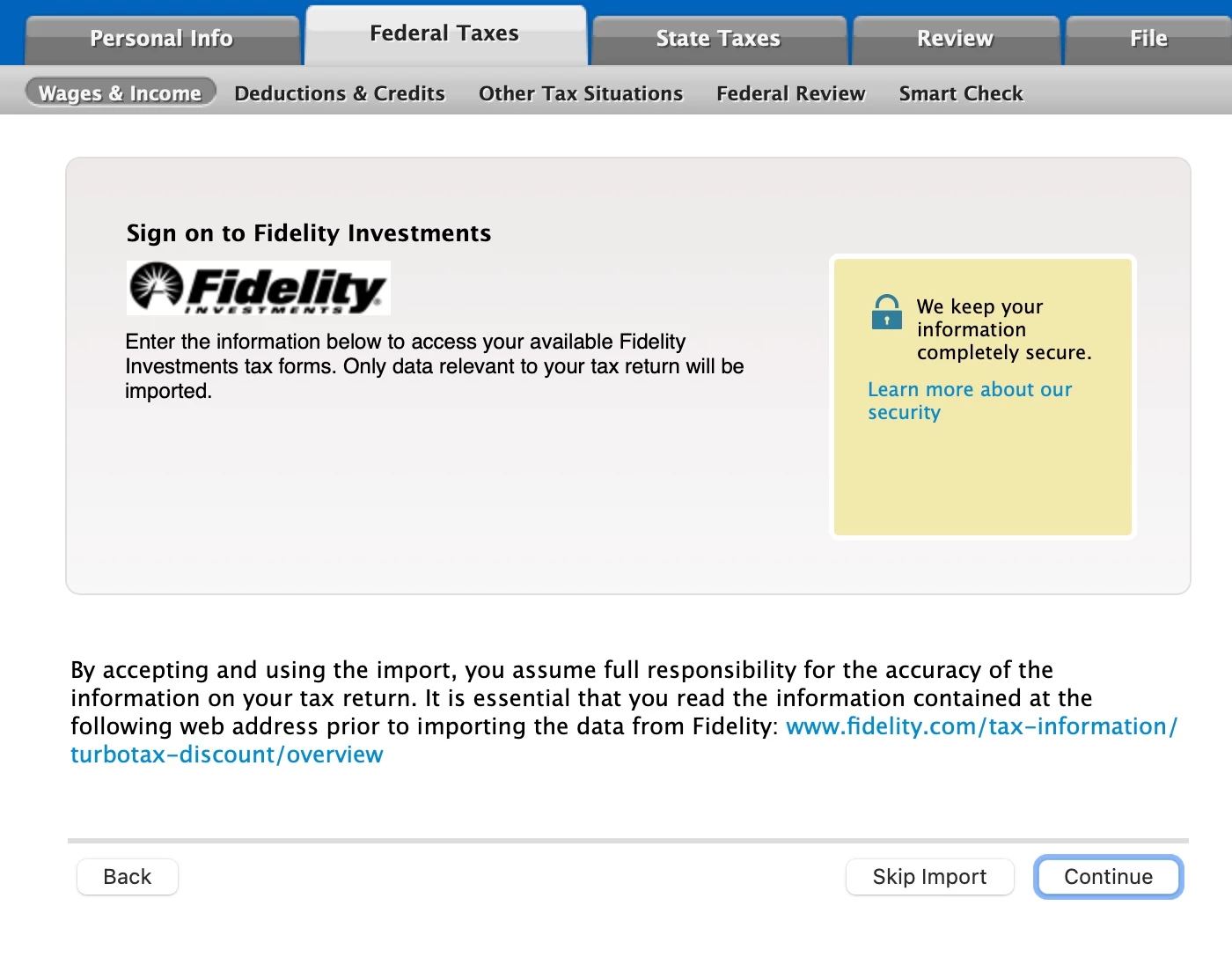
I just tried to download data from Fidelity to my TurboTax and there is a bug in the UI: missing user id and password fields to login to Fidelity. These fields are available in other banks, but not for Fidelity. Please fix it. Many thanks!


    Best answer by SteamTrain

    @taxnewbie2024 


    Wait until Friday...after the latest software updates


    ...... it's possible that your paper/PDF documents are available within your Fidelity account

    BUT

    The tax import documents have to be specially created and are formatted differently, and can take longer to create....so perhaps it is those that are not ready.

    ____________

    For Myself, I'm not concerned, since when I try to access my PDF tax documents, in my account on their web access, they tell me mine will not be ready until after 11 Feb.   Those with REIT holdings may have to wait until March.


    IF you can get your Tax document PDF files from within your Fidelity account, then it may be several more days--to a week, before the special tax import files are ready.

    3 replies

    SteamTrain
    Level 15
    January 31, 2023

    @taxnewbie2024 


    Wait until Friday...after the latest software updates


    ...... it's possible that your paper/PDF documents are available within your Fidelity account

    BUT

    The tax import documents have to be specially created and are formatted differently, and can take longer to create....so perhaps it is those that are not ready.

    ____________

    For Myself, I'm not concerned, since when I try to access my PDF tax documents, in my account on their web access, they tell me mine will not be ready until after 11 Feb.   Those with REIT holdings may have to wait until March.


    IF you can get your Tax document PDF files from within your Fidelity account, then it may be several more days--to a week, before the special tax import files are ready.

    ____________*Answers are correct to the best of my knowledge when posted, but should not be considered to be legal or official tax advice.*

    Level 2
    January 31, 2023

    Well, I think I got this to work. I had to restart the program a few times for some reason. The program showed up a window that opened the login to Fidelity through the web browser where the forms got downloaded. I guess this is a new thing and it didn't do it right away for whatever reason. Now it is working after restarting TurboTax a few times.


    Thank you @SteamTrain 

    Level 2
    January 31, 2023

    Same issue. TT is updated. TT opens a login window to my Fidelity account via my default broswer (Brave), entered the login id and pword manually. I receive this message "Success! We got your tax data. You can now return to TurboTax." on a browser tab that is now labeled "TurboTax Desktop Partner Connection". Nothing else happens and there no additional buttons, or fields to fill in, on the screen to select another action. Close the tab out manually and go back to TT: nothing imported. Log into my Fidelity account and the account has been left open - no user name or pword required to log back on. The connections are not working.


    Level 2
    January 31, 2023

    Update on Fidelity download. It did not work with the Brave browser. It did work, successfully download and import, via the MS Edge browser. However, it did not close down the log in access in MS Edge browser, and there is no announcement that it left the login open. I found it when attempting to manually log back into my Fidelity account via a new window in my current MS Edge session.

    Level 2
    February 15, 2023

    Not working for me either as of Feb 14. Not able to input user name or password. Received my 1099s a few days ago. Definitely a bug. Using a Mac.
    Why isn’t Intuit all over this? 

    Level 11
    February 15, 2023

    @n2r49rs 


    Can you try the workaround provided below and let us know if that works for you:


    • Close and restart TurboTax
    • Make sure the data for the first Fidelity account is there
    • Identify your default browser that TurboTax will open to import data from the second account
    • Clear all cookies and cache….clearing cookies alone will not work
    • Input the login information for the second Fidelity account when TurboTax asks
    **Say "Thanks" by clicking the thumb icon in a post. **Mark the post that answers your question by clicking on "Mark as Best Answer"
    Level 2
    February 15, 2023

    Thank you for the reply. I followed your instructions which, while successfully logging into my Fidelity Acct, left the browser in an uncertain state and no way to get back into TT. As I manually went back to the TT window and clicked on Continue (the only other option was to Skip Import), TT wanted to go back into my Fidelity account for the import.


    Failing the import, closing the browser window and fully exiting the browser, then restarting it, my Fidelity account was left open: that's a major security risk.


    In a follow-on to my first post, I stated that the transfer was successful via the MS Edge browser, but the exit still left the Fidelity account logged on: a major security risk.


    The first image, below, is the response with the browser (Brave). The second image is after attempting the download and going back to TT. Before starting this download attempt the browser Cookies and Cache were cleaned.