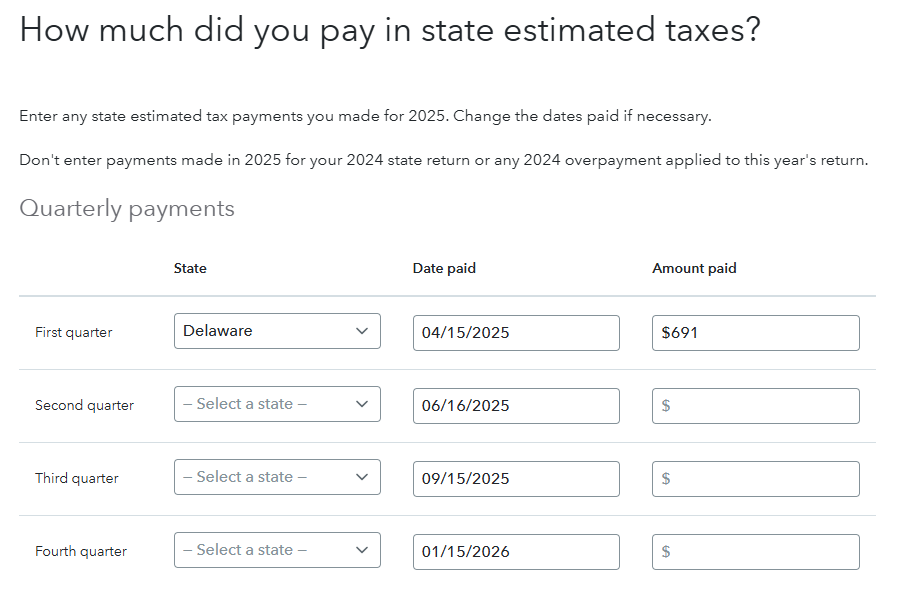
TurboTax transfers the information from your federal return to your state return. To correct this you will need to fix this entry in your federal return, to get back to this section:
- Go to estimated tax payments under Deductions & Credits
- Select Start or Revisit next to the type of estimated tax payment you'd like to enter under Estimated Tax Payments
- You can select that you made state estimated payments
- You can select what state you made the payments to in the drop down menu
Click here for Where do I enter my estimated tax payments?
Once you make the correction in your federal return, the estimated payments will show in the correct state.