turbotax icon
cancel
Showing results for 
Search instead for 
Did you mean: 
Close icon
Do you have a TurboTax Online account?

We'll help you get started or pick up where you left off.

manionm
Returning Member

Enter IRA distributions by month

How do I enter my IRA distribution in the month it actually occurred (December) so that Turbo does not calculate an estimated tax penalty. Basically, where do I enter taxable amounts by month versus letting Turbo smooth the income/div/distributions evenly across the year.

x
Do you have an Intuit account?

Do you have an Intuit account?

You'll need to sign in or create an account to connect with an expert.

3 Replies
DawnC
Expert Alumni

Enter IRA distributions by month

If you need to annualize your income to possibly reduce or eliminate an underpayment penalty, you can do that in a separate section before you file.   All IRA distributions are reported on Form 1099-R and those must be reported in the Retirement Income Section.   How do I enter my 1099-R?


If after completing your tax return, you are hit with a penalty, you can go through the penalty section and choose to annualize your income.  This is where you will indicate that this income was received in the 4th quarter of the year.   To get this section in TurboTax, search for penalty and use the Jump to penalty link shown on the screen.   Don't do this until you have entered all of your income and deductions in TurboTax.  

**Say "Thanks" by clicking the thumb icon in a post
**Mark the post that answers your question by clicking on "Mark as Best Answer"

manionm
Returning Member

Enter IRA distributions by month


Thanks for the response. These are the steps I believe I must take. Agree?

1. Check box "c" on form 2210. Then go to form 2210AI and complete the "a", "b", "c" boxes on line 1 in the Annualized income installments section.

DawnC
Expert Alumni

Enter IRA distributions by month

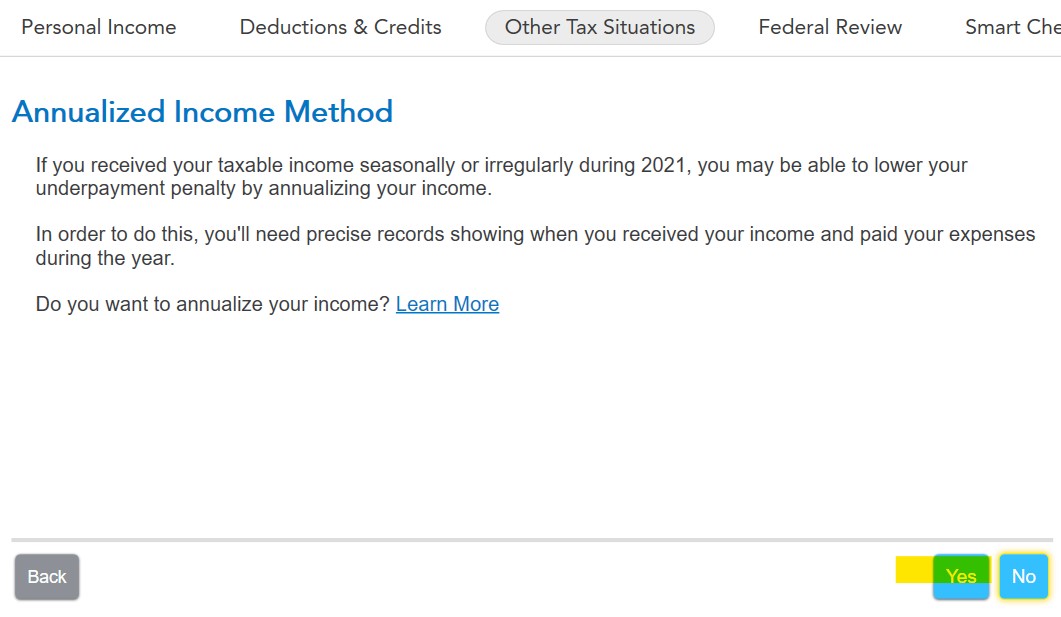
Yes, but you don't have to mark anything on the form, TurboTax will do that automatically.    Search penalty and then use the Jump to penalty link.   Click through those screens slowly and you will be given the option to annualize your income.   After you tell TurboTax you want to annualize, we will ask about the timing of your income.   TurboTax will recalculate the penalty and add Form 2210AI to your return.     When you get to the screen that says Annualized Income Method, select YES, then continue. 


**Say "Thanks" by clicking the thumb icon in a post
**Mark the post that answers your question by clicking on "Mark as Best Answer"

Unlock tailored help options in your account.

message box icon

Get more help

Ask questions and learn more about your taxes and finances.

Post your Question