Level 1
March 11, 2026
Question

Can't delete 1095-A form - stuck in loop

  • March 11, 2026
  • 3 replies
  • 185 views

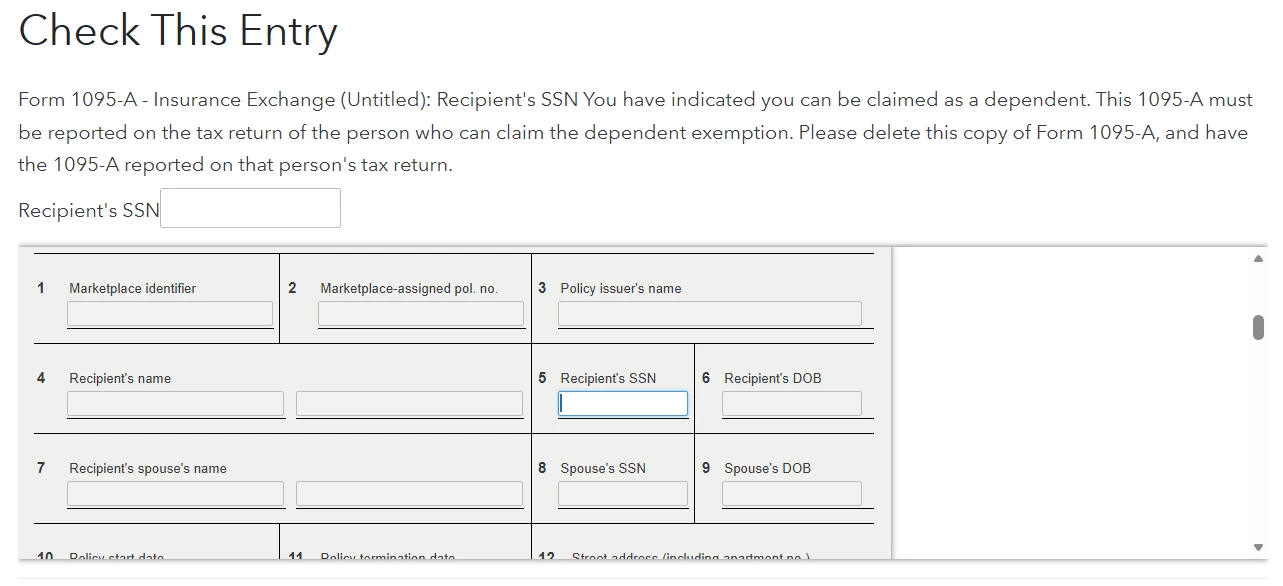
One my original filing I forgot to check the box that someone else claimed me as a dependent this year. I got a message saying that my form was rejected and so I went back in and fixed that issue. Now it is telling me I need to fill in a Recipient SSN on a 1095-A form (see picture). However, every time I enter an SSN it still says there is an issue and asks me to enter it again.

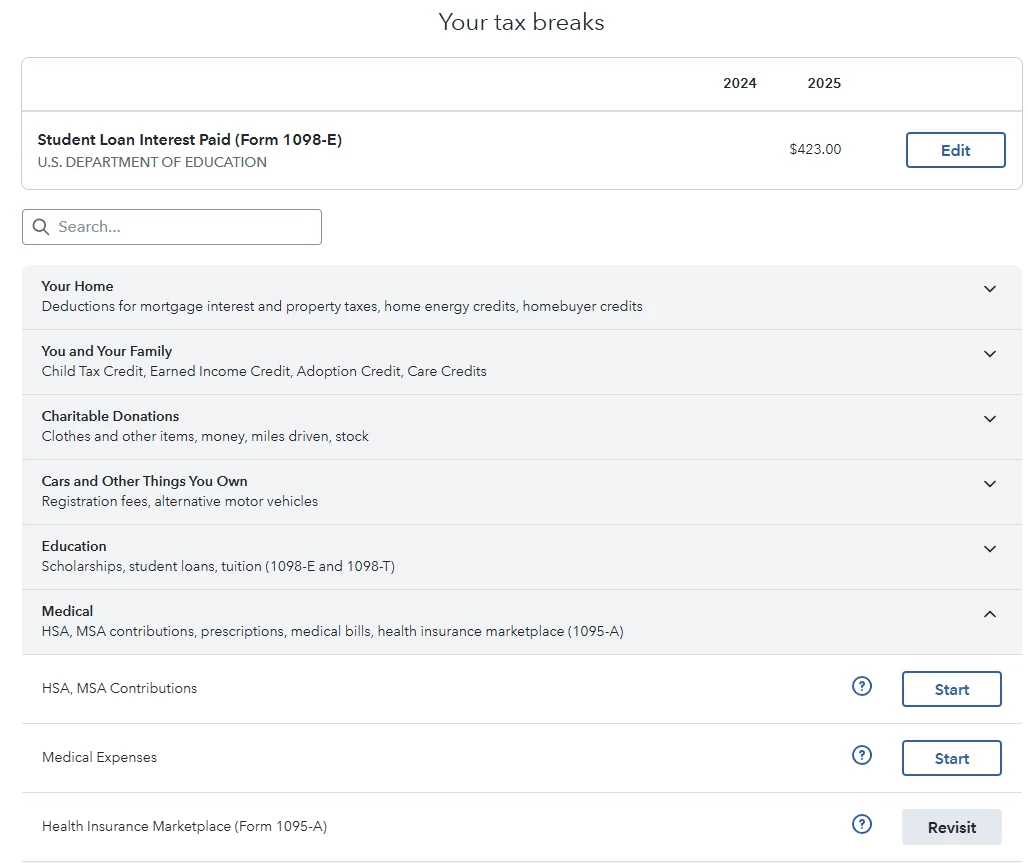
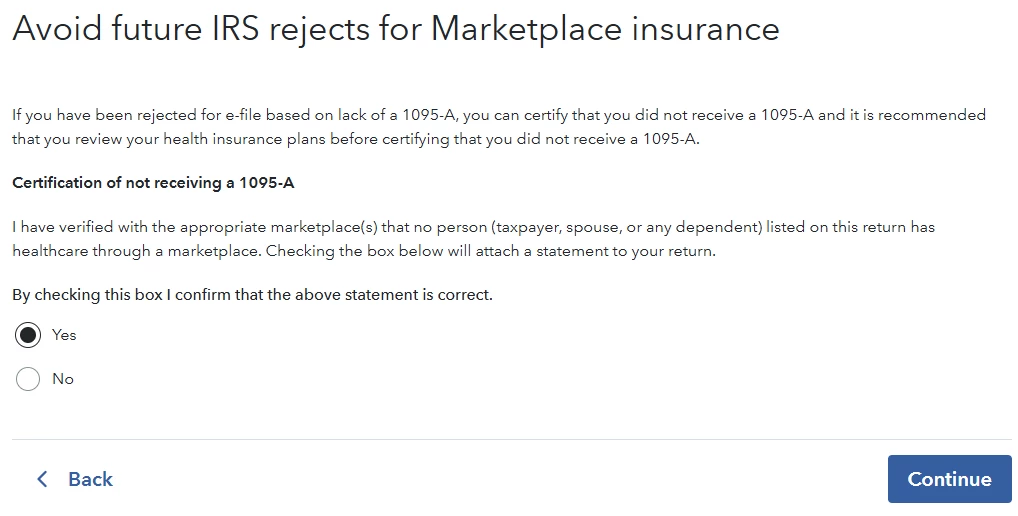
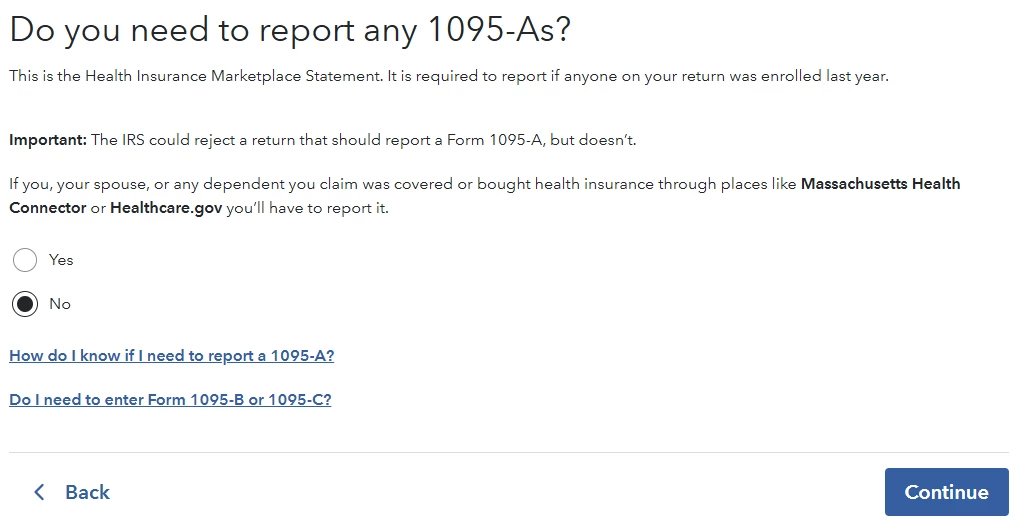
I never received a 1095-A form, and because someone else is claiming me as a dependent I should not be the one submitting it anyway (as far as I understand). It seems like there is a "ghost" 1095-A form still hidden in my tax return that I can't get rid of. I used the "Delete a Form" tool to delete the 1095-A, but this issue remains. When I got back to my federal tax deductions tab, it gives me the option to "Edit/Revisit" the 1095-A. I click on it, make sure to say "No, I do not need to report an 1095-A" and "yes" to the acknowledgement. I've done this several times, closed the browser, and tried adding a new 1095-A and deleting it, but have gotten nowhere.


3 replies

JohnB5677
Level 15
March 11, 2026

I suggest that you delete it from your return


If you don't have a 1095-A you can use these steps to clear it.

  1. Select Tax Tools
  2. On the drop-down select Tools
  3. There will be 2 green boxes
  4. Select Topics Search
  5. Type 1095-A
  6. The question will come up Did you receive Form 1095-A for your health insurance plan?
  7. Answer Yes
  8. Continue to the form
  9. Delete it using the trash can
  10. Repeat the process
  11. When you get to Did you receive Form 1095-A for your health insurance plan?
  12. Answer No
**Say "Thanks" by clicking the thumb icon in a post. **Mark the post that answers your question by clicking on "Mark as Best Answer"
Level 2
April 16, 2026

Hello , i am wondering if you ever found a solution to this problem; i am having the exact same problem and the solution posted to your question also did not work for me 

SharonD007
Level 14
April 16, 2026

Certify in TurboTax Online/Mobile that you don’t have a 1095-A form Follow the instructions below:

  1. Open or continue your return.
  2. In the left menu, select Federal.
  3. Select Deductions and credits summary under Deductions & Credits.
  4. Scroll down and select Medical.
  5. Next to Health Insurance Marketplace (Form 1095-A) section, select Start/Revisit.
  6. Do you need to report any 1095-As? screen.
  7. You'll be asked if you received a 1095-A. Select No.

Refer to the TurboTax article How do I fix e-file reject F8962-070? for instructions to fix your return if it’s rejected because the IRS is looking for a 1095-A.


 Also, check to see if Forms 1095-A and 8962 are included in your return. To delete the forms, follow the steps below:


  1. Launch  TurboTax
  2. Select TaxTools in the menu on the left
  3. Select Tools
  4. Select Delete a Form in the pop-up window
  5. Scroll down until you see Form 1095-A and delete
  6. If you see Form 8962, delete that form also
  7. Return to your tax return and review.
  8.  

Refer to the TurboTax article How do I view and delete forms in TurboTax Online?


**Say "Thanks" by clicking the thumb icon in a post. **Mark the post that answers your question by clicking on "Mark as Best Answer"