Please follow these steps to enter your 1099-NEC:
The money that you received is in box 1 please follow these steps:
- Open your return
- Click on "Search" on the top right and type “self-employed”
- Click on “Jump to self-employed”
- Answer the questions until the "Any NEC-1099 income" screen and answer "yes"
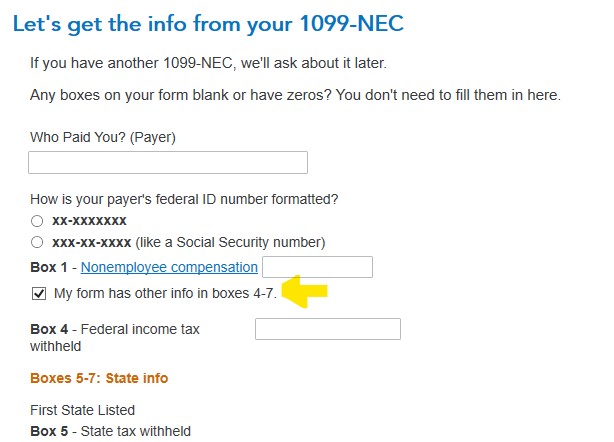
- Enter your 1099-NEC income from box 1. If you have other boxes filled in then check the box "My form has other info in boxes 4-7"
- Continue to the "Enter business income that is not on a 1099-NEC or 1099-MISC" screen to enter other income received for this business
Please see What is the self-employment tax?, What self-employed expenses can I deduct? and What is Form 1099-NEC? for additional information.
**Say "Thanks" by clicking the thumb icon in a post
**Mark the post that answers your question by clicking on "Mark as Best Answer"






