
Why am I getting this message in TurboTax?
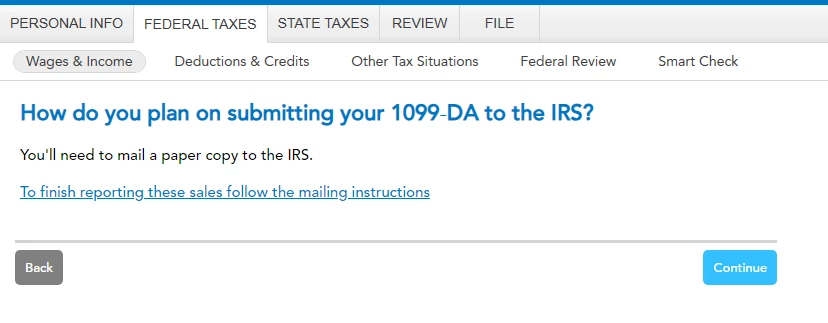
Is it possible for me to attach the 1099-DA form directly in TurboTax so that it is e-filed? I really don't want to have to mail it in.
I already entered my cost bases alongside the proceeds using the "sales section totals". I don't understand why I also have to mail the form.
You'll need to sign in or create an account to connect with an expert.
You are entering the IRS form 1099-DA or IRS form 8949 using the sales section totals method in TurboTax Desktop Premium.
The IRS requires that the form be submitted them for review. The form will be attached to an IRS form 8453 and mailed by the US Postal Service.
I do not know how many transactions are reported on your form. At the screen Now, choose how to enter your sales, instead of the sales section totals method, you may select the one-by-one method of reporting the transaction(s). If using the one-by-one method method of reporting, you are not required to mail a form by the US Postal Service.
TurboTax Online Premium will allow the IRS form 1099-DA or IRS form 8949 to be uploaded into the software when using the sales section totals method. The form does not have to be mailed by the US Postal Service.
I have some follow up questions.
Would you please address question 1, and then all three sub-bullets of question 2 directly? I'm just trying to understand if I really need to mail it or not. Given question two subquestions 1 and 2, I'm assuming I will.
TurboTax Online lets you upload or import certain 1099 forms from supporting partners. These include crypto platforms that use the new 1099DA format. TurboTax desktop does not.
TurboTax Desktop’s investment screens were built for stocks and mutual funds, which usually use no more than 3–6 decimal places. Crypto, especially in small amounts like 0.00000872, often needs more precision than the software supports.
In the interview, check the box that says "Something other than a date" (this is usually a small link or check box near the date field). This will open a dropdown where you can select "Various." If you are in Forms Mode, you can type "VARIOUS" directly into the "Date Acquired" column on the Capital Gains (Loss) Transaction Worksheet.
No, you do not need to list them one-by-one.
Still have questions?
Questions are answered within a few hours on average.
Post a Question*Must create login to post
Ask questions and learn more about your taxes and finances.
MIPA
New Member
mmhooper39
New Member
foo54321
Level 2
benjacoll2409
New Member
jtabc
Level 2




