Level 2
May 14, 2020
Solved

Cannot enter 1098 data...

  • May 14, 2020
  • 1 reply
  • 9 views

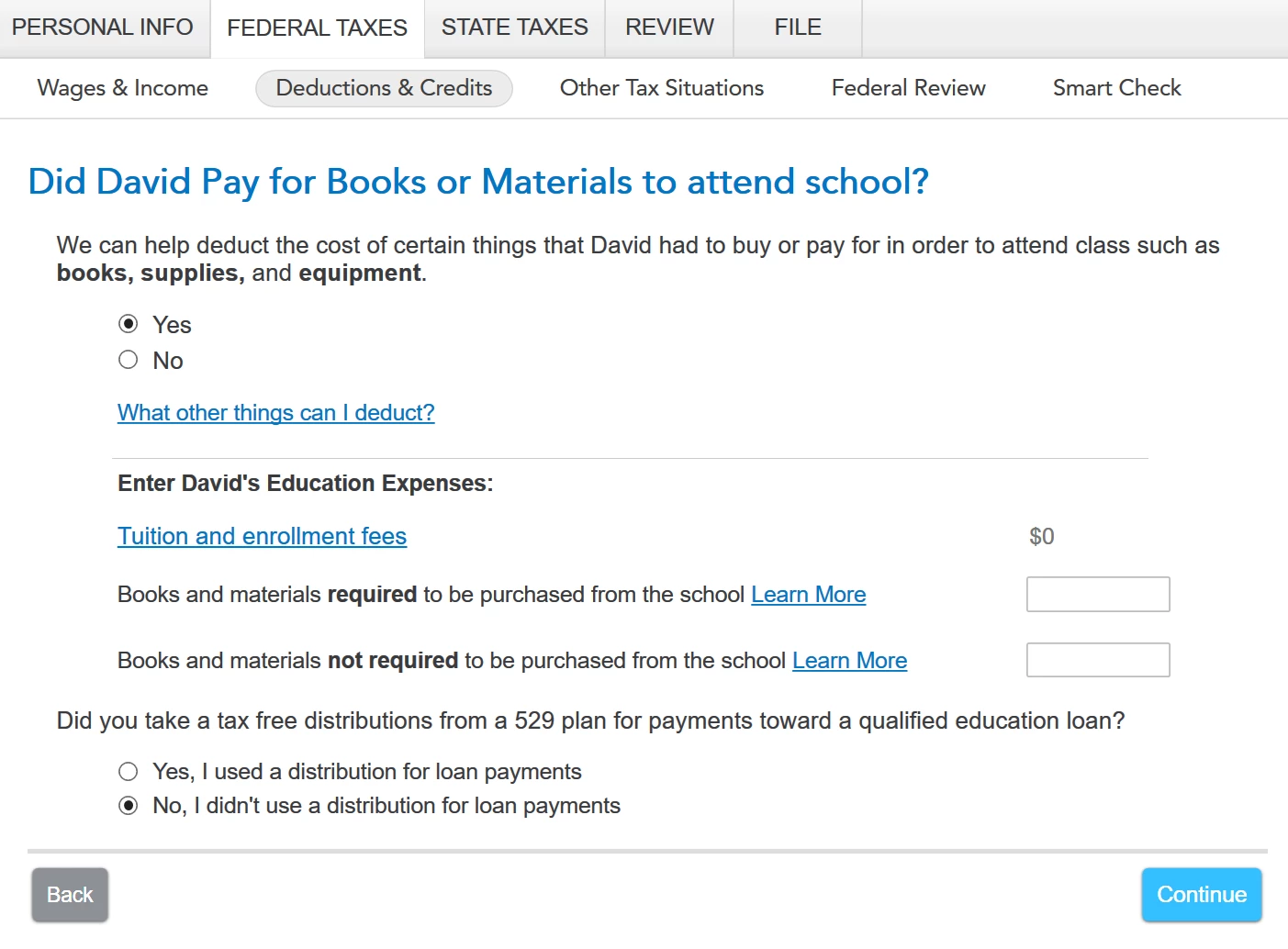
When trying to enter my son's education expenses, I get to the attached screen and Tuition and Enrollment Fees are prepopulated at $0. When I click on the "Tuition and enrollment fees" link, the popup says "Note: You entered the number in earlier." but I did not. I was never prompted to enter data from our 1098-T. Any good reason why it won't let me enter that data?


Thanks in advance.

Tony.


    Best answer by AnnetteB6

    Start by going to the Education section of your return using these steps:  

    • On the top row of the TurboTax online screen, click on Search (or for CD/downloaded TurboTax locate the search box in the upper right corner)
    • This opens a box where you can type in “education” (be sure to enter exactly as shown here) and click the magnifying glass (or for CD/downloaded TurboTax, click Find)
    • The search results will give you an option to “Jump to education
    • Click on the blue “Jump to education” link

    Then, if you are not prompted to enter your 1098-T, go through the entire education expenses section of your return until you reach the screen titled “Your Education Expenses Summary”, then follow these steps:

    • Click Edit next to the student name.
    • On the screen titled “Here’s your Education Summary”, click Edit beside Tuition.
    • Enter the information from your Form 1098-T.


    @tonypalmer

    1 reply

    AnnetteB6Answer
    Level 15
    May 14, 2020

    Start by going to the Education section of your return using these steps:  

    • On the top row of the TurboTax online screen, click on Search (or for CD/downloaded TurboTax locate the search box in the upper right corner)
    • This opens a box where you can type in “education” (be sure to enter exactly as shown here) and click the magnifying glass (or for CD/downloaded TurboTax, click Find)
    • The search results will give you an option to “Jump to education
    • Click on the blue “Jump to education” link

    Then, if you are not prompted to enter your 1098-T, go through the entire education expenses section of your return until you reach the screen titled “Your Education Expenses Summary”, then follow these steps:

    • Click Edit next to the student name.
    • On the screen titled “Here’s your Education Summary”, click Edit beside Tuition.
    • Enter the information from your Form 1098-T.


    @tonypalmer

    **Say "Thanks" by clicking the thumb icon in a post. **Mark the post that answers your question by clicking on "Mark as Best Answer"

    Level 2
    May 14, 2020

    Thanks Annette,

    I appreciate your help. Here's what's funny: I went through the education section multiple times and NEVER got to the point where I could edit tuition and add in 1098-T data, until I realized by accident that a single answer was the culprit. I'll post screenshots here in case anyone else has this experience:

    while it was set to "No", I never saw the option to edit tuition at the end of the section. When I changed it to "yes"  the prompts changed.


    At this point I was able to enter the 1098-T data at the end.

    I think  a question at the beginning of the section, like "Did you receive a 1098-T" might be more helpful than a question with no context in the middle of the section. Further, prompting me with "You entered that data in earlier" when I in fact had not (see my first post) is also problematic, speaking as a person who has written a fair amount of code.

    Thanks again for your help,

    Tony.

    Level 2
    July 13, 2020

    Here it is 13 July 2020 and I am having the exact same issue. Also since I have VA disability and my daughter receives VA education funds, I did click on the "yes" option and it still doesn't let me enter the the 1098-T information.It reflects her tuition cost as zero, and this is frustrating.