Level 1
Mar 22, 2022 2:02 AM UTC
Question

CA540 Form Black Section

Hello, why is there an empty section at the beginning of the form CA540 NR?


For comparison, 540NR printed by TurboTax starts with a big blank section,
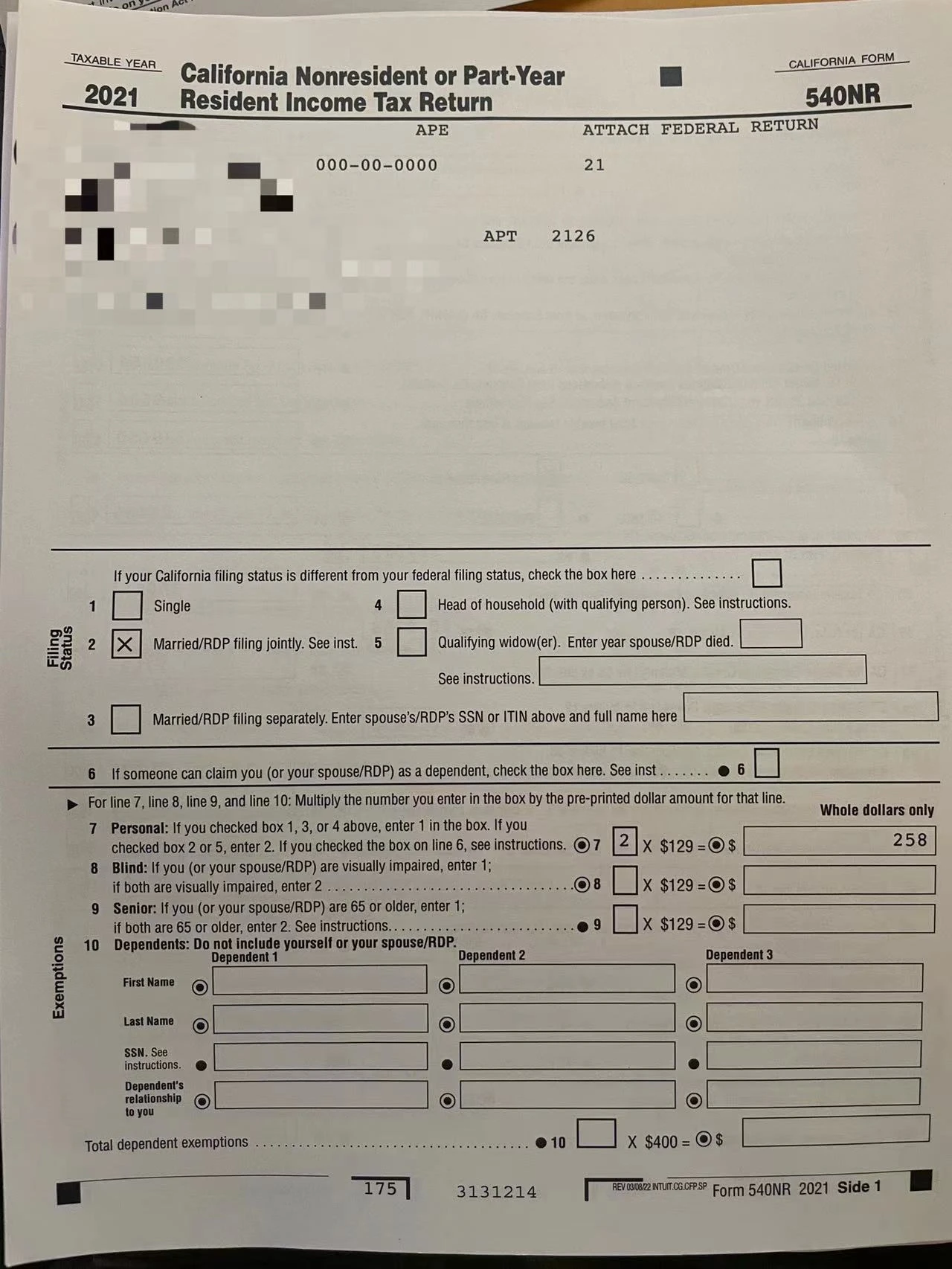


while the form provided online is fine, https://www.ftb.ca.gov/forms/2021/2021-540nr.pdf


Note that at the bottom of the form, numbers are different. Does it mean turbotax fails to upgrade its CA540 NR form?


I care because this year I need to file the return by mail. Since my wife hasn't got her ITIN issued, accountant told me to put "APPLIED FOR" in the form. But apparently, turbotax doesn't support "APPLIED FOR". Instead, it always puts "[removed]". 


Does anybody know what I can do here? The only way I can think of is to manually fill the form provided by CA gov again following the forms turbotax printing out. I really don't want to to do this because I pay turbotax to fill the form 😞

1 reply

AmyC
Alumni - Intuit
Mar 22, 2022 6:23 PM UTC

Your form shows 03/08/2022 Intuit Upgrade at the bottom right but is clearly not printing correctly for you. You are online and may have something stuck and need to clear cache and cookies. Start there. If that fails, try this:

  1. Delete the CA form, see How to Delete 
  2. Log out of your return and try one or more of the following:
    • Sign in using a different browser.
    • Sign in using a different device.

  3. Log back into your return.
    • Enter the form again.

You are correct that you will need to enter "Applied For" for your wife's SSN and mail it. I recommend that you mail the return with tracking to be sure it is safely delivered.


IF you still have issues after this, you will want to call in and let tech support see the problem and let them handle it. I hope you do not need to Contact Us. 


**Say "Thanks" by clicking the thumb icon in a post. **Mark the post that answers your question by clicking on "Mark as Best Answer"



