
Level 5
March 4, 2026
Solved

Can the forum search function search for a phrase?

  • March 4, 2026
  • 2 replies
  • 0 views

Is it possible to search for a specific phrase?  (It seems the default is to return hits on any words within a phrase)


Also, is there any way to order the search results?  (For example newest first)


Thanks,


SE
    Best answer by VolvoGirl

    Expert Reviewed

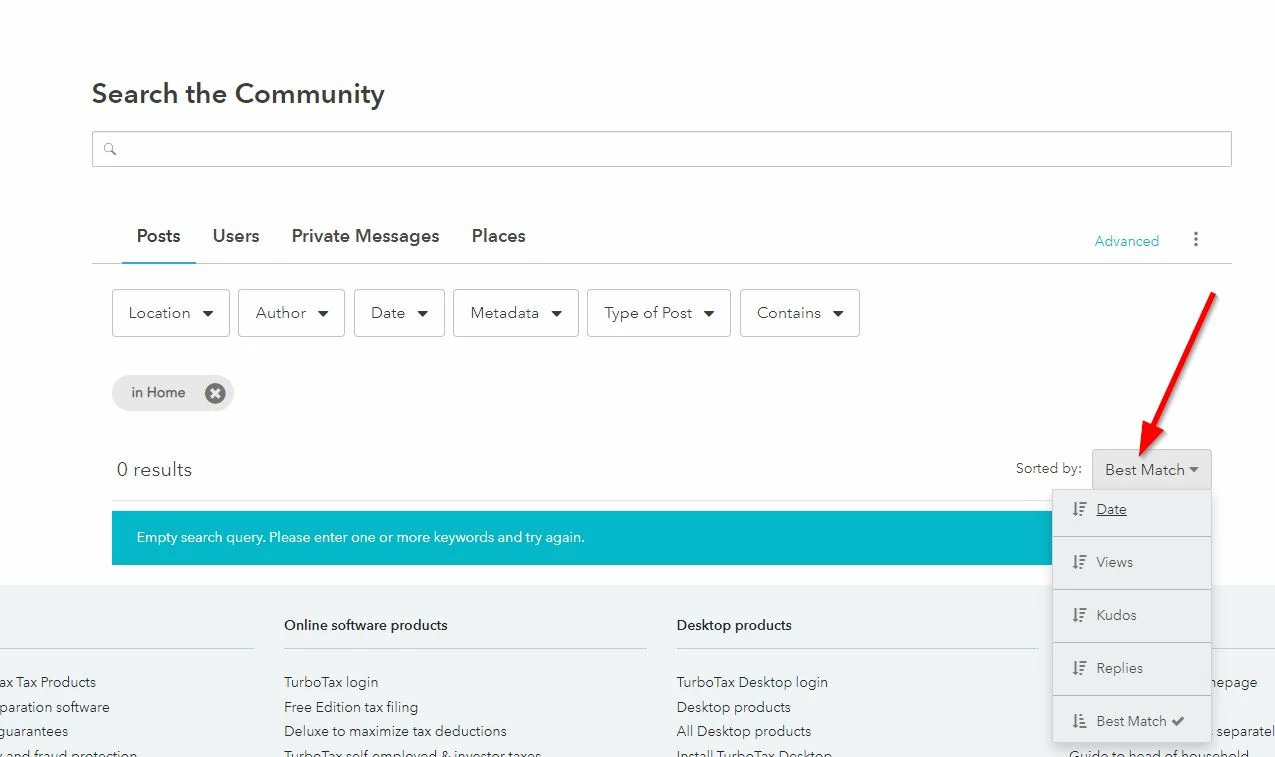
    I've found there are several ways to do a search.  And I find this year is much better at finding what I want.  If you want to sort or filter I use this link

    https://ttlc.intuit.com/community/forums/searchpage/tab/message?advanced=false&super_user=true&filter=location&location=category:en-us&allow_punctuation=false 


    It gives me this screen......

    2 replies

    JohnB5677
    Level 15
    March 5, 2026

    Currently, the TurboTax Community forum search function can not do advanced, exact-phrase searching.


    The search feature does not have the capability of sorting in any particular order.


    **Say "Thanks" by clicking the thumb icon in a post. **Mark the post that answers your question by clicking on "Mark as Best Answer"
    VolvoGirl
    VolvoGirlAnswer
    Level 15
    March 5, 2026

    Expert Reviewed

    I've found there are several ways to do a search.  And I find this year is much better at finding what I want.  If you want to sort or filter I use this link

    https://ttlc.intuit.com/community/forums/searchpage/tab/message?advanced=false&super_user=true&filter=location&location=category:en-us&allow_punctuation=false 


    It gives me this screen......

    Level 5
    March 5, 2026

    @VolvoGirl  thanks for this!!  I will experiment with the search options.  But how did you locate that search link?? I don't see any way to get to it from the TT forum...


    SE

    VolvoGirl
    Level 15
    March 5, 2026

    I don't know.  I've had it bookmarked for a long time.  Actually I was using it on my iPad and couldn't find it on my Windows Desktop.  But I finally got tired of the old regular search so I copied the link from my iPad.  


    Now another thing....after you get the search results, if you want to see a post but don't want to lose that search, do a Right Click on the post to see and open it in another tab.  Then you can go back to the search results.  If you do a regular left click on one then when you go back it takes you to the old search layout.




