Level 2
April 9, 2026
Solved

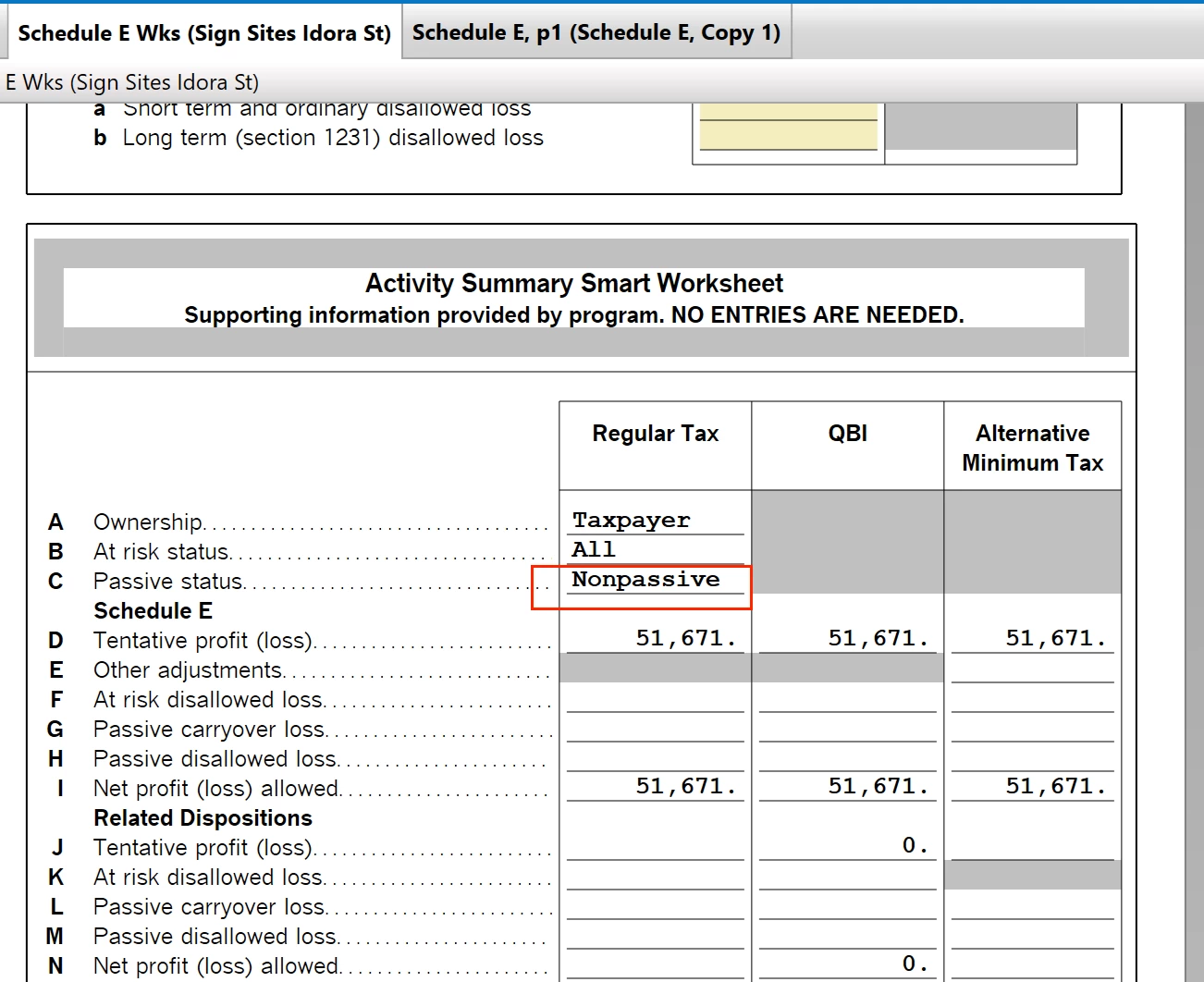
Schedule E Wks - Passive Status

I have passive income from a rental activity on Schedule E, but it is not being offset by passive rental losses from my K-1's. The Schedule E income does not flow to Form 8582.  The Schedule E Activity Summary Smart Worksheet shows the activity's Passive status as "Nonpassive". But its should be passive because it is rental real estate. How can I get the Passive status to change to "Passive"?  Then the net rental income should flow to Form 8582 and be offset by passive losses.

Thanks
 

    MarilynG
    MarilynGAnswer
    Alumni - Intuit
    April 10, 2026

    To ensure K-1 rental income (or loss) is treated as passive in TurboTax on Form 8582, you must indicate you did not materially participate during the K-1 interview.  Don't check the box that you "materially participated" when asked.


    Here's more detailed info on Form 8582.


    @wanggc 

    **Say "Thanks" by clicking the thumb icon in a post. **Mark the post that answers your question by clicking on "Mark as Best Answer"

    2 replies

    MarilynG
    MarilynGAnswer
    Alumni - Intuit
    April 10, 2026

    To ensure K-1 rental income (or loss) is treated as passive in TurboTax on Form 8582, you must indicate you did not materially participate during the K-1 interview.  Don't check the box that you "materially participated" when asked.


    Here's more detailed info on Form 8582.


    @wanggc 

    **Say "Thanks" by clicking the thumb icon in a post. **Mark the post that answers your question by clicking on "Mark as Best Answer"
    wanggcAuthor
    Level 2
    April 10, 2026

    Thanks Marilyn. I figured out why the Rental Activity was being labeled Nonpassive for Sch E. I marked the activity as Land instead of Commercial Rental Property. When I changed the activity coding, Turbotax made it passive and it flowed to the 8582 as passive income and offset passive losses against it, which is what I was expecting. I'm all set.