
Level 2
February 27, 2026
Question

Turbotax Business error when generating K1

  • February 27, 2026
  • 3 replies
  • 95 views

I have efiled the State and Federal returns, and am now trying to generate the K1 for a fiduciary trust.  When I try to save the pdf or print the pdf, Turbotax displays the following message:
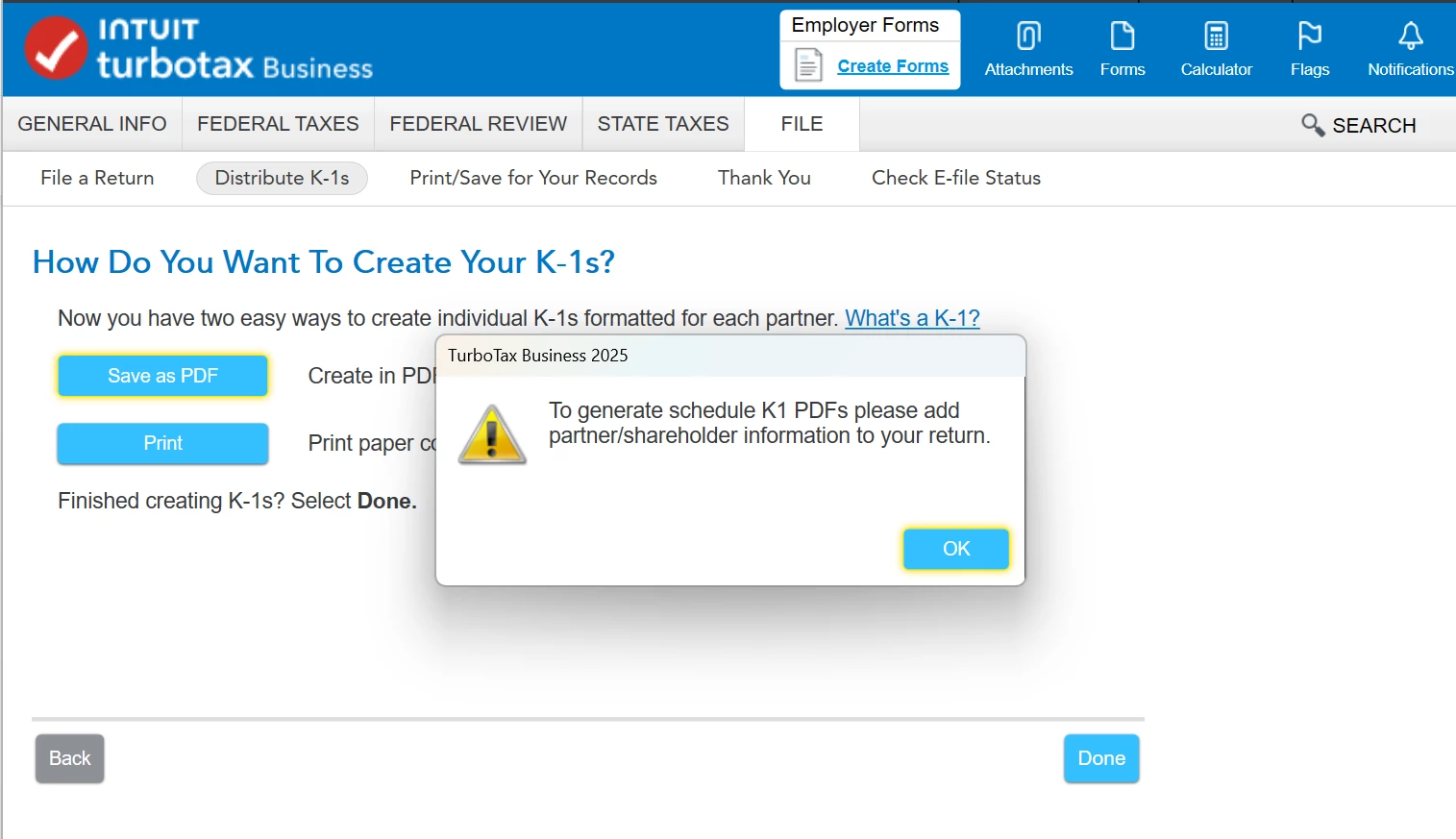
The partner/shareholder information is in the Federal and State returns.  This issue appeaars to be a bug, and there does not seem to an apparent workaround for generating the K1.  


Thanks for any help that you can provide.

    3 replies

    PatriciaV
    Level 15
    March 1, 2026

    Confirm the presence of Schedules K-1 using Forms Mode:


    1. Open your return and click the Forms icon in the TurboTax header. 
    2. In the list of Forms in My Return on the left, scroll down and look for Schedule K-1 (Beneficiary Name). 
    3. Click the form name to open it in the large window. 
    4. Use the Print button at the bottom of the open form to print/save the K-1 as a PDF.
    5. Open the Information Worksheet at the top of the list.
    6. Under Part IV, be sure there is a check in the Yes box for K-1 Print Options.
    7. Click Step-by-Step in the header to return to the main screens.

    If you have no K-1s in the forms list, return to the main screens and go to General Info >> Beneficiary Information. Review/Edit each beneficiary to be sure there are no errors. If the list is empty, add the trust beneficiaries.

    **Say "Thanks" by clicking the thumb icon in a post. **Mark the post that answers your question by clicking on "Mark as Best Answer"
    Level 2
    March 17, 2026

    There is no K1 in the Forms list.  


    In the General Information section of TurboTax Business, I have entered the Grantor information, but TurboTax is not saving the Grantor SSN or the Ownership Percentage.  I have entered these numbers manually in the Forms view, and saved the changes, but TurboTax is erasing these fields from the form.  


    At this point, I am stuck.  The system is providing me no way to save this information.

    DaveF1006
    Level 15
    March 17, 2026

    It depends. By definition, a Grantor Trust is a "disregarded entity" for tax purposes. Because of this, Grantor Trusts do not issue Schedule K-1s. Instead, the software is designed to produce a Grantor Information Statement (GIS) (sometimes called a "Grantor Letter"). This statement lists all the income, credits, and deductions that the grantor must report directly on their own personal Form 1040.


    Regarding the issue of missing SSN, the software expects the income to flow through to the individual. If you are entering the SSN in a field meant for a "fiduciary" or "beneficiary" (which a grantor technically is not in the software's eyes), it may auto-clear the field because an SSN is not needed on this type of return.  An EIN is what is required if the trust is a grantor trust and if it is a irrevocable trust since the trust is considered a 'disregarded entity. 


    If you truly need to file a Form 1041 (which is common if the trust has its own bank accounts under an EIN), you must use the Trust's EIN in Box C. The Grantor's SSN should only appear on the Grantor Information Statement (the attachment), not as the primary ID for the return itself. 


    Here is a summary recommendation if this pertains to you.


    1. If the trust has an EIN: Use the EIN for the return. Enter the Grantor's SSN only in the "Grantor Information" worksheet. 
    2. If the trust does NOT have an EIN: You likely shouldn't be using TurboTax Business at all. You should simply enter the trust's income directly into TurboTax Home & Business (Personal) under your own SSN. 
    3. If you need an EIN: You can get one instantly for free on the IRS.gov website. 


    **Say "Thanks" by clicking the thumb icon in a post. **Mark the post that answers your question by clicking on "Mark as Best Answer"




