Can you please clarify what happened?
Did you select that you wanted to amend a state return by answering a question incorrectly? If so, as long as you have not filed yet, you can simply go through the state interview again to change your entry.
- Select State in the black panel on the left hand side of your screen when logged into TurboTax.
- This will take you to a screen titled Let's get your state taxes done right. Click continue on this screen.
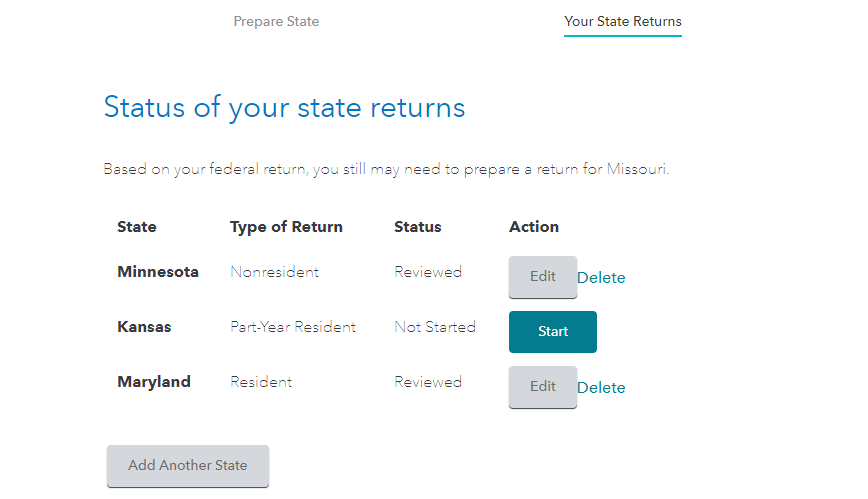
- You will see the following screen titled Status of your state returns. Select Edit to the right of your state.
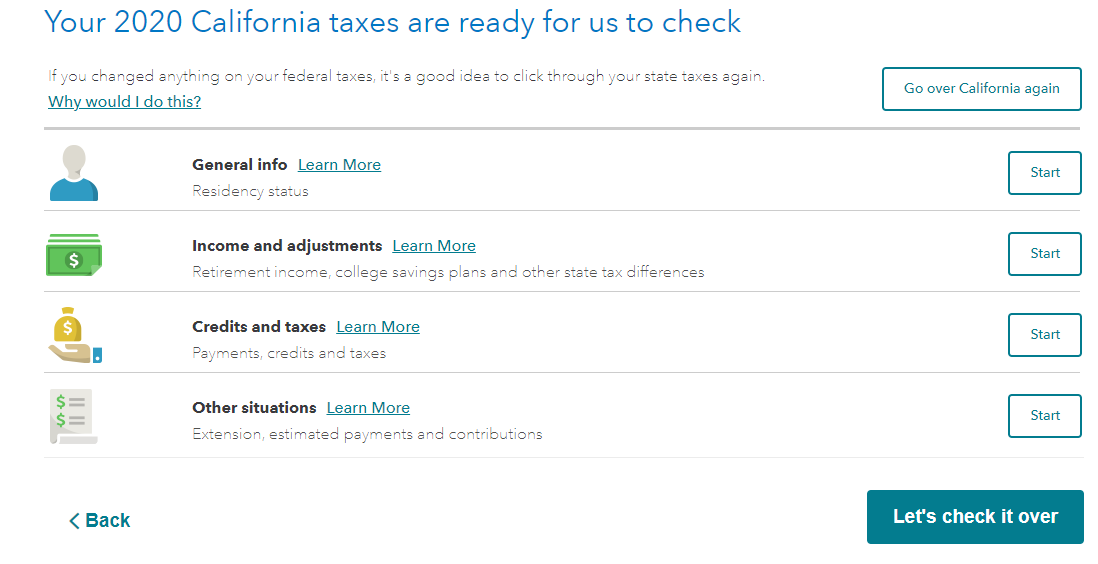
On the summary page for your state, you will be able to select Go over state again as shown in the sample screen below.
**Say "Thanks" by clicking the thumb icon in a post
**Mark the post that answers your question by clicking on "Mark as Best Answer"






