
Level 1
May 2, 2021
Solved

Amending a return without turbotax file

  • May 2, 2021
  • 1 reply
  • 14 views

Well this is interesting, I didn’t know TurboTax doesn’t save a .tax file of your return on the desktop version. How annoying is that?! So, all I have is a pdf copy of last year’s return and now I need to amend it. Any advice on how I can amend my return online without the original file? This is so frustrating.
    Best answer by ToddL99

    TurboTax desktop programs do save a copy of your ".tax20XX" file on your desktop, if you choose.


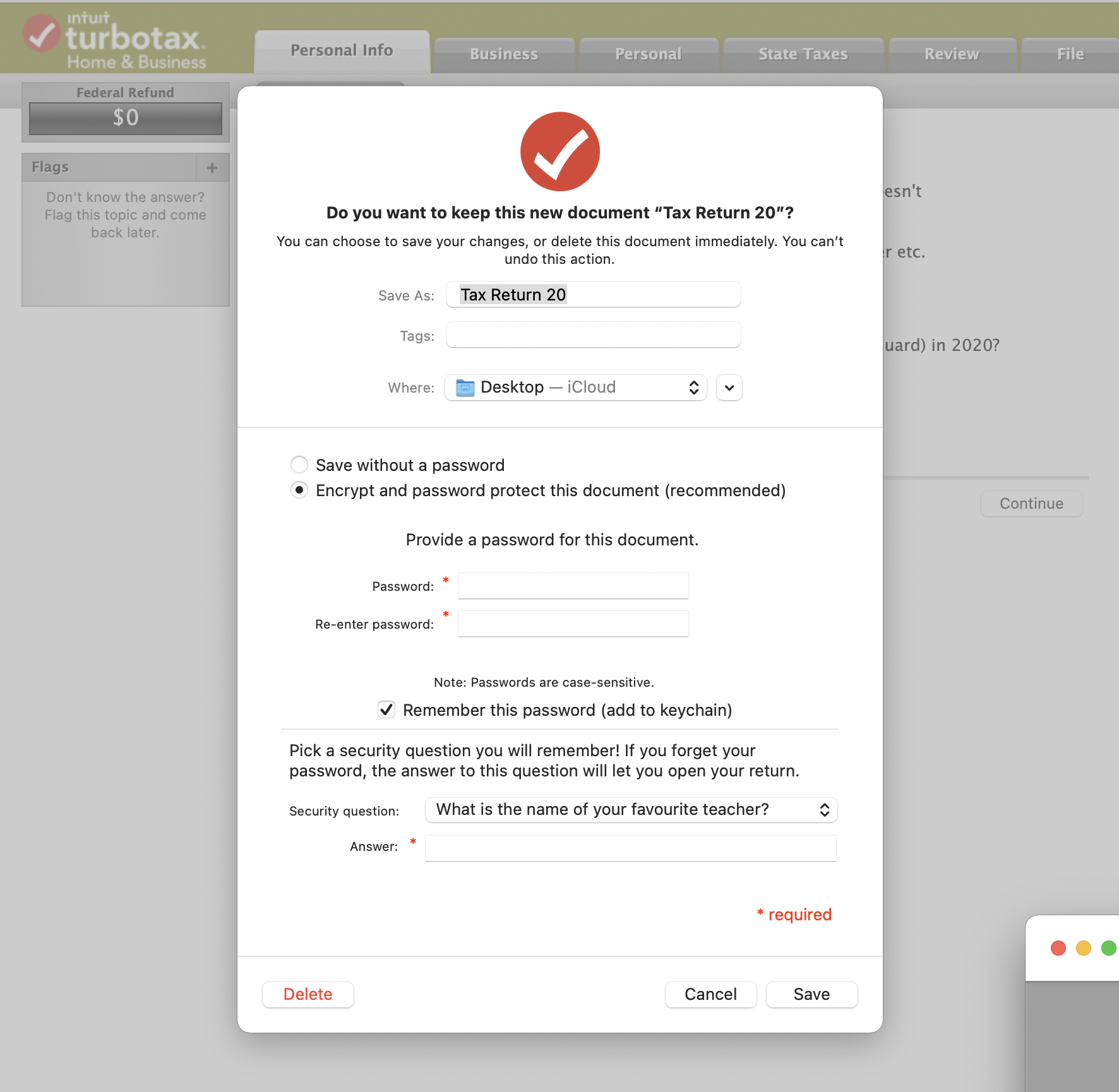
    When you first close a return when using desktop versions, the program asks if and how you want to save the tax file. You either have to choose "Save" or "Delete" at this step. After that the program automatically saves your return when you close the file or exit the program.


    Do a File Explorer search of your computer for "tax2019" (same search term if using Finder on a Mac computer)


    See the following as a sample of the "Save" menu:

    1 reply

    ToddL99Answer
    Level 13
    May 2, 2021

    TurboTax desktop programs do save a copy of your ".tax20XX" file on your desktop, if you choose.


    When you first close a return when using desktop versions, the program asks if and how you want to save the tax file. You either have to choose "Save" or "Delete" at this step. After that the program automatically saves your return when you close the file or exit the program.


    Do a File Explorer search of your computer for "tax2019" (same search term if using Finder on a Mac computer)


    See the following as a sample of the "Save" menu:




