Level 2
January 26, 2026
Question

how do you opt-out of HSA last-month rule - form 8889 box 18

  • January 26, 2026
  • 2 replies
  • 119 views

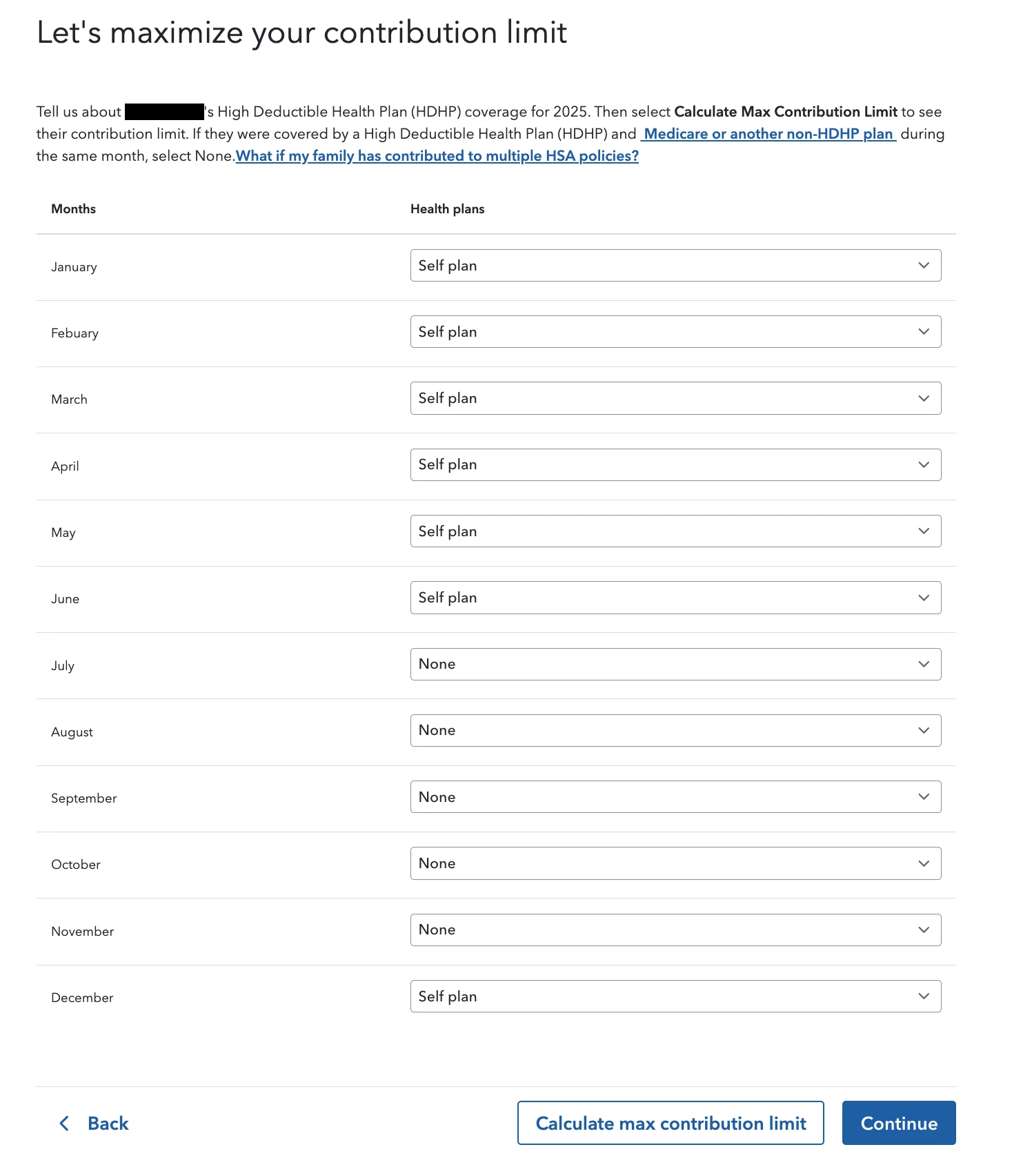
I have contributed the maximum amount to my HSA in 2023 and 2024. For those years, I had a HDHP every month for that year. However, I was laid off in 2025, which meant I was insured JAN - JUN under a HDHP up until I lost my job. I started a new job in NOV 2025 and my HDHP insurance began at the start of DEC 2025. I contributed $2,500 to my HSA for 2025 (in total) which is within bounds of the permitted $2,508 pro-rated amount. 


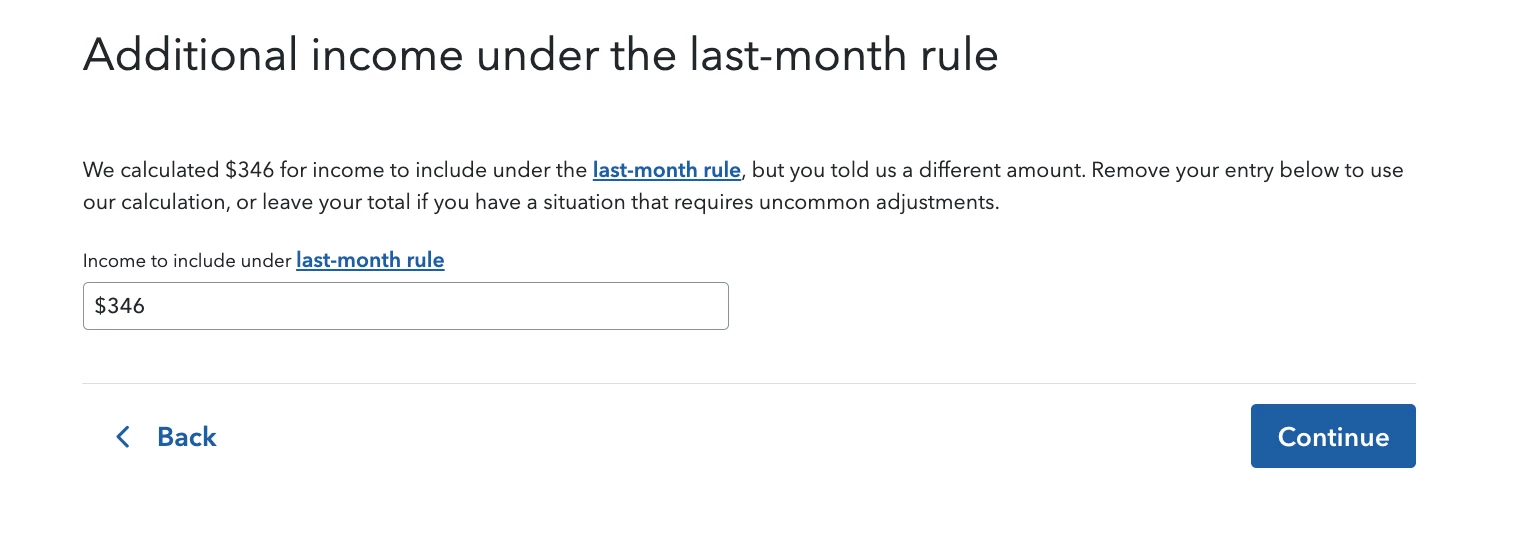
The problem is that TurboTax keeps identifying that I started my insurance in DEC, and it's trying to apply a last-month rule from DEC 2024. It keeps saying I will have to file $364 as income (from failing testing period), when I did not need or use the last-month rule on my 2024 tax return. I am within the means of the pro-rated amount. How can I stop it from trying to use the last-month rule without lying about my 2024/2025 health coverage on my taxes?


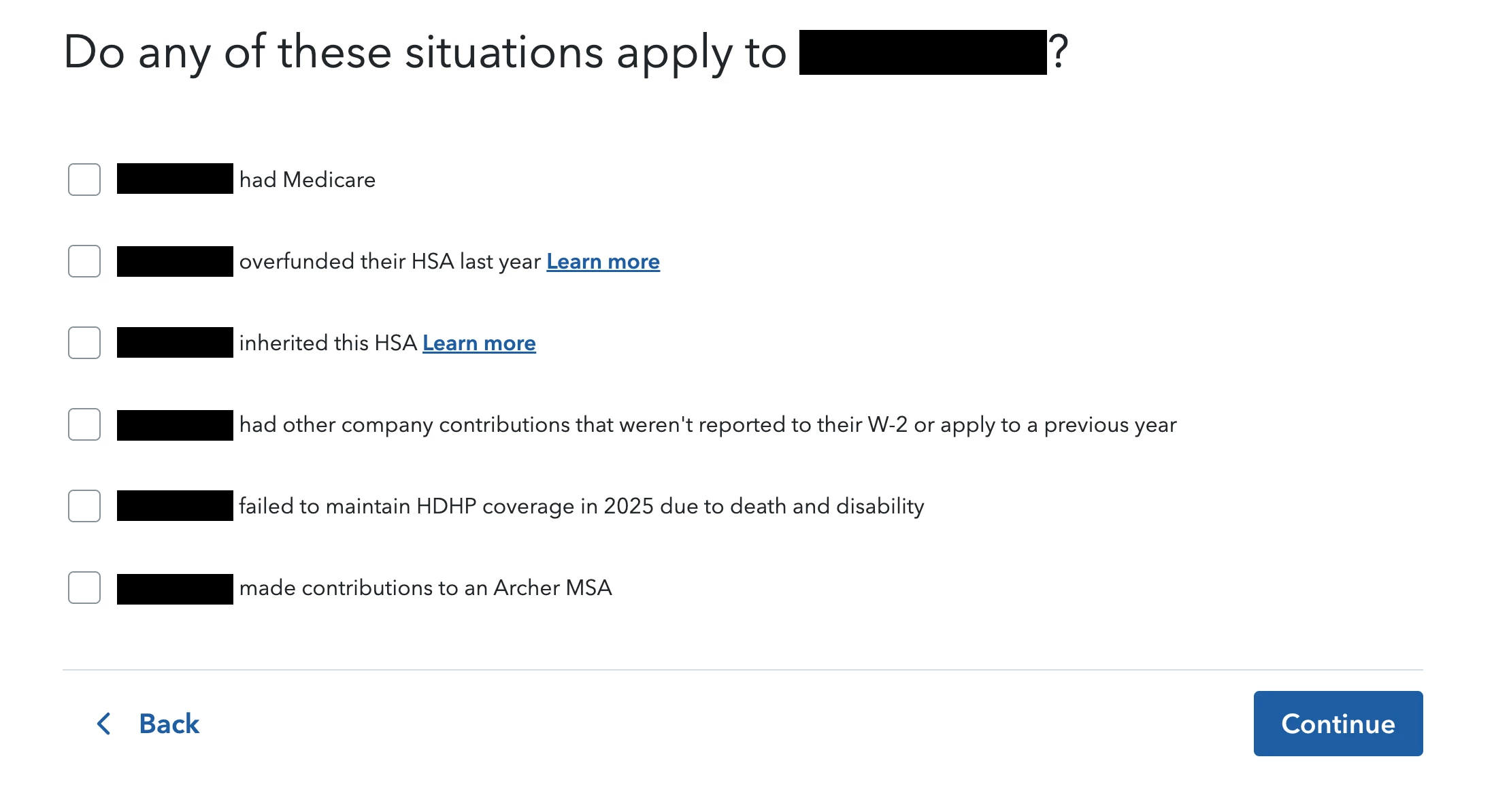
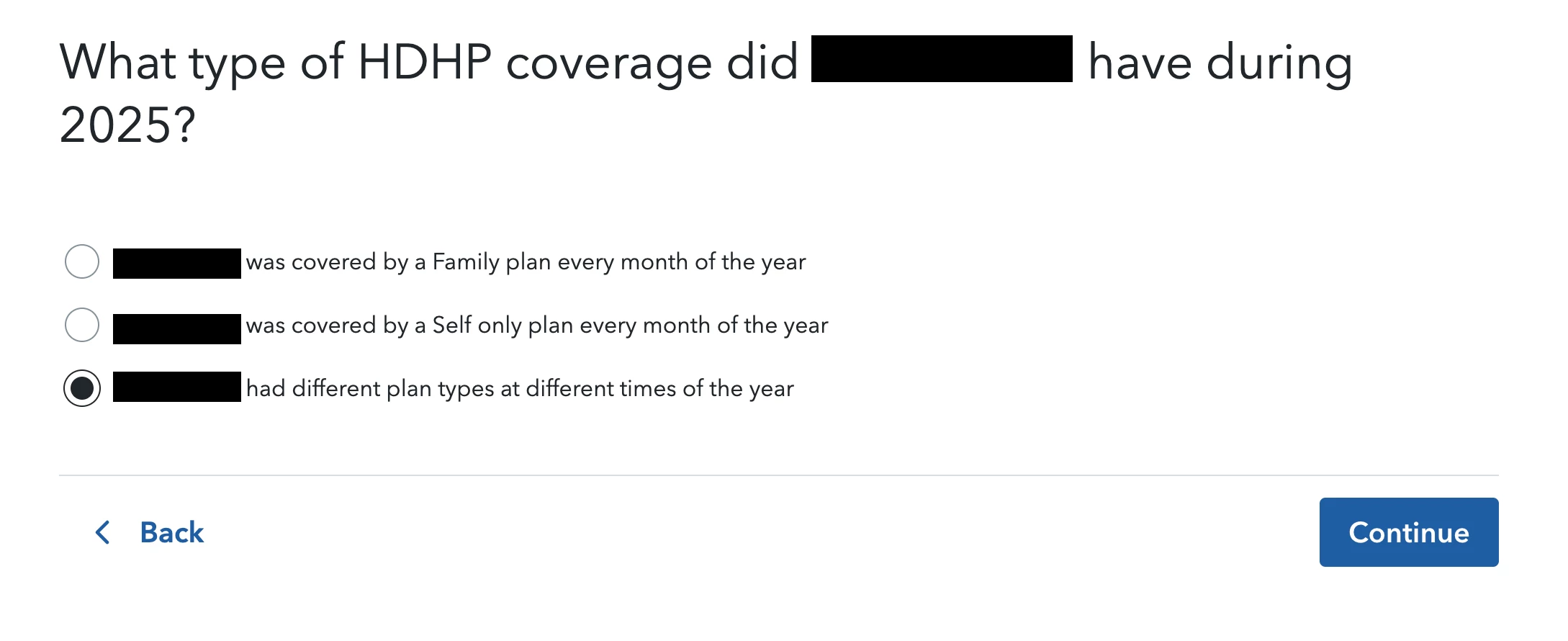
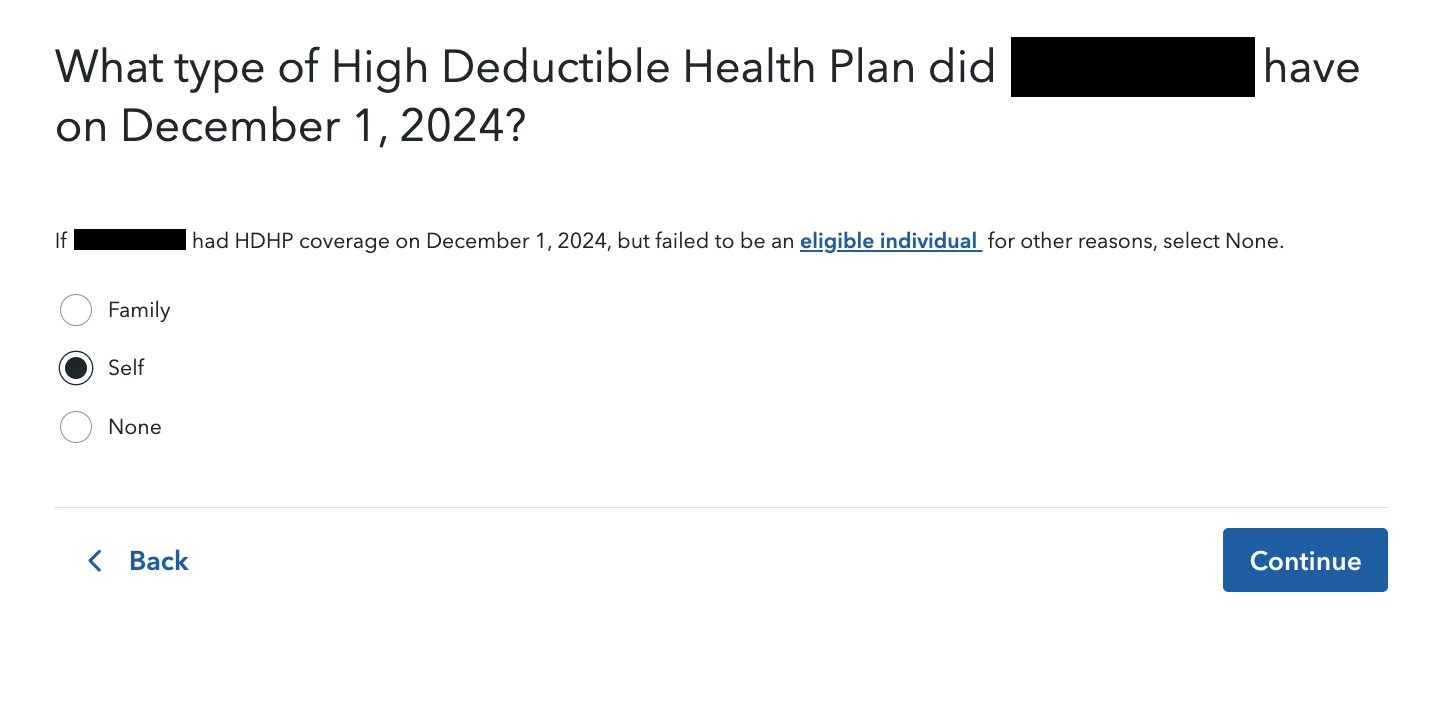
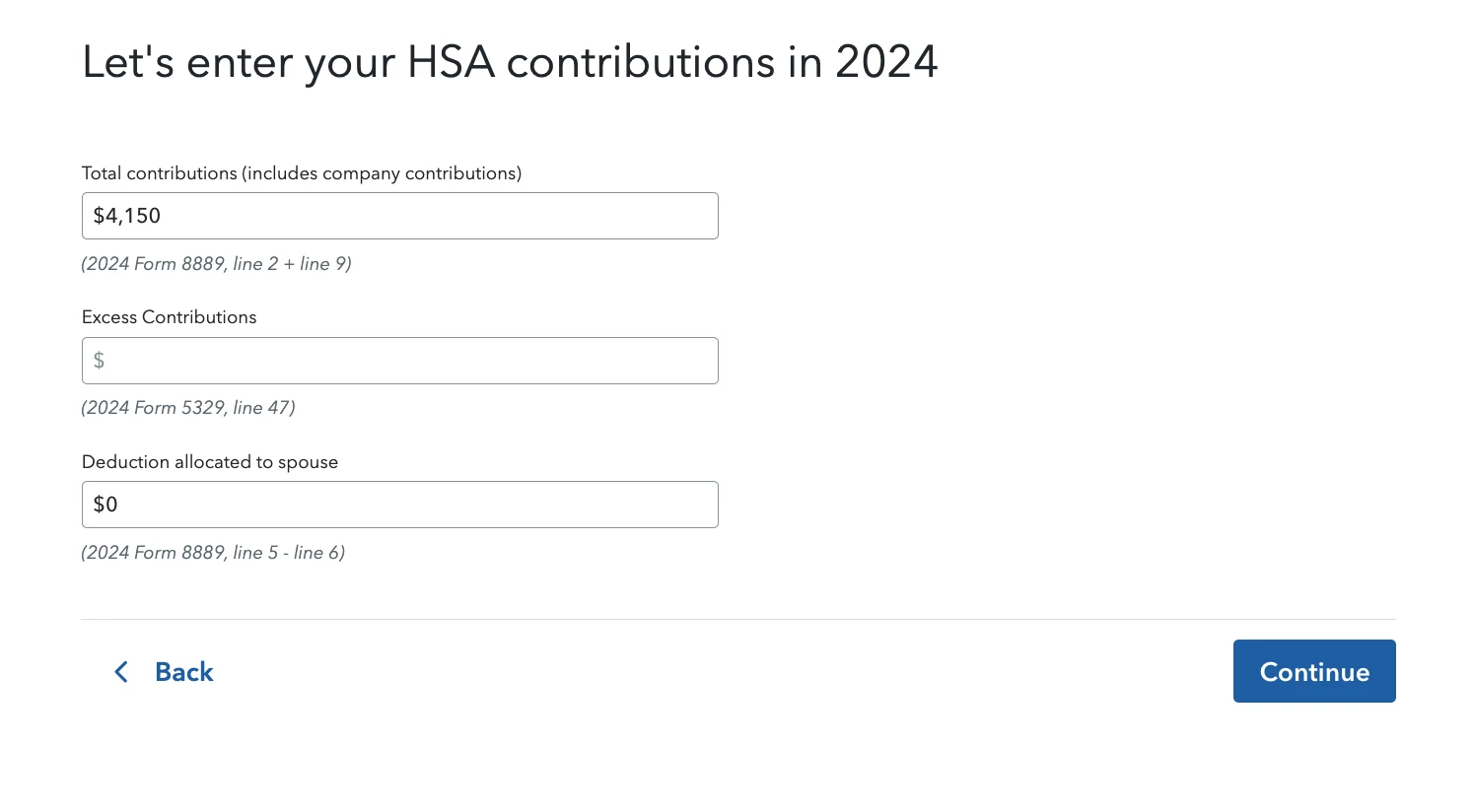
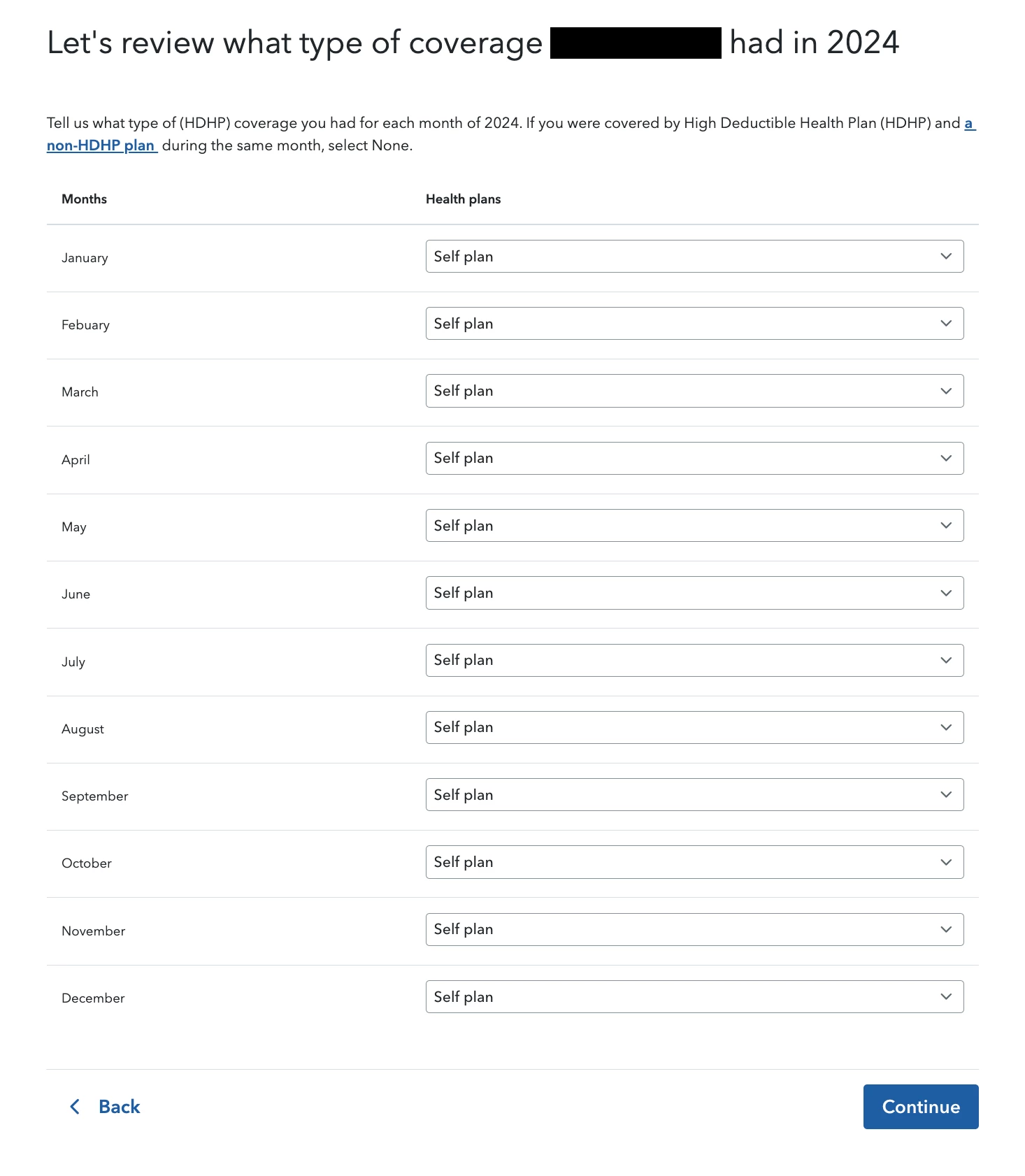
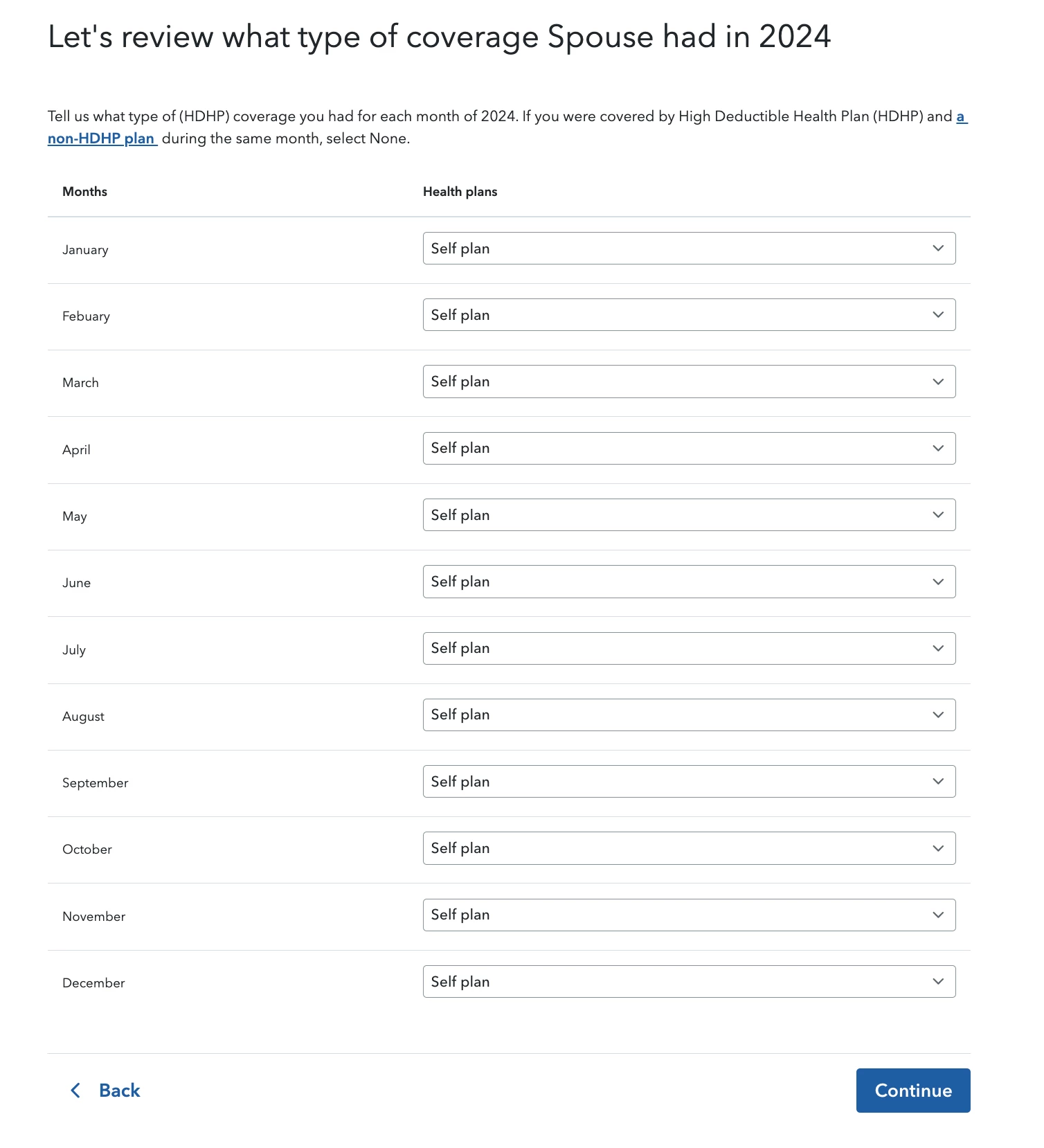
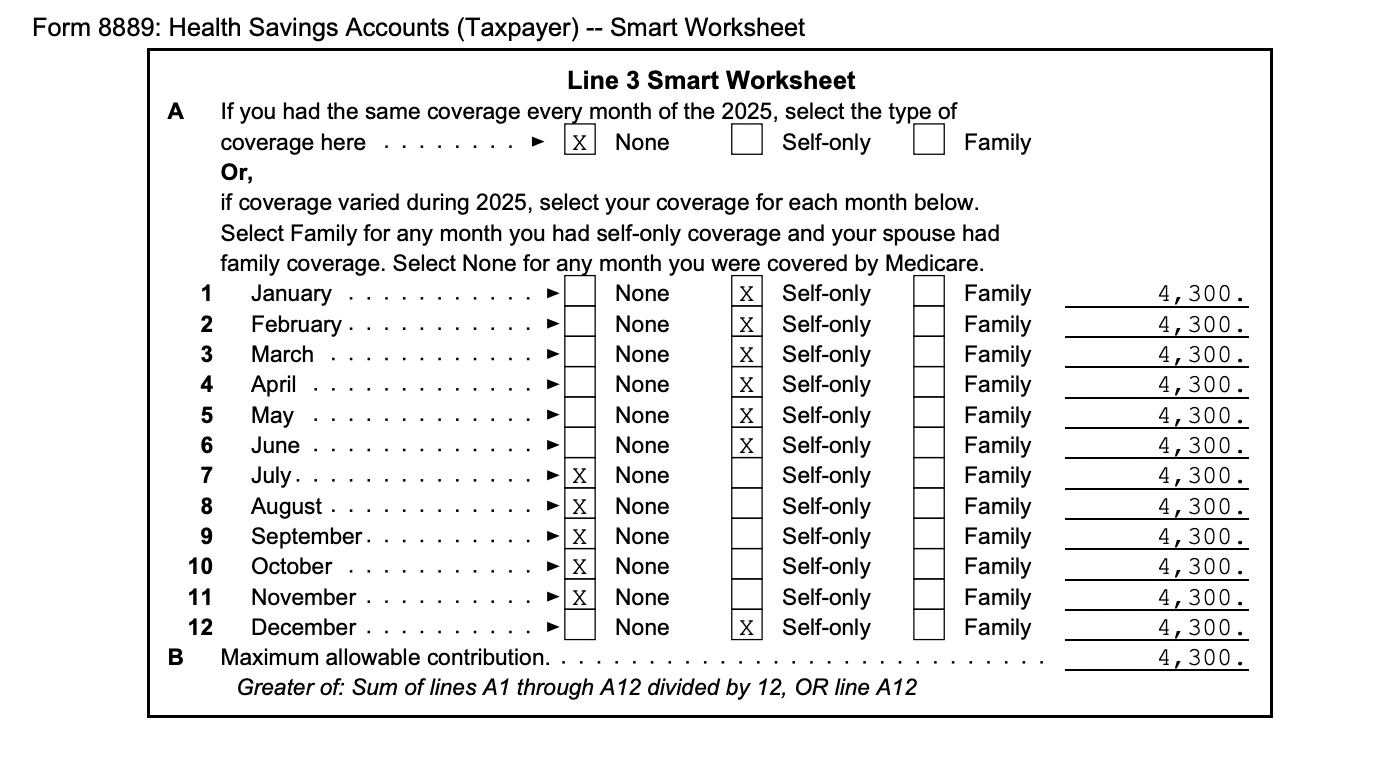
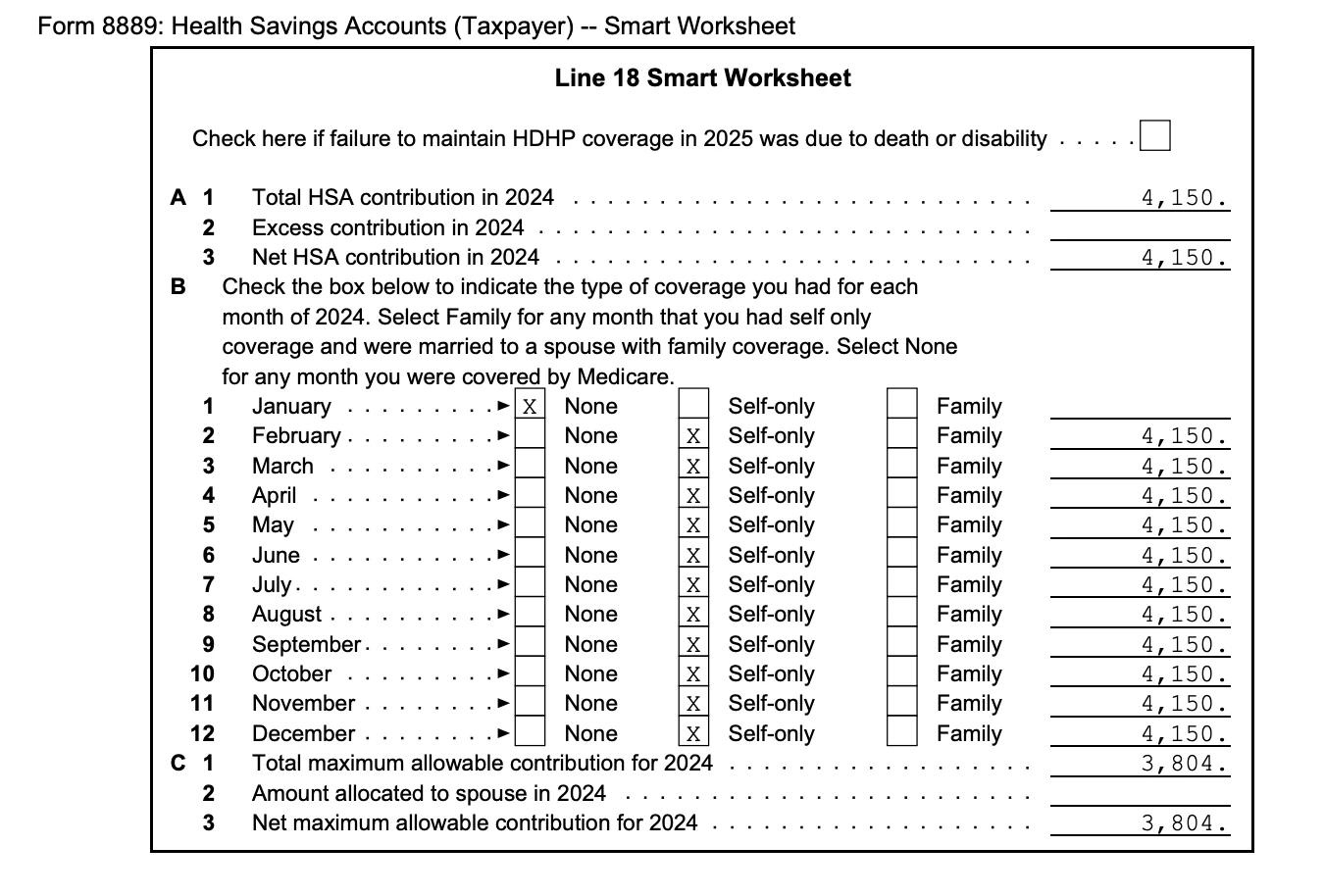
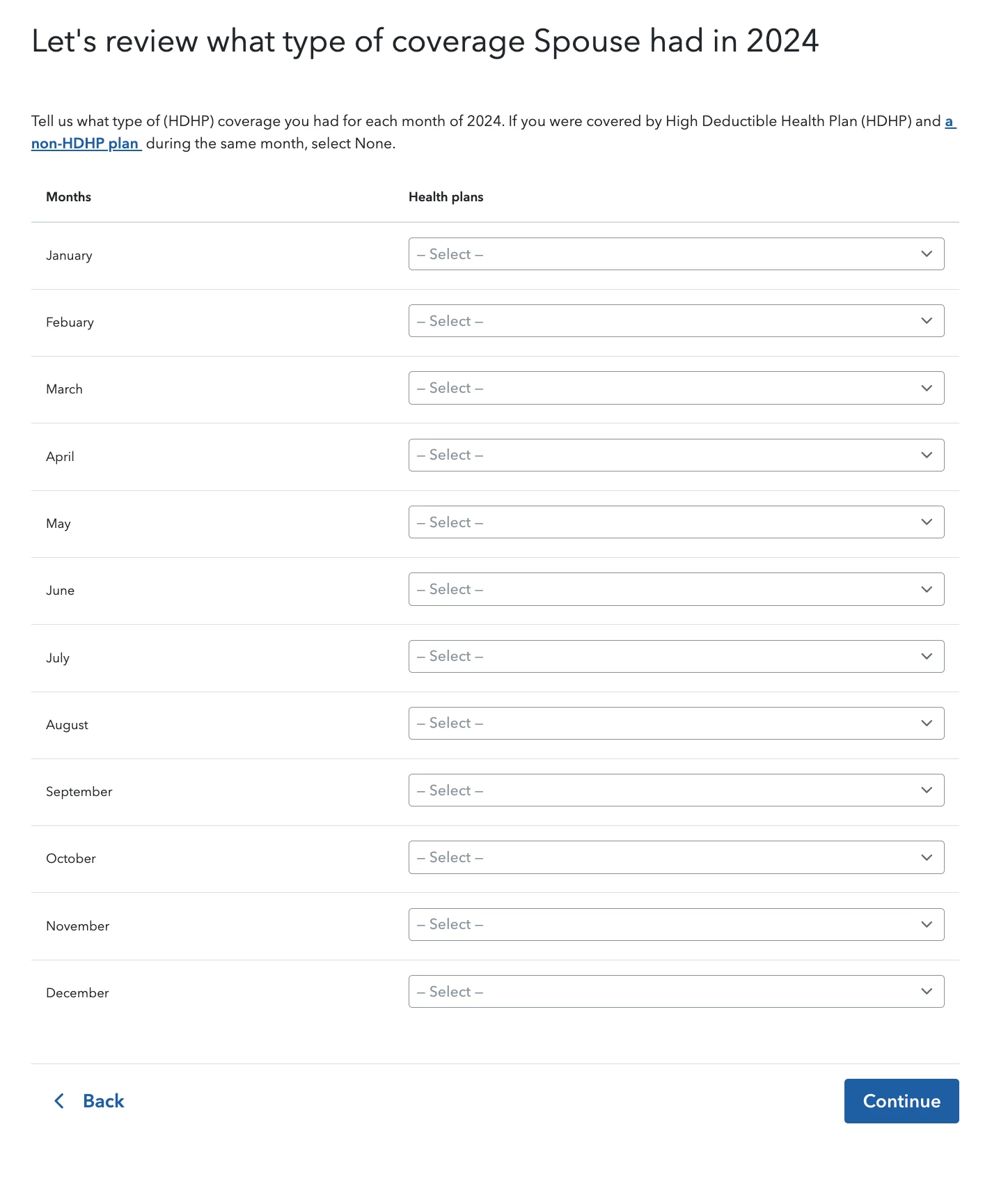
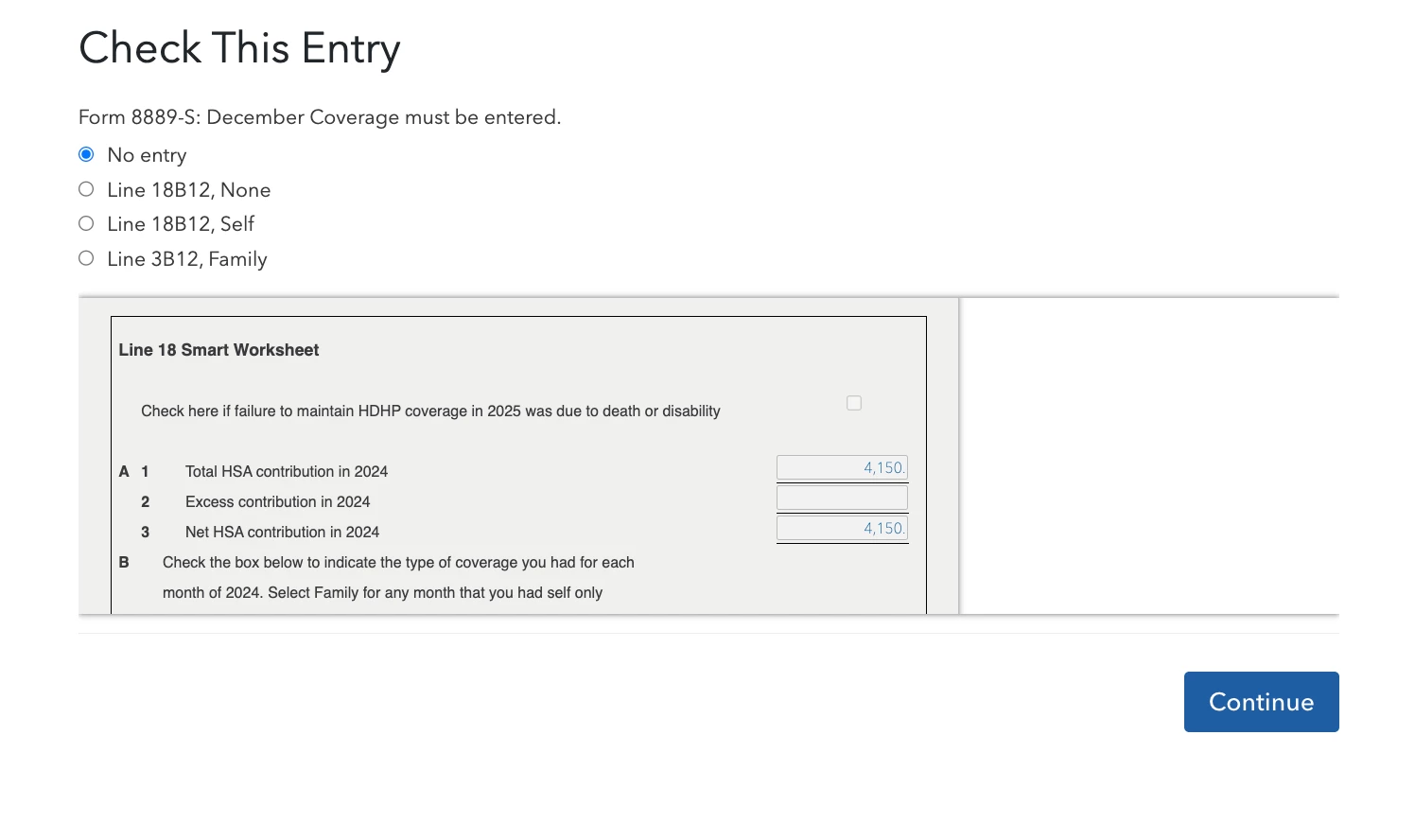
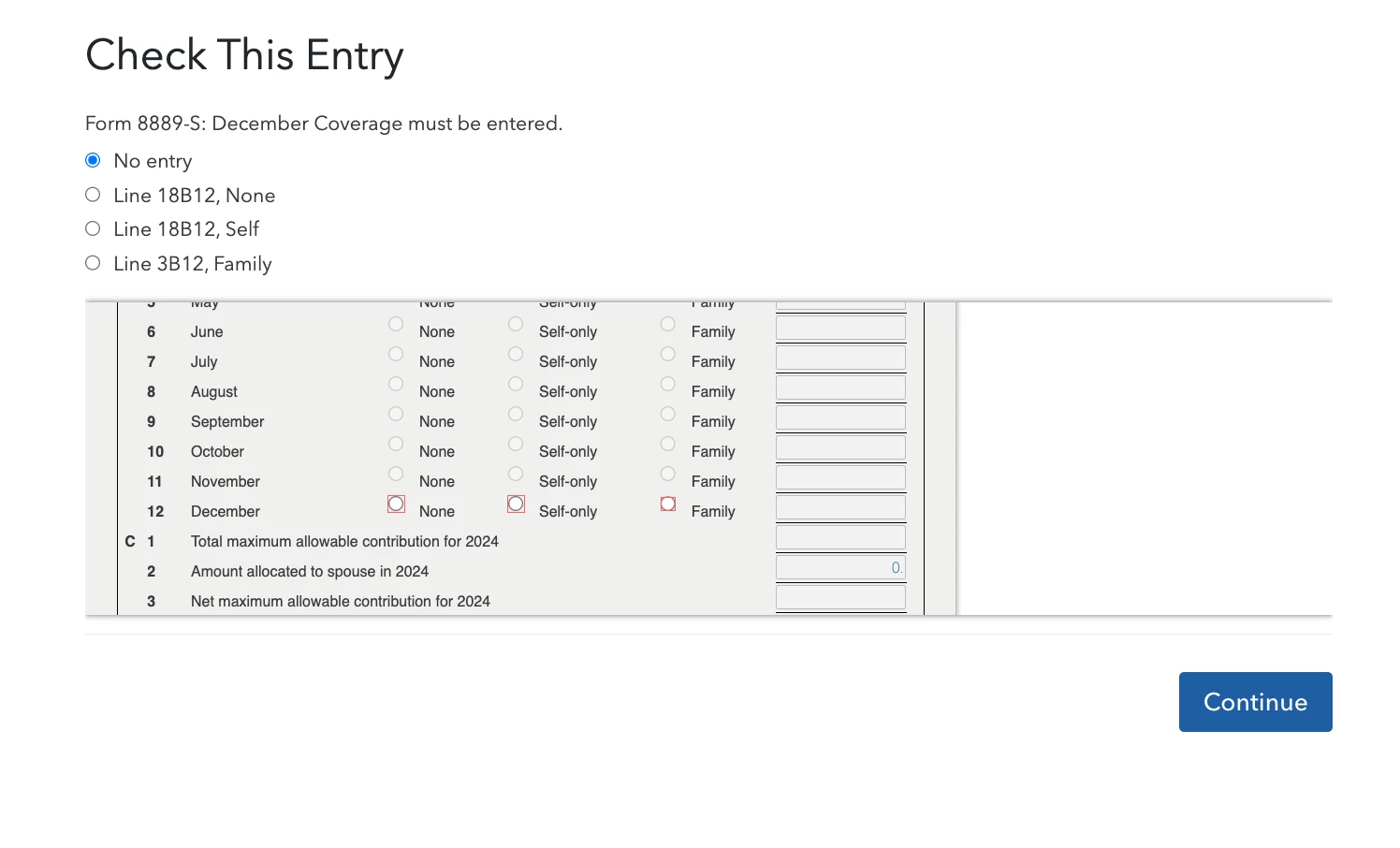
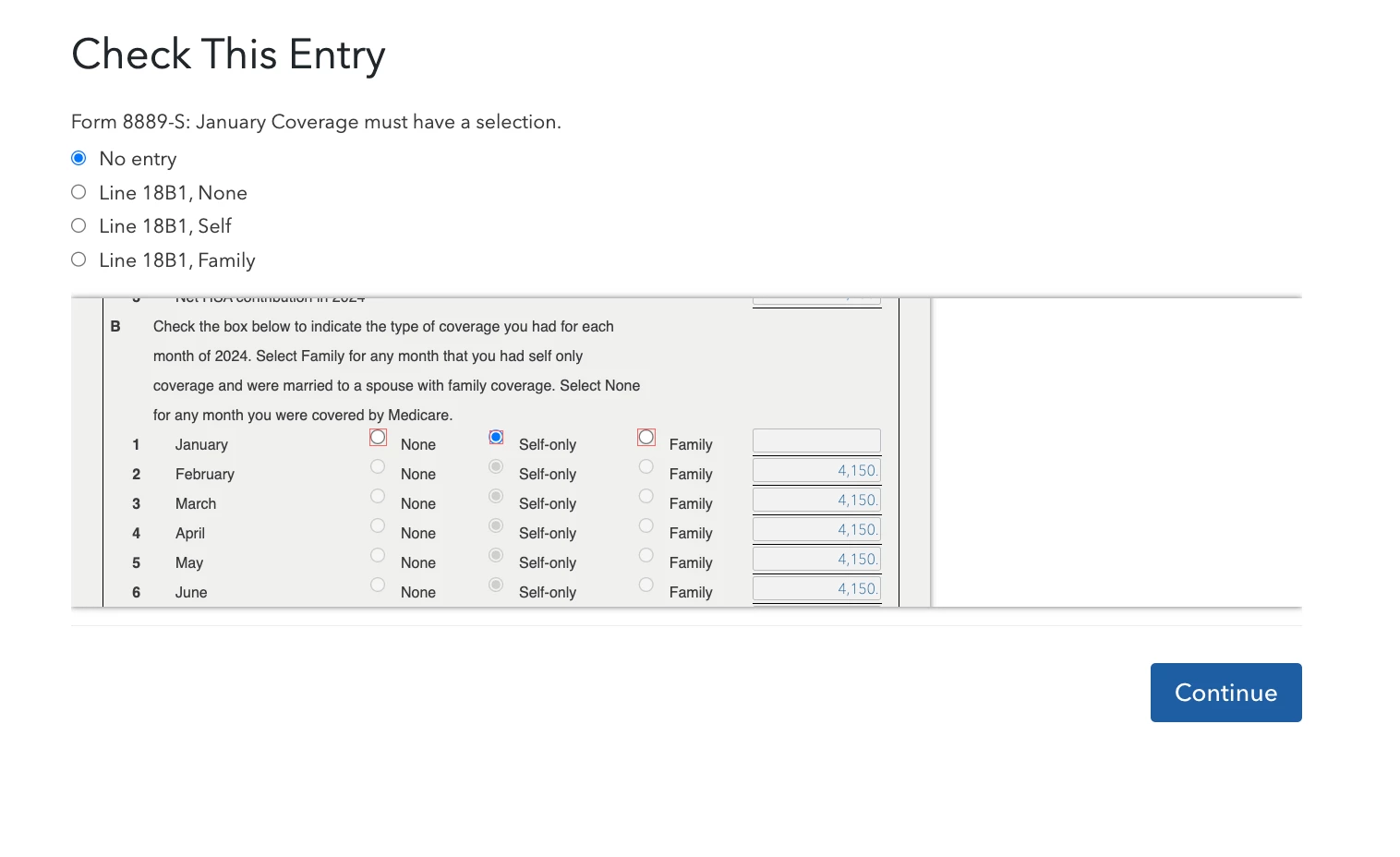
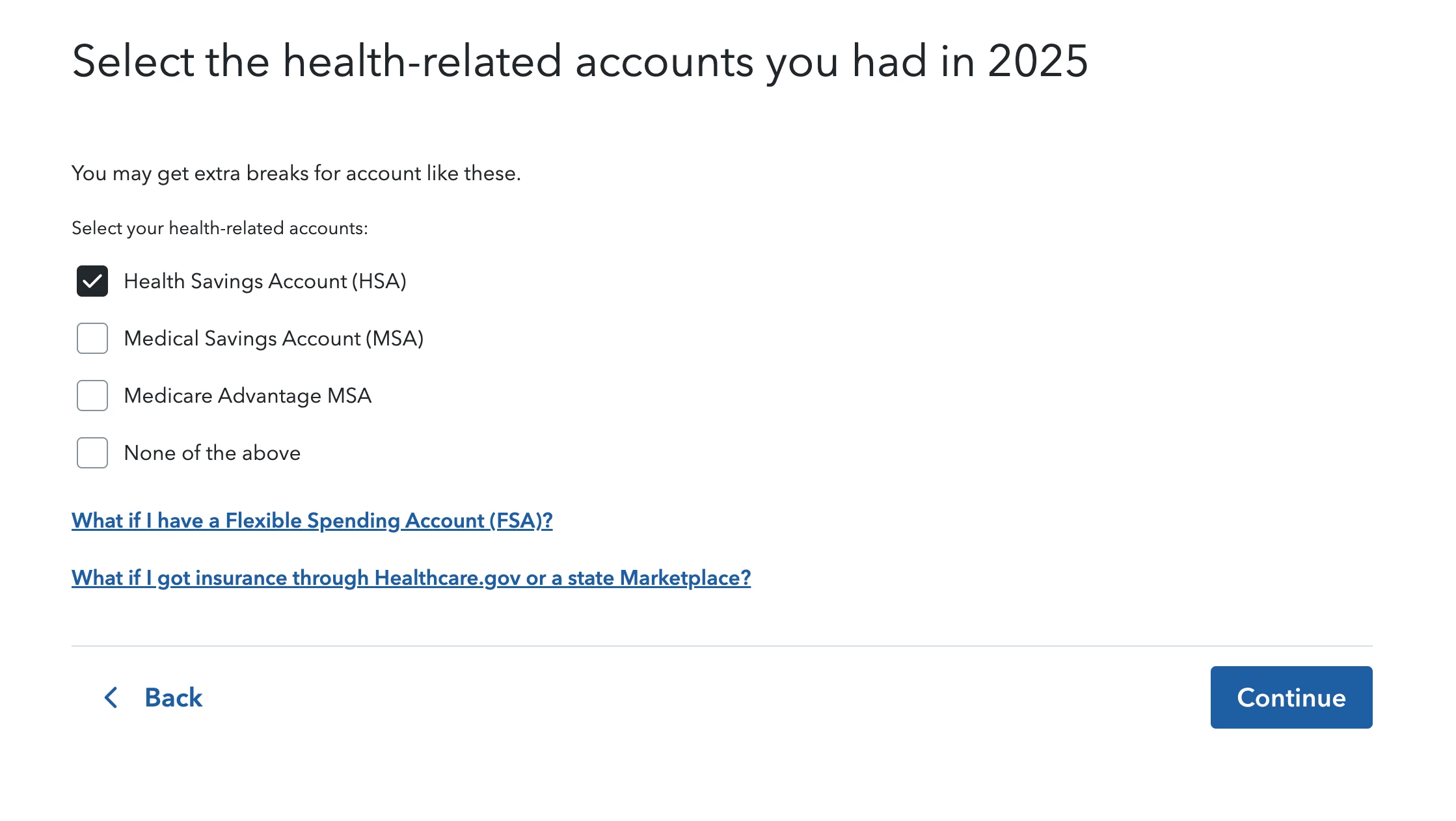
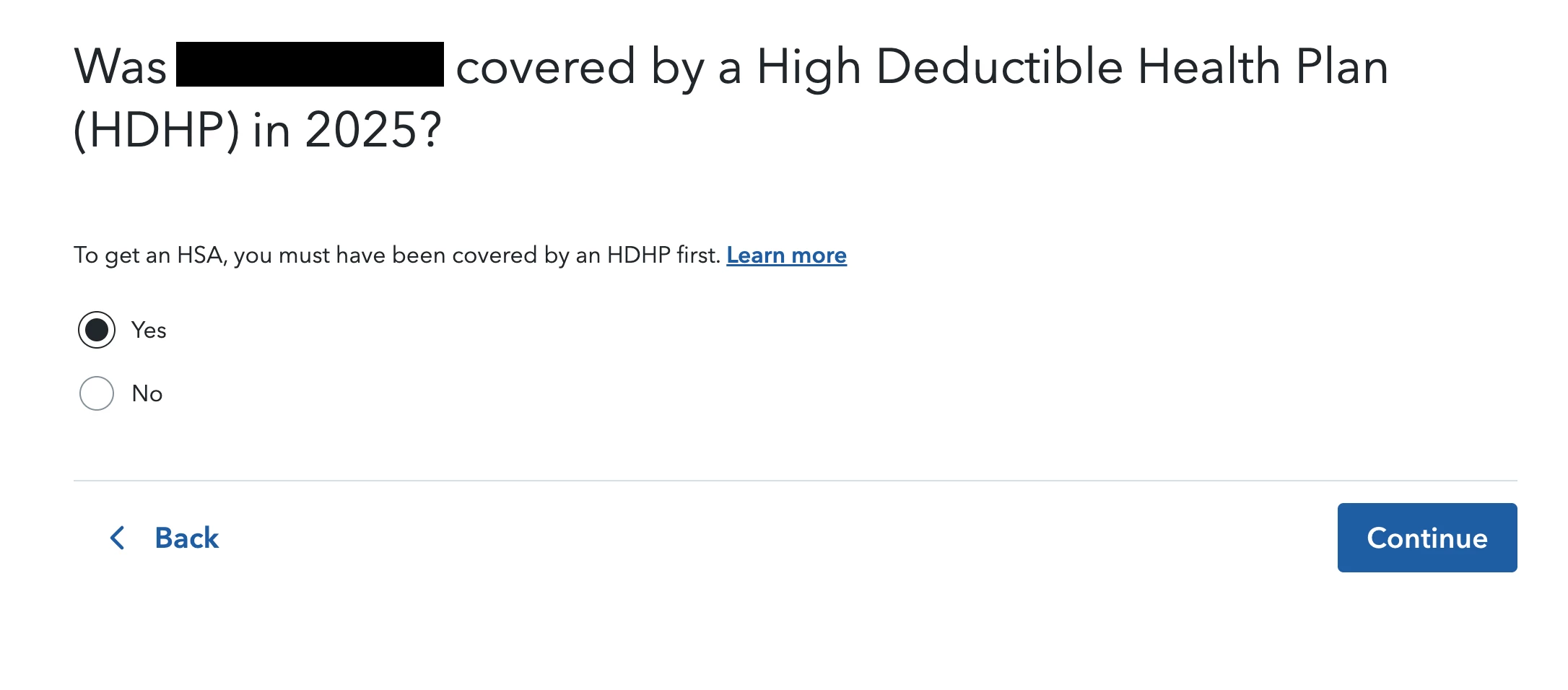
Edit: I am convinced Turbo Tax is forcibly applying the last-month rule, and changing my data to fit that narrative. I am posting screenshots of the questions asked by Turbo Tax to calculate HSA. I have redacted my information from the screenshots and omitted 1-2 sections. I have also included the smart work sheets showing how the information is calculated compared to my choices, and some additional screenshots showing the spouse weirdness mentioned below.


After applying the last-month rule, it asks about my Spouse's coverage when I have always filed as Single. If I leave all the options blank (not choosing self, family, or none) it will then ask me to fill in the blanks later during the review. When it does this, it shows the Smart Sheet for determining line 18. When I manually select self for all months in 2024, it does not remove the added income from the last-month rule. I have tried selecting the bubbles on the document itself (pictured) and selecting the bubble where the question is asked (not pictured), but the result is the same.
 

2 replies

Level 15
January 26, 2026

TurboTax automatically applies the last-month rule; you can't opt out of it.


However, your story puzzles me, because based on what you have said so far, you should not have been penalized for failure to maintain HDHP coverage.


When you have HDHP coverage every month as you did in 2024, then it should not matter about the last-month rule at all, since you contributed the max based on your coverage, which was the same as what the last-month rule would allow.


Look at your 1040, and tell me what line this $364 appears on. It should be somewhere on Schedule 1 (1040). Then, if you can see your 8889, tell me what amounts are on lines 18, 20, and 21.


There is a way to fix this, but I must be confident that you have a payment for the reason you have stated.

**Say "Thanks" by clicking the thumb icon in a post. **Mark the post that answers your question by clicking on "Mark as Best Answer"
yep-frogsAuthor
Level 2
January 26, 2026
  1. When it provides the schedule for me to note my coverage throughout 2025, it confirms I am within the pro-rated amount and ignores the last-month rule if I choose "NOV" instead of "DEC".
  2. If I say I did not have HDHP coverage for DEC 2024 it also ignores the last-month rule for 2025.

I agree that it should not matter, but because I had a lapse in coverage in 2025 and coincidentally started a HDHP in DEC 2025 it's trying to claim I neglected to maintain the testing period for the last-month rule for 2024-2025. I can tell you my 2024 8889 is blank for boxes 18, 20, and 21.


For 2025 when it says I owe $346, on my 1040 Schedule 1 it shows that amount in boxes 8f, 9, and 10. It also includes the amount on form 8889 in boxes 18 and 20, with 35 in 21.


I've included screenshots from the smart work sheet for boxes 3 and 18 on form 8889. When I complete the wizard online, it shows I have "Self-only" selected for JAN 2024. I don't know why it is disappearing and causing this.


Level 15
January 29, 2026

If you indicated that you did not have HDHP coverage for every month in 2025, then TurboTax should have asked you for your monthly coverage in 2024. I say "should" because the screens have been changing and updating in the last week - especially Online.


Let's pretend that you entered your 2025 coverage data, showing the "lapse". Then let's imagine that you entered your 2024 monthly data.


Your 2024 data should have shown that you had either  Self or Family coverage for a full year. The process that TurboTax goes through when it sees that you don't have HDHP every month in 2025, is to calculate what your annual HSA contribution limit without the benefit of the last-month rule. 


But since you had HDHP coverage in every month of 2024, then the last-month rule would not have given you any benefit - your annual HSA contribution should have been the same with or without the last-month rule. So I don't understand you reporting an additional $346 in taxable income as well as the $35 in penalty on line 21 (8889). Did you not have chance to enter the month by month HDHP coverage for 2024?


Unfortunately, my GUI for the Community will not allow me to open your two images.

**Say "Thanks" by clicking the thumb icon in a post. **Mark the post that answers your question by clicking on "Mark as Best Answer"
Level 2
January 30, 2026

Following. I’m having the same problem. I had an HSA for the full 12 months of 2024, but only the first three months of 2025, to which I contributed the correct amount of 3/12. Turbo tax even calculated the amount I was allowed to contribute for 2025, which equals what I did.  Yet I’m getting an odd $429 “additional income” and I’m not able to delete it, I don’t even know what that is or how that amount was calculated. 
There was no last month rule in my situation.  I contributed the full amount in 2024 because I was covered for all 12 months and I only contributed 3/12 for the 3 months I was covered in 2025. 

yep-frogsAuthor
Level 2
January 30, 2026

It's definitely doing something weird. I updated the post with more information and hope I can get some answers.

Level 2
January 30, 2026

I’ve also notice when you click on the blue “last month rule” help box you get a notification that says “application can’t be opened”