TurboTax Audit Support Center


We can help you with your letter or notice from the IRS.
Addressing your letter or notice as soon as you receive it could prevent further IRS contact or examination. Look in your IRS letter or notice, and select the corresponding number in this article (like CP11 or CP01A) for more information about what to do next.
What should I do if I receive a letter from a state tax agency?
It’s best to contact your state directly to learn more about the letter you received. Select yours below for Department of Revenue contact information.
What should I do if I have an audit letter from tax year 2019 or earlier?
Go here for guidance on how to respond.
What types of audit support does TurboTax provide?
TurboTax offers the following options for support when you receive an audit notice.
Description:
Free one-on-one audit guidance when you file a return with any TurboTax version except TurboTax Business for Windows
Services:
Consultation with a trained tax professional if you receive an audit notice
Year-round answers to your audit questions
Assistance with what to expect and how to prepare for an audit
Contact info:
Call 800-624-9066 for assistance
Description:
Optional paid add-on service that must be purchased when you file your taxes
Available through MAX Defend and Restore (TurboTax Online), PLUS, or as a standalone service (TurboTax desktop software)
Services:
Full audit representation by a licensed tax professional, including representation in front of the IRS
Contact info:
Create or sign in to your Audit Defense account to get started.
You can also contact TaxAudit at 877-829-9695.
How do I know if I purchased Audit Defense?
To determine if you purchased Audit Defense, sign in to your TurboTax account, select the tax year under Your tax returns & documents, and select View order details. If you have PLUS, Max Benefits, or Premium Services listed, then you purchased Audit Defense. In TurboTax Desktop, it’s called Audit Defense for TurboTax Desktop.
Tip: Have your notice and your tax return handy when you call.
Where can I find more helpful IRS information?
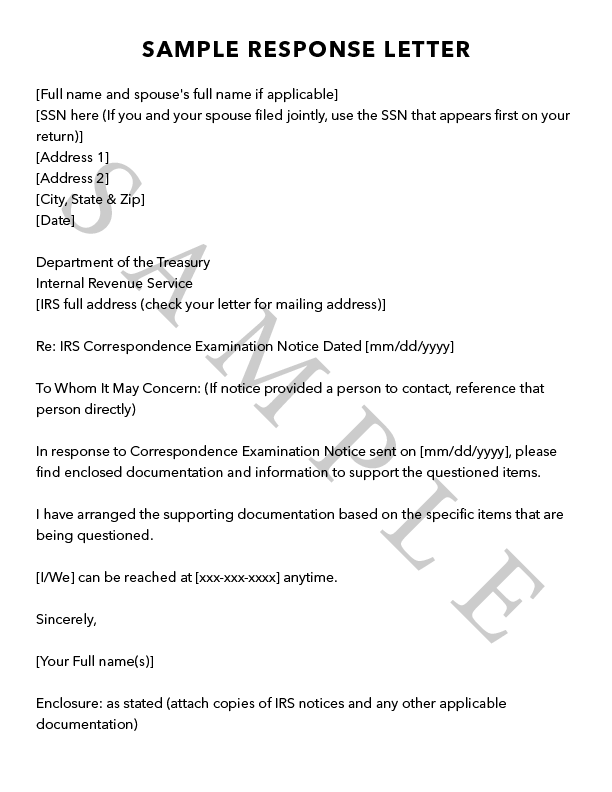
The IRS has some resources to search for and understand your notice, along with information to set up a payment plan. We’ve drafted a sample response letter you can use for reference.
There are a few ways to contact the IRS:
By phone at 800-829-1040
Online at irs.gov
Visit your local IRS office