Why sign in to the Community?

  • Submit a question
  • Check your notifications
Sign in to the Community or Sign in to TurboTax and start working on your taxes
Level 1
posted Feb 27, 2026 1:24:55 PM

Wells Fargo Advisors

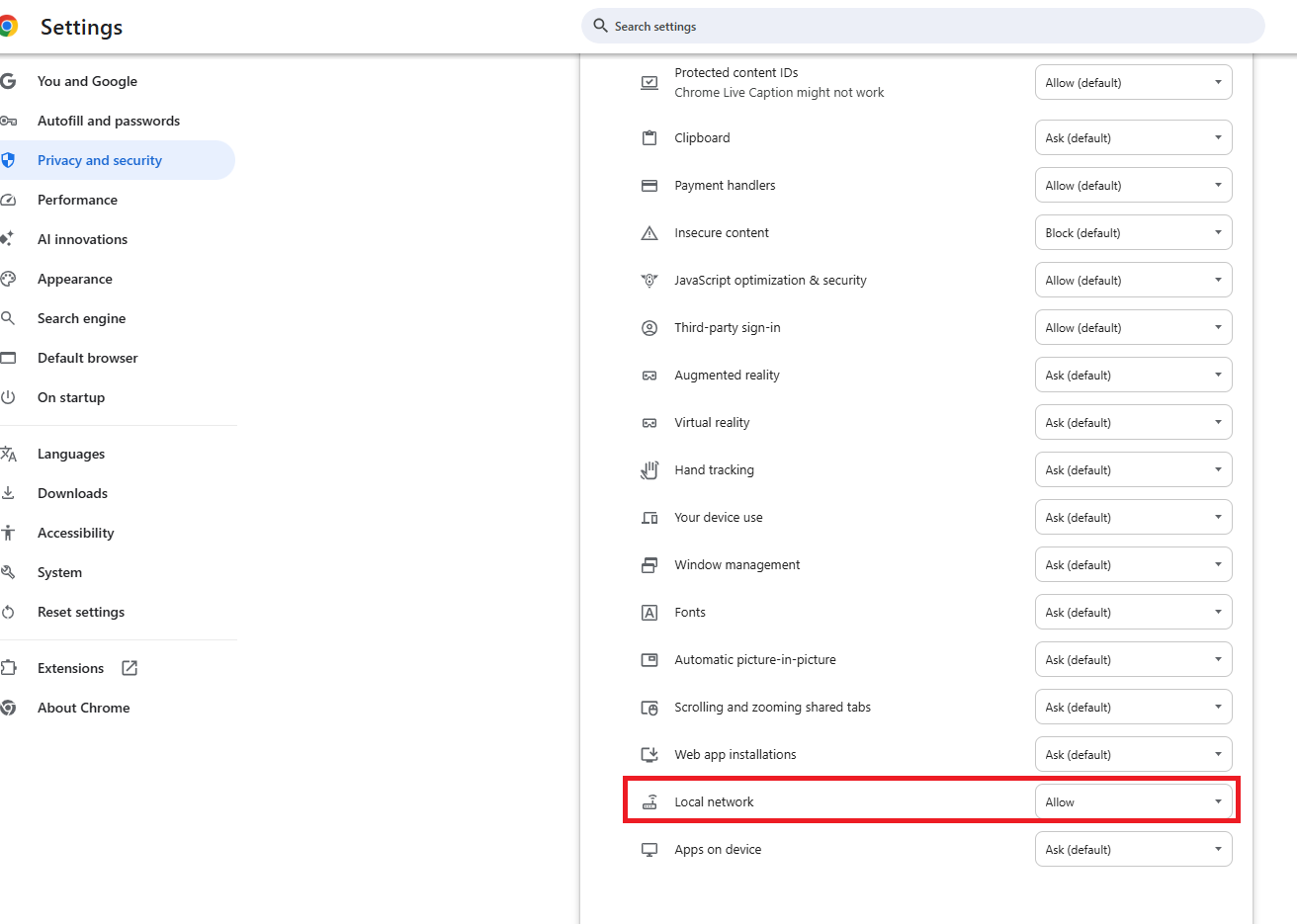
Like Other I have used TurboTax for over 10 years and have always selected Wells Fargo Advisors from the List of Institutions. This year it is not there. So I have tried Wells Fargo as other posts have suggested. I have enabled local area networks as suggested.


After connecting and giving me indications that data is flowing both directions  i get  what I assume is error /message (378). 


Lets head back to your bank to connect one or more accounts

Those transactions will flow into TTWIN on a faster more reliable connection (378)


No "Successful" message

I have selected all of the accounts one time.

Then I changed the setting to only one account

I don't know whether I need to check just tax Documents or also Profile and/or statements. 


This is TOTALLY confusing. Last year it was one click, and ID and PW and I was finished.  Now I have no Idea what is expected.  Like other I've selected TurboTax to keep from manually entering all of my Brokerage transactions. So What is the problem and how can I get it fixed... BTW Wells Fargo Advisors has on their web site that TurboTax data was mad available between Feb 13-17, 2026.


Please find a solution that works.

1 3 687
3 Replies
Level 2
Mar 2, 2026 12:48:03 PM

Use "Wells Fargo Clearing Services" instead of "Wells Fargo".

Employee Tax Expert
Mar 4, 2026 1:17:40 PM

How to Fix Import Issues (Error 378):


If you are receiving this message but your transactions are not appearing, it is likely due to browser security updates or blocked Local Network Access. Try the following solutions: 

  • Enable Local Network Access: Click the "Lock" or "Tune" icon in your browser's address bar, look for Local Network Access, and toggle it to ON.
  • Refresh and Retry: After changing the setting, refresh the page and try the import again.
  • Use a Different Browser: If Chrome is not working, try Firefox or Safari.
  • Ensure Only One Window is Open: Make sure only one TurboTax instance is active and that you are not switching between Wi-Fi networks

Prior to 'import' options being made available, your tax return only needed to contain Category Summary Totals.  Remember the IRS already has copies of all your 1099's.

 

@ThomasKirchner54 


Level 2
Mar 6, 2026 11:29:36 AM

Doesn't work. Been there done that