Why sign in to the Community?

  • Submit a question
  • Check your notifications
Sign in to the Community or Sign in to TurboTax and start working on your taxes
Returning Member
posted Mar 25, 2021 3:17:27 PM

K1 Box 20 Code Z Cannot Leave Blank

Hey folks,


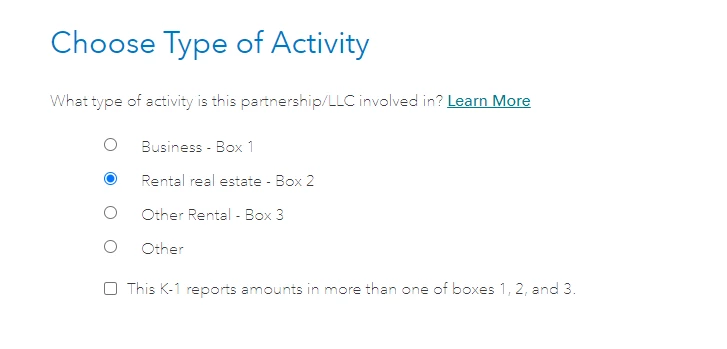
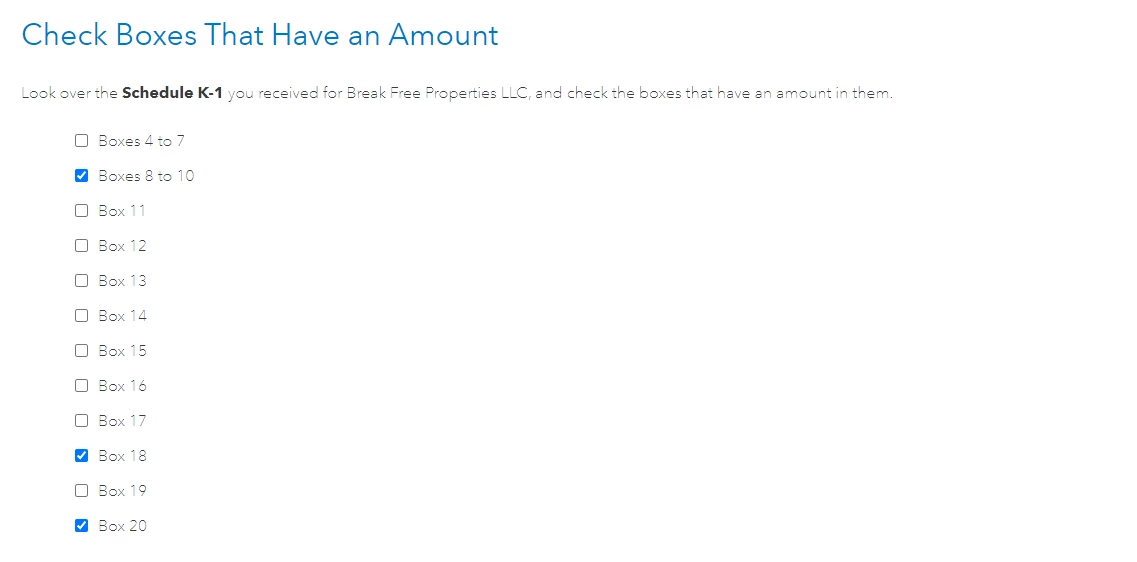
I am having issues with my K1 as I cannot seem to get the box 20 code z portion to take without error. I have read multiple posts and I am still confused on what to do here. 


My K1 box 20 has code Z in it with "STMT" in the amount field. You cannot put "STMT" in there for TurboTax so I did as others suggested and left it blank and kept going. I do get additional questions and answer those appropriately, but still it fails the final check because I have entered code z with no value. I then added a value and it still fails...


I'd like to know exactly what to do here as I have seen that I should NOT just exclude the Z code information...

But it seems I cannot edit the underlying form directly and thus have to figure out the magic combo to get this right


Should I just continue even though it keeps asking me to check this value? 


On 199A the values I need to enter are:

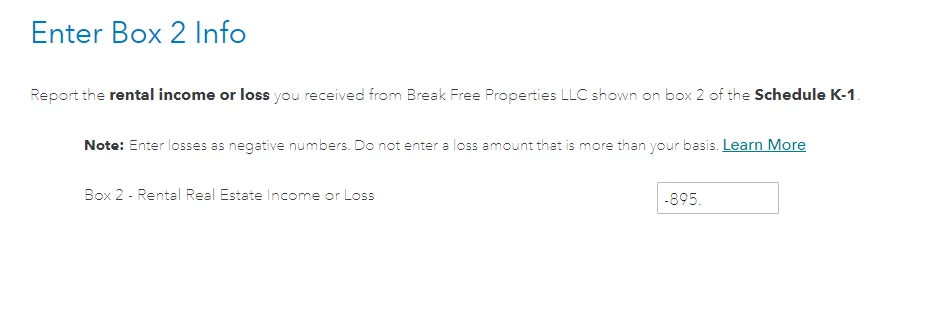
  • Net rental real estate income (loss) -895
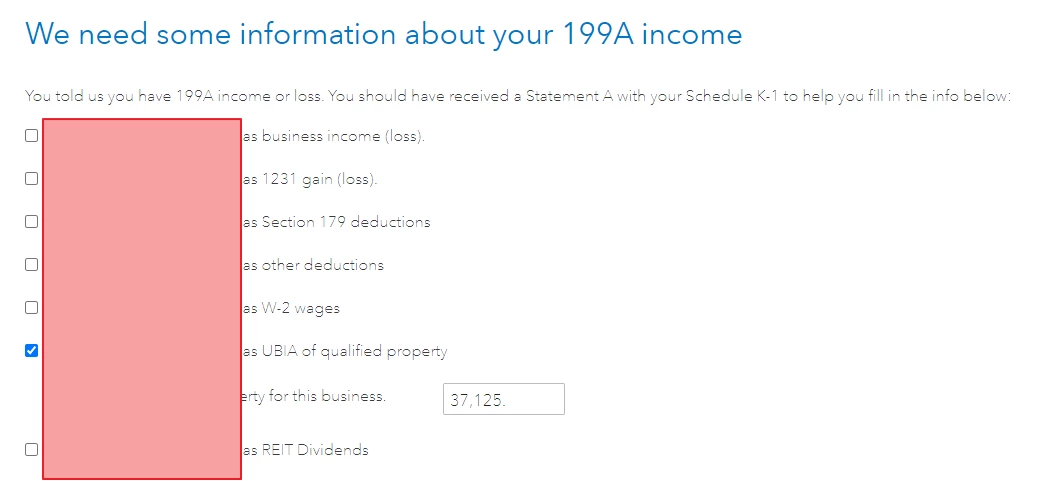
  • Qualified property 37,125
 

Image 2.pngImage 3.pngImage 4.pngImage 5.pngImage 6.pngImage 7.pngImage 8.pngImage 9.png

Image 10.png


0 22 12486
22 Replies
Returning Member
Mar 25, 2021 3:19:20 PM

The check error 

Image 13.png

Employee Tax Expert
Mar 25, 2021 8:19:13 PM

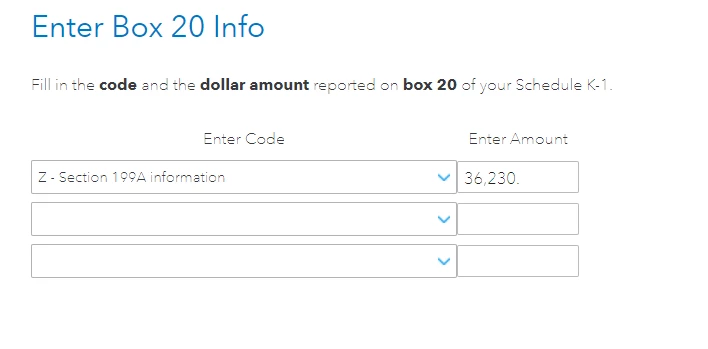
Your need to go back through your K-1 entry and indicate you have an entry in box 20. When you get to the box 20 entry, choose code "Z - Section 199A information" and enter -895 in there as it represents the QBI rental loss amount as probably reported in box 2 on the K-1 schedule.


Returning Member
Mar 26, 2021 5:54:29 AM

@ThomasM125 


Thanks for your reply. 


I deleted the K1 and started over. I did put -895 in box 20 but it still didn't take it. 


What I discovered and in my opinion is poor implementation is that if you check the business income box on 199A form all the sudden more fields appear. After filling this in magic. Everything is good. 


Image 2.png


Returning Member
Apr 7, 2021 4:56:30 PM

Hello, I am having similar issues. I selected Box 20 Code Z, left it blank, and then included the information later on when prompted "we need some information about your 199A income. I input the numbers under Rental Income (Loss) and also UBIA of Qualified Property for this Business, same as you did. Turbotax accepts the inputs. However, when I go to Forms and check Form 8995 - Qualified Business Income Deduction (SImplified Computation), it is not reporting the rental loss I inlcued in Shcedule K1. Did you have similar issues? Any advise?

Expert Alumni
Apr 8, 2021 6:02:41 AM

Unless you selected Active or Material participation for the rental income (loss), it is considered passive, and the  figure will not flow to Form 8995.

Returning Member
Apr 8, 2021 7:39:44 AM

Thanks for your reply. I had selected "Active Participation, but the numbers are not flowing to Form 8995. I took a look at Form 8552 and the loss is reported under Worksheet 3 for Passive Activities. It should be under "Rental Real Estate Activities with Active Participation". Any idea why?

Employee Tax Expert
Apr 8, 2021 8:29:42 AM

@btrav68

Perhaps you do not qualify for the Special Allowance for Rental Real Estate Activities.  See here and click Special Allowance for Rental Real Estate down the left hand side.


Your original post concerns an issue with the screen Enter Box 20 info.  Perhaps this will help.


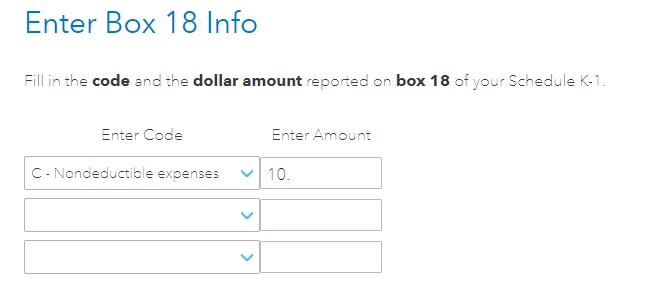
At the screen Enter Box 20 info, you likely need to select code Z Section 199A informationCode Z tells the software that qualified business income information needs to be entered at the screen We need some information about your 199A income.  Select Code Z and enter $0.  Click Continue.


At the screen We need some information about your 199A income, you will likely need to enter the following information: 

  • Ordinary rental (loss) from this business,
  • UBI of qualified property for this business.

Click the box for business income (loss) and enter the rental loss in the appropriate box.


Click the box for UBIA of qualified property and enter the value.

he Qualified Business Income Deduction was created by the 2017 Tax Cuts and Jobs Act (TCJA) and is in effect for tax years 2018 through 2025.  See this TurboTax Help.

Returning Member
Apr 8, 2021 8:52:07 AM

Thanks! That is exactly the procedure I was using. However, the numbers do not flow through. I was playing around and noticed that if I leave empty the Box 2 - Rental Real Estate Income or Loss when the questions comes up, then the numbers flow through. Not sure how those two Box 2 and Code Z Section 199A are related. 


It is important to indicate that a loss reported in Box 2, so not sure If I should leave it blank. 


Appreciate your help!

Employee Tax Expert
Apr 8, 2021 9:21:36 AM

You should report the loss.  The screen Enter Box 2 info reports, in your case, a loss to your tax return. 


Other answers in other parts of the tax return will determine whether that loss will offset other income in your tax return or be carried over to next year as a passive loss.  These are all issues related to taxable income.


The screen Enter Box 20 info asks you to select code Z Section 199A information.  Code Z tells the software that qualified business income information needs to be entered at the screen We need some information about your 199A income.  Select Code Z and enter $0.  Click Continue.


When you enter information at the screen We need some information about your 199A income, the software is determining whether and how this income will affect the Qualified Business Income Deduction computations.  Now we have moved away from taxable income to the the Qualified Business Income Deduction.


This individual entry is a loss but it could offset Qualified Business Income reported elsewhere in the tax return.  If there is no other Qualified Business Income in the tax return, the loss is carried forward to offset Qualified Business Income in a subsequent year's tax return.


Returning Member
Apr 8, 2021 9:51:36 AM

That way none of my reported losses in Box 20 Code z follow through Form 8995. I guess Turbtotax is determining they are not applicable. Qualified Business Income or (loss) is calculated/reported as zero in Form 8995. There is no other Qualified Business Income in the tax Return. Per your comments, the loss would be carried forward to offset QBI in coming years. However, since the QBI (loss) is calculated as "zero", none of the losses are carried forward.  

This is different to what was reported in previous returns prepared by an accountant, even though the forms (K1) and others are quite similar. In the return prepared by my accountant, all numbers from Box 20 Code Z were flowing through to Form 8995 and since deductions were not being used, they were carried forward. 

Employee Tax Expert
Apr 8, 2021 12:50:29 PM

It depends. You need to provide details about your Code Z  transaction. To provide the details, you need to look at your supplementary statement that came with your K1. Here's how to edit.

  1. Log into Turbo Tax  if using Turbo Tax Online
  2. Go to federal>wages and income>S-corps, Partnerships, and Trusts>show more
  3. Schedule K1>revisit
  4. Select update next to Partnerships/LLC's(form 1065)
  5. Select edit next to the K1 
  6. Continue through the next couple of screens until you get to a screen that says Enter Box 20 Info. Press Continue
  7. When you get to Box 20, enter the Z code from the drop-down but leave the amount blank. Press Continue
  8. Make sure you select your information is at risk when you reach that screen
  9. The next few screens will ask you specific information about your 199A income. All this information should be on the disclosure statement that came with your K-1.
  10. Note: if you are using Turbo Tax software, you can select quick zoom at the bottom of the page where you entered Code Z in Box 20. That will also allow you to enter information from the disclosure statement

Returning Member
Apr 8, 2021 2:09:52 PM

@DaveF1006 


Hi Dave! That is the procedure I am following. I read it in different posts from you in TT's website.

Still, the numbers from the Box 20 Code Z are not passing through the respective Form 8995 for example.

I've attached screenshots of the questionnaire and forms FYI. I was checking and the Box 2 loss amount is not reporting in Part I Rental Real State with Active Participation as was the case for last year, even though I replied I was active participant. Not sure if those two 8995 and 8582 are related. Capture TT1.JPGCapture TT2.JPGCapture TT3.JPG 

Employee Tax Expert
Apr 8, 2021 2:24:36 PM

It depends. To clarify, did you have passive loss carryovers from last year? According to this Turbo Tax link written by RobertG, "If the net overall QBI last year is less than zero, it is carried forward as a loss from a separate qualified business and will reduce any potential QBI deduction in the following year in 2020." So yes, depending on the circumstance, the 8995 and 8582 could be related.

Returning Member
Apr 8, 2021 3:02:18 PM

@DaveF1006 

Where do I check passive loss carryovers from last year? Form 8995 Line 3? 

Still, none of the current Box 20 Code Z are showing up in the respective forms even though they are properly entered into the program. Not sure if this is a glitch or the actual loss becomes a QBI of zero. 

Employee Tax Expert
Apr 8, 2021 3:44:04 PM

Yes, in order to qualify for QBI, you would need to have net income for the year. if you suffered rental losses for the year without having offsetting income reported elsewhere, you will not be eligible for QBI. I apologize for missing this earlier. 

New Member
May 8, 2021 6:23:14 PM

Thank you. I've been trying for 4 hours to get this work !!!

Returning Member
Apr 9, 2022 5:47:14 PM

Great tip btrav68, you were right that solved the issue, I completly overlooked that entry 

Returning Member
Mar 17, 2023 3:56:37 PM

This is exactly the problem Im having!  

I have no business  income, just interest income in box 5, and a W in 13 with a statement.  In box 20, I have an A - with the interest income and the dreaded "Z "with STMT written. On Statement A under "Other Deductions" I have a $ amount under other deductions, see ATT and Rental Deductions on the back with the amount.  I keep getting an error  message.  Doesn't matter if I put a -730 or 0 when entering the box 20 info - it keeps giving me an error message about 199A income entered on statement A.  I do not have a 199A or any income from this K1!!! 


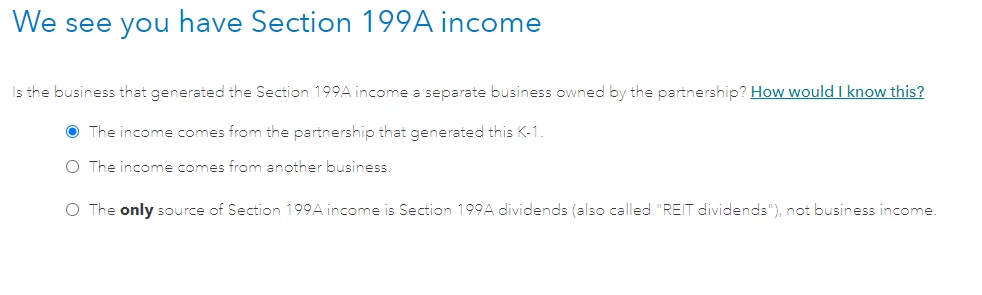
In going to the forms, I noticed that I do have REIT Div from some investments which have nothing to do with the K1, so I have checked the box "Only source 199A REIT Div, not business income.

I am unable to continue - been trying to figure this our for over a week now.  Im tempted to just leave the "Z" off or try to send this through with an error message.  HELP!!!

Level 3
Mar 17, 2023 5:17:32 PM

If you havce a Code Z in box 20 then you absolutely do have 199A income.   That's what the code means.  You need the information from the statement to complete your return.  You do NOT check the REIT box, you're going to need to find the information that pertains to your 199A income on the statement attached to your K-1 for Box 20 

Expert Alumni
Mar 17, 2023 6:20:36 PM

The IRS Partner’s Instructions for Schedule K-1 (Form 1065) state:


Box 20 Code Z. Section 199A information. Generally, you may be allowed a deduction of up to 20% of your net qualified business income (QBI) plus 20% of your qualified REIT dividends, also known as section 199A dividends, and qualified PTP income from your partnership. The partnership will provide the information you need figure your deduction.


There is a long list of items to which this entry could pertain and it would be best to ask the person who issued the Schedule K-1 to what it should be matched. It is generally in the statement attached to the Schedule K-1 but it sounds as if it was not included. 

For more information about Code Z. Section 199A information, please see page 18 and 19 of the IRS instructions for Schedule K-1

Returning Member
Mar 18, 2023 10:40:03 AM

I have gone to the accountant that completed this several times and there is no income - $37 in interest which is under A in Box 20. Never in the past have they used the code Z - we lose money every year just from paying taxes, insurance and the accountant to complete the K-1. The last time I emailed them I was told to not mark the 20Z box since there is no QBI income to offset the K-1 and that it seems that tt can't deal with the entry if there is nothing in the income box.  Since I have nothing else, will this trigger an audit since the K-1 has a Z?  They dont plan on doing an amendment...

Employee Tax Expert
Mar 20, 2023 9:29:07 AM

The entry will certainly not trigger an audit of you.  The IRS looks for forms to match so enter your K1 as you received it and you should be fine.


@EMIH