

- Mark as New
- Bookmark
- Subscribe
- Subscribe to RSS Feed
- Permalink
- Report Inappropriate Content
Deductions & credits
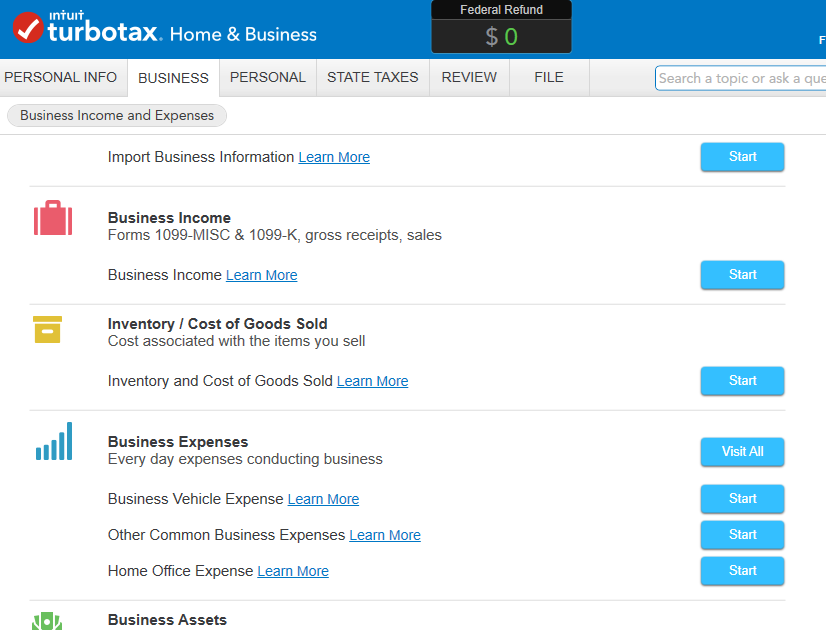
In your 2016 Home and Business software (see below screen shot):
- Click on Business tab at the top
- Click I'll work on sections myself
- 1st screen asks for information on Business profile, go through and answer all question
- After entering basic Business information, you will come to a summary screen
- Then click the Continue button at the bottom of the page
- You will see a screen where you can enter your business income, business expenses and business assets. Click on start for each section.
**Say "Thanks" by clicking the thumb icon in a post
**Mark the post that answers your question by clicking on "Mark as Best Answer"
**Mark the post that answers your question by clicking on "Mark as Best Answer"
February 2, 2020
7:06 AM
